The ‘Slack Distraction’

Over the past few months, I have been working with a small (10 total with 4 developers) remote team. I noticed some comments creeping up on Slack that were along the lines of:

I'm exiting and logging out of Slack now so I can get some work done.

Then, the other day, the CEO (he is also a developer) was at his breaking point. He said:

Seriously, slack is a pathetic medium to get work done. Its equal to being on WhatsApp all day.

Slack is, arguably, the most popular tool used from small to large-sized companies for cross-team communication. What has been going wrong with our Slack team?

Slack Problems:

  1. Constantly being buzzed on my desktop and mobile device.
  2. Always seeing a notification that pulls my attention, distracting me.
  3. High priority questions getting lost in the noise.
  4. Lower priority discussions taking up time with responding.
  5. Long discussions with massive threads are hard to navigate.

As a team, we haven't yet come to a decisive answer on how to handle the above problems. However, I believe that each team is different in their communication style and we will need to adjust as CF7 Skins grows.

Communication is changing

The difficulty of remote, cross-team communication extends beyond process and available tools. It taps in directly to our cognitive evolution as a species.

Although most interactions are still offline, conversation and reading have essentially become more complex by going online or digital. We are suddenly immersed in new types of cognition during conversations where time and space seem to fold, or at least slightly bend. These new types of relational cognition add much to our lives.

Clifton Evans  |  Posted on March 20, 2018 
http://boxesandarrows.com/changing-minds/

The feelings of distraction and lack of focus are possibly a direct result of our brain adapting to new forms of communication.

Is Slack the answer for CF7 Skins communication?

As a fully remote team, how we will we know what is being worked on, if you are out for the day (or week), and how will you help other teammates who might be stuck on a problem that you have the solution for. How will we convey customer issues and discuss potential solutions? Where will we document and record this information? How will we share our knowledge with each other across teams so that we can build better, design better, and become more well-rounded in our field? 

I encourage everyone to think about the above questions as you are working and speaking with other teammates.  I don't have the answer or solution to a future problem, however, we can begin to imagine what could work for us. We all benefit from shared information and open communication so let's keep it that way… while not getting distracted.

Moving some discussions to Slack

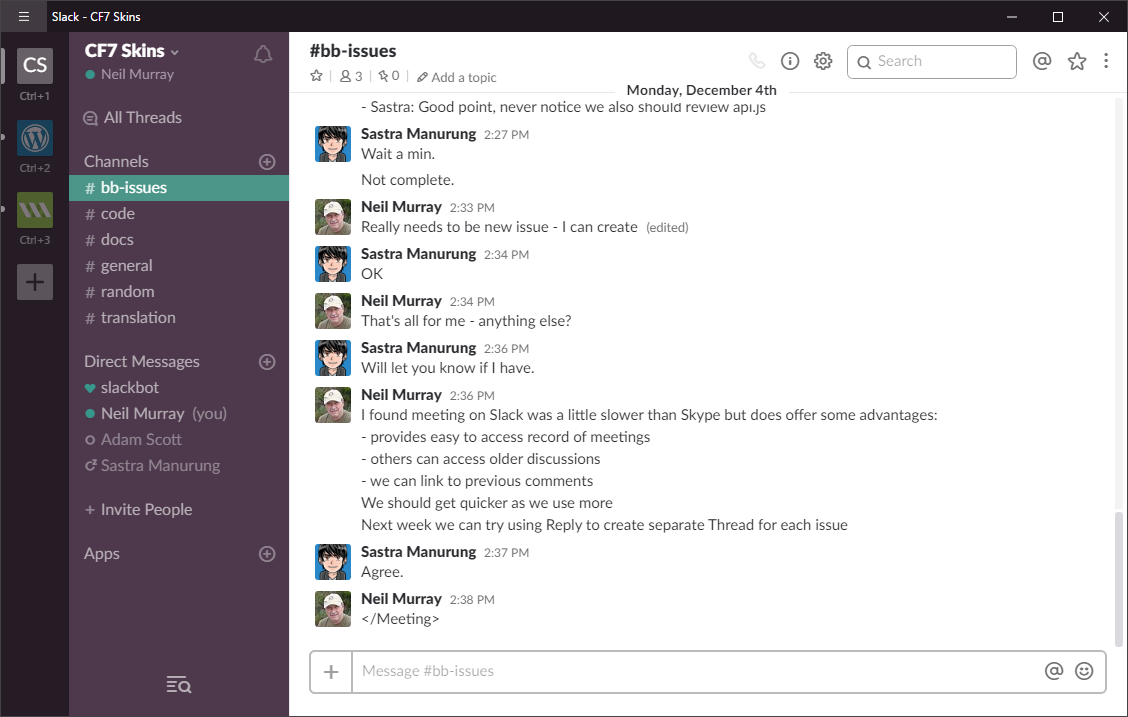
Bitbucket Issues meeting on Slack

Lately we've been moving some CF7 Skins Team discussions from Skype to Slack.

All CF7 Skins Team members should have recently received an email inviting you to join our Slack conversations at cf7skins.slack.com.

So far we've only been using Slack to conduct meetings which we were previously doing via Skype.

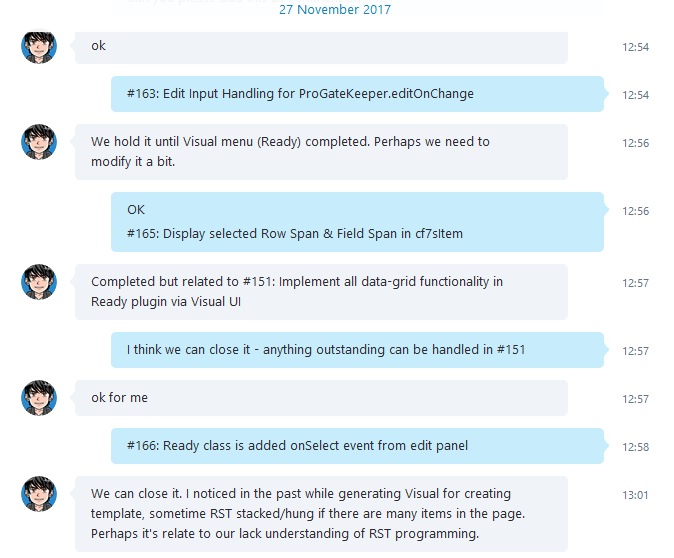
Bitbucket Issues meeting on Skype

We've found meeting on Slack was a little slower than Skype but does offer some advantages:

  • provides easy to access record of meetings
  • others can access older discussions
  • we can link to previous comments

We should get quicker as we use Slack more.

All CF7 Skins Team Members to add their profile

I’ve recently noticed that many CF7 Skins Team Members often know very little about others working with the CF7 Skins Team.

As we move towards release of CF7 Skins Visual early next year, I thought it would be good idea if everyone could add something about themselves at Team Members.

Please update your profile picture & tell all of us whatever you feel helps each of us get a better understanding of you.

You can use my profile information for inspiration.

Recommended

Featured

Articles

team

support

code

forms

freemium

docs & writing

other form plugins & apps

gutenberg

Extra

Podcasts

Videos

Slides

Ebooks

Plugins

CF7 Skins Visual started – a drag and drop visual editor for Contact Form 7 forms

CF7 Skins Visual

We’ve started work on CF7 Skins Visual – a drag and drop visual editor for Contact Form 7 forms.

We believe many WordPress users would like to use a visual drag and drop interface similar to that available in other WordPress form plugins.

We decided to give people an option to use a drag and drop visual editor within CF7 Skins as a quick and easy way to create Contact Form 7 forms.

CF7 Skins Visual works right within the normal Contact Form 7 interface

CF7 Skins Visual Interface

Provides all Contact Form 7 tags

cf7s-visual-interface-02

Edit Contact Form 7 tags quickly & easily

cf7s-visual-interface-03

Includes support for CF7 Skins unique innovative features & Add-ons

cf7s-visual-interface-04

CF7 Skins Visual works with the other innovative features championed in CF7 Skins including Templates & Styles as well as integrated support for Fieldsets & Lists within your Contact Form 7 forms.

Built using React

We’re very excited to be using React to build this extension to CF7 Skins. We are building it from the ground up to take advantage of what the React.js JavaScript library has to offer.

So far we’ve found React.js to be a terrific tool for building a visual interface within a WordPress plugin. Already we’ve seen very significant improvements when compared to using jQuery to add JavaScript functionality to our CF7 Skins plugins.

In particular using React JSX allows us to experiment quickly & easily with changes to the interface using something that feels very much like simple HTML.

Plus using React Components lets you focus on small discrete parts of the interface. Using modular CSS also keeps things contained & separated.

We also found Redux ideal for maintaining state in the JavaScript interface. What we’d previously found increasingly cumbersome & confusing when using jQuery is amazingly simple with Redux (once you know what you are doing) and so far it’s remained just as simple as we’ve added more complexity to the interface.

CF7 Skins Visual is built from the ground up to take advantage of what the React.js JavaScript library has to offer.

Works with CF7 Skins other innovative features

CF7 Skins Visual is great for simple forms but it really shines for more complex forms. Especially when you combine this with the convenience offered by CF7 Skins other innovative features.

Templates

Each Template acts as an easy to follow guide, which can be quickly adapted to your particular requirements:
– start off by choosing a CF7 Skins Template with matches your required form
– quickly add or delete fields using the Visual Editor
– then use the drag and drop interface to adjust the form to suit your requirements.

Styles

CF7 Skins provides a wide range of compatible Styles that cover the full range of Contact Form 7 form elements plus other important innovative elements supported by CF7 Skins like Fieldsets or Lists.

With CF7 Skins you can use the easy to use Visual Editor, together with a range of compatible Templates and Styles, to make creating & styling of Contact Form 7 forms much easier.

Fieldsets & Lists

The CF7 Skins Visual Editor makes building of CF7 Skins forms, including Fieldsets and Lists, even easier by the use of a simple drag and drop interface.

Using these important form elements supported by CF7 Skins enhances form usability and allows significantly more detailed styling of your forms.

Why we use Fieldset, Legend & Lists in CF7 Skins

Making your form easy to read by using Fieldsets

CF7 Skins Add-ons

Plus you also get an integrated visual interface for all our CF7 Skins Add-ons. For CF7 Skins Pro users each CF7 Skins Add-on can be operated via the visual interface.

This is a big project for us that’s going to take some time to finish. However we wanted to involve existing CF7 Skins users as early as possible to get ongoing feedback.