
Last Updated on October 27, 2024 by Neil Murray
1. Setup local development environment #
You need a local WordPress development environment.
Tip: See Setup local install – step by step instructions for detailed instructions.
2. Install Node.js with npm #
For modern Node.js-based JavaScript development you need to use a Command Line Interface (also called terminal or Terminal prompt).
Make sure your versions of Node & npm match with the current versions we are using on the team.
Tip: See Update Node.js and npm on Windows if you are using a Windows PC.
3. Install CF7 Skins – Single Repo plugin #
You will need to download, install, activate & add license keys for our CF7 Skins development plugins.
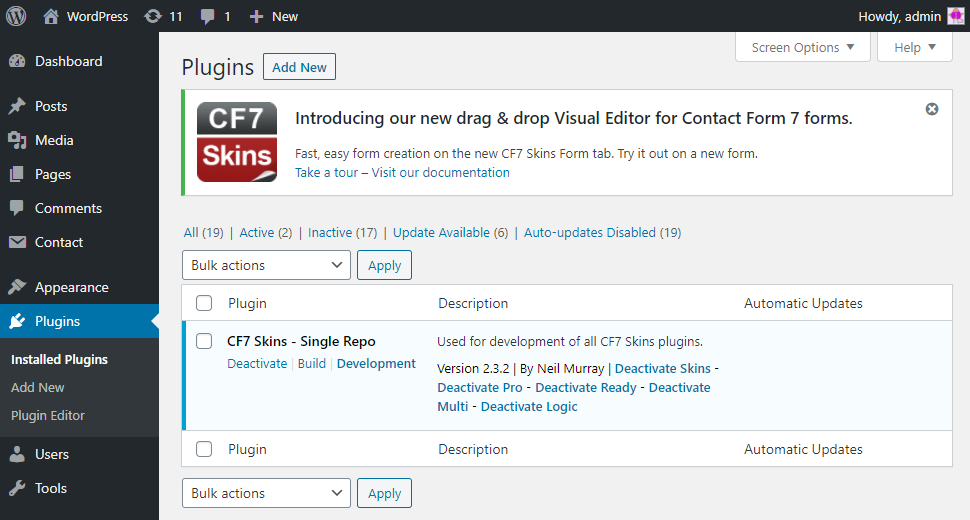
The CF7 Skins – Single Repo plugin contains:
- All CF7 Skins plugins in a single repository
- Our JavaScript build tools
- Build (minified) & Development (un-minified) versions
- WordPress Admin and standalone JavaScript versions that operate separately.
You need to add License Keys for our CF7 Skins Add-on plugins.
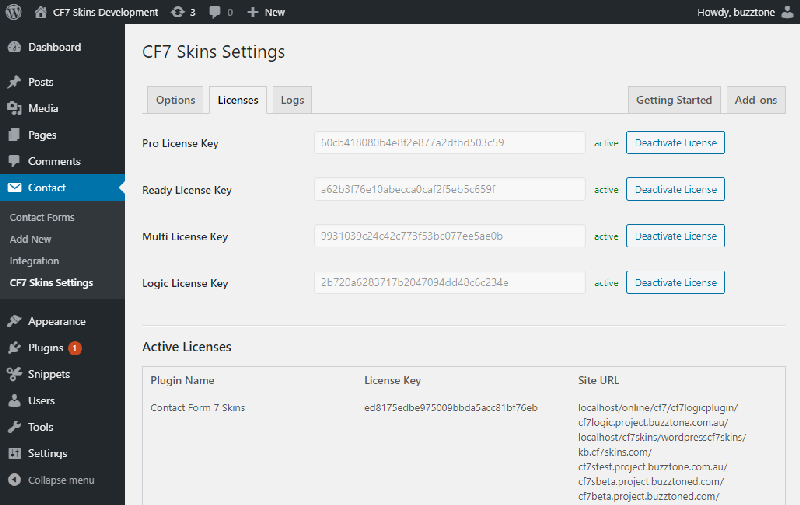
Tip: See Install CF7 Skins – Single Repo plugin for detailed instructions on getting started using our CF7 Skins – Single Repo development plugin.
4. Development & Production Builds #
See Development & Production Builds for detailed instructions on:
- Running our JavaScript build tools
- Build (minified) & Development (un-minified) plugin versions
- CF7 Skins Visual JavaScript interface
- WordPress wp-admin plugin interface
Operate CF7 Skins – Single Repo development plugin
See Operate CF7 Skins – Single Repo development plugin for detailed instructions on:
- Operating selected CF7 Skins plugins
- Operating Build (minified) & Development (un-minified) plugin versions
Branches
See Branches for detailed instructions on:
- Live, Development & Visual versions
- Build (minified) & Development (un-minified) versions
- Operating separately both WordPress Admin and standalone JavaScript versions
5. Troubleshooting #
Incorrect Node & npm versions #
[ADD text]
CF7 Skins Add-ons not activated #
[ADD text]
Problems on Mac #
[ADD text]
See Skype chats at #489: Unable to use CF7 Skins Build tools on Mac.
Further Reading
Notes:
ADD notes here.
Save all Images to Sync – use ..\Sync\..\Development\Development Guidelines\..\