
Last Updated on October 26, 2024 by Neil Murray
While developing the HTML CF7 item, as part of the CF7 Skins Pro Add-on, we needed to have the same CSS for the EDIT section of this field, as available for other fields.
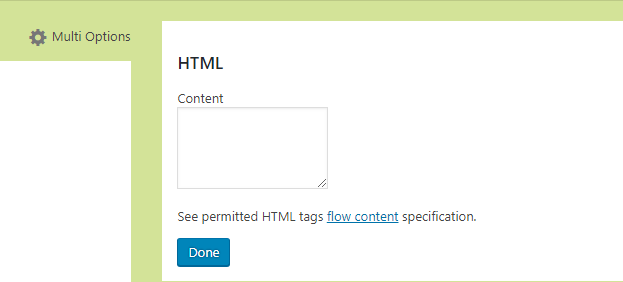
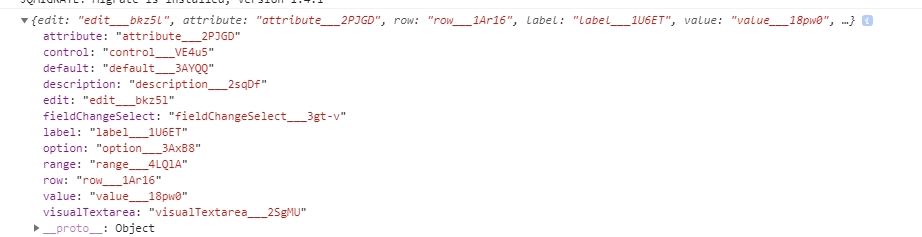
Whenever a new build of CF7S Visual is created (either by the development server npm start or with webpack), all Component class names are automatically suffixed with a unique combination of alphabets and digits by CSS Modules.
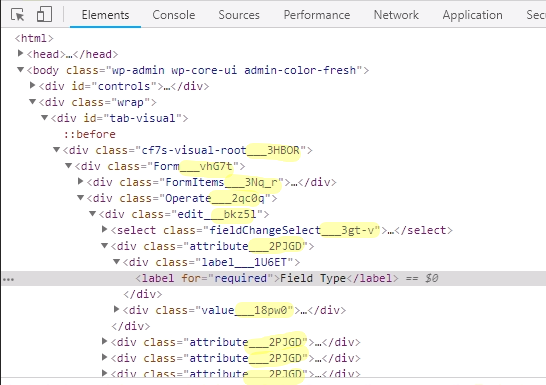
There is no direct way to keep the class names same in two different files ( in this case free plugin’s edit\index.js and pro addon’s add-on\index.js )
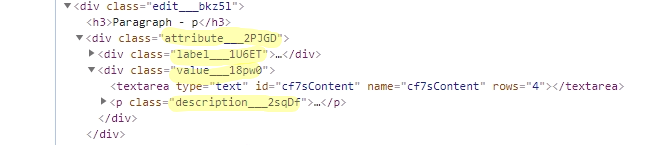
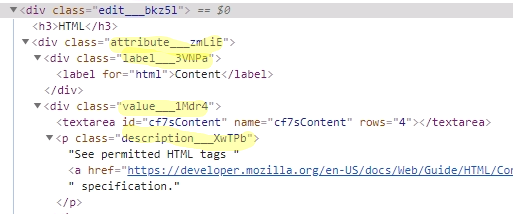
To address such a situation where you need to have same CSS over two different files you can check the available approaches below:
If you are new to React, or have joined the CF7 Skins team recently, then the first two approaches maybe the ones that come to your mind for implementing the styling in an Add-on. Below I have explained why we haven’t used those two approaches – Sushil Kumar
- Copy the current styles from src\visual\Form\Edit\index.css to the add-on css file:
- The drawback of this approach is that whenever we decide to make CSS changes, then we have to make them at two places ( edit\index.css and addon\index.css ).
- This is not how we would like to proceed where chances of creating an inconsistent layout increases in case we forget to replicate the changes to other file.
- Import the edit\index.css into our add-on add-on\index.js file:
- Imagine each addons is a separate WordPress plugin, where they are in separated directory structure. Importing a file from external directory can be a pain. We need to check if such file or directory exists, or the addon becomes error. – Sastra Manurung
- Use the edit\index.css styles in Edit add-on components by using the props.styles object:
- The styles object contains all the suffixed class names which will be used when a new build is created.
- This solves all issues we get with the previously mentioned approaches.
- This is the correct way
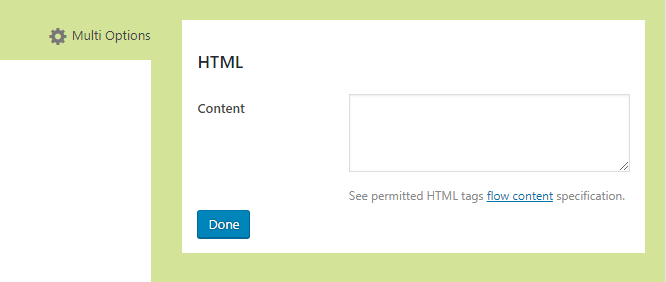
Once the classes from styles object were applied on the HTML field edit section then this is how it looks.
Further Reading
- Repetition of CSS in different Add-on components (BitBucket Issue)
Notes
2018-11-23
- Moved detailed explanation of issues on adding CSS in Add-on to bottom of page as extra supplementary information.
- Explain situation when need of replicating styles was encountered
2018-11-21
I think we need a more detailed explanation of this issue to meet the needs of new WP Dev joining the team.
We need to make sure it covers the following items:
- why you originally raised the issue at Repetition of CSS in different Add-on components – OK
- how this is likely to be confusing to a new WP Dev joining the team – OK
- explain issue of unique CSS ids added by CSS Modules – OK
- add image showing the CSS unique ids – OK
- how the changes added by @Sastra Manurung solve this problem – OK