
Last Updated on April 4, 2021 by Neil Murray
Problem #
External module CSS not applied because CSS Modules adds unique ID #
External modules that set a static className in their component may fail to apply their styles, because CSS Modules changes their .css className in our webpack configuration.
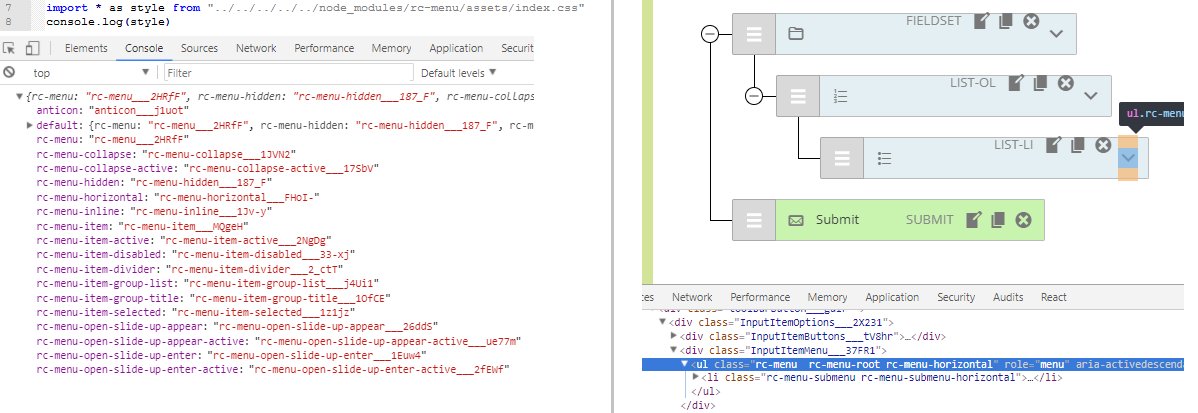
Left: import external module file .css, has dynamic className (defined localIdentName from webpack)
Right: classNames are not changed to match .css dynamic className
We set a dynamic name on every style using
[local]___[hash:base64:5]in webpack and css-loader.
Further reading:
Alternative Solutions #
Package supports CSS Modules #
For external modules that support CSS Modules, we can follow instructions given in the package.
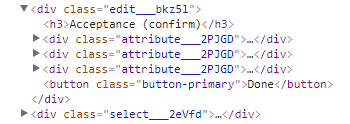
Rendering any component that uses the external module will produce HTML markup with uniquely identified CSS classes and a corresponding CSS file that matches those CSS classes.
Further reading:
- React Toolbox – supports CSS Modules
- React CSS Themr – easy theming and composition for CSS Modules
Package does not support CSS Modules
1. Using global: scope – PREFERRED #
To avoid localIdentName modifying the package class name, we can add global scope before the package class name.
For example of a imported CSS file content:
/* not using global */ .__react_component_tooltip { font-size: 12px; } /* using global */ :global .__react_component_tooltip { font-size: 12px; } |
result:
/* not using global, classname modified */ .__react_component_tooltip___1Xhpj { font-size: 12px; } /* using global */ .__react_component_tooltip { font-size: 12px; } |
The class defined as global scope will be ignored by CSS Modules, as well as other classes after it.
Further reading:
2. Copy the package .css file #
External modules styles that don’t apply CSS Modules, can be used by copying the package .css file (from the packages folder in node_modules) into a local directory and importing it.
This will set a dynamic name using CSS Modules – just like any of .css file included within the .src folder.
By doing this we can ensure that our usage of the external modules styles will NOT be interfered with by other plugins or themes that use the same external module.
3a. Package uses .scss #
In our webpack configuration, we don’t use dynamic className for .scss files. If the module has a .scss file, we can import it directly.
3b. Hack – change package .css file to .scss #
In some cases we have copied the external module .css file into a local directory within the .src folder and changed the file type to .scss.
As we don’t at this stage set dynamic names for .scss in webpack, we can use the external module styles without CSS Module applying unique dynamic class names.
Using the .scss hack means that we are not applying unique css class names to these external modules styles.
It is possible that our styles will be interfered with by other plugins or themes that use the same external module.
4. Add surrounding higher order component #
[ ADD a higher order component that wraps external component]
Further reading:
Examples #
react-tooltip #
We use the react-tooltip package which includes it’s own styling under the .__react_component_tooltip class. We need to prevent this styling from becoming lost by the class being hashed by CSS Modules.
In this example we create a file index.js that contains our MyTooltip component as follow:
// index.js import React, { Component } from 'react'; import ReactTooltip from 'react-tooltip'; import './index.css'; class MyTooltip extends Component { render() { return ( <span data-tip="This is a tooltip"> Hover for tooltip </span> <ReactTooltip effect="solid" /> ); } } |
In the same directory as index.js create index.css to override the default react-tooltip styling using global: scope.
// index.css :global .__react_component_tooltip { padding: .5em 1em; font-size: 12px; } |
Remember, importing CSS file without using global scope will add extra hash string in the classname.
Our component is ready to be used in parent:
<MyTooltip /> |
Refer: 7665057.
react-menu #
[TODO]
React Sortable Tree (RST) #
For RST we use index.js and index.css for styling placed in ../visual/Form/Items/InputItem/.
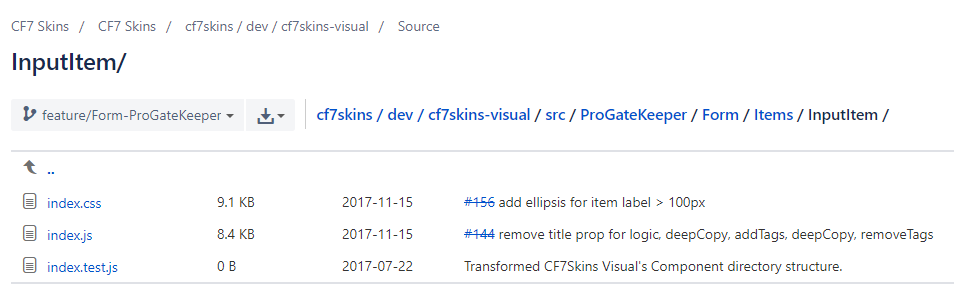
Some of the class names are defined in index.js; others are generated by RST itself.
[ ADD Example (from Dev Tools) showing both RST & CF7 Skins styling ]
Prior to RST version 2.0
RST itself used CSS Modules:
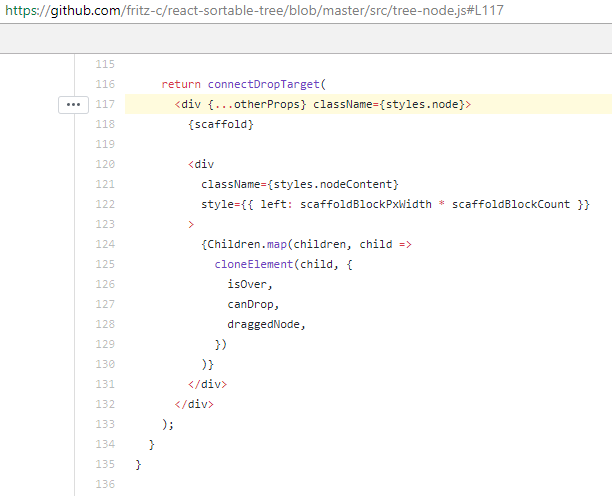
e.g. `<div {...otherProps} className={styles.node}>`

which results:

 `<div class="rst__node"`

RST builds the styling within the package itself in:

 \node_modules\react-sortable-tree\dist\main.js
RST Update
The latest version of RST requires users to manually import the RST CSS styling:
import 'react-sortable-tree/style.css';
RST moved away from using CSS Modules to .. following several complaints from users. Users must now import the RST CSS themselves, which is much more common.
Refer:
- Refactor css-modules to plain css
- Future of Styling/CSS and Theming
- Do not inject styles in page head!
React Select #
RST Version
In the RST version we use CSS Modules in our CSS configuration. Every imported CSS file will have dynamic localIdentName. We bundle components and styles in one build.
However React Select suggests to import the styling manually & uses static className:
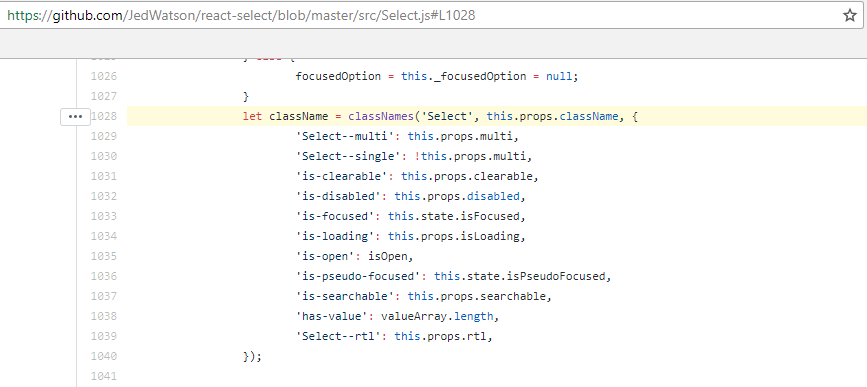
We can import react-select and its styles as follows:
import Select from 'react-select';
import 'react-select.css';
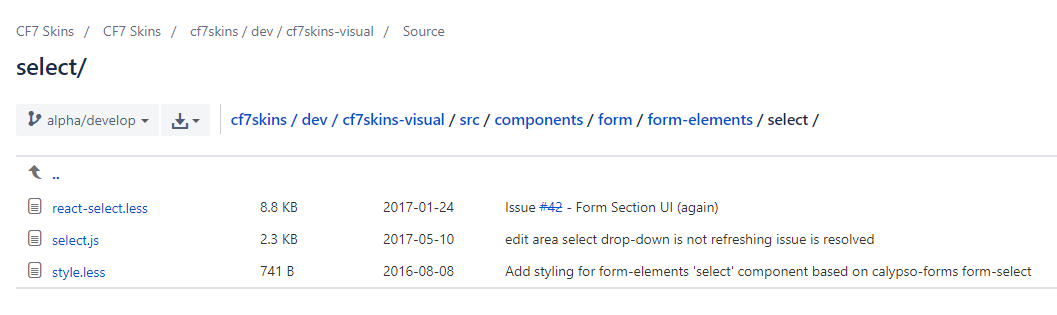
Alternative – not suitable
.wrap {

    :global {

        @import "node_modules/react-select/scss/default.scss";

    }

}
Gutenberg #
To work with react-datepicker Gutenberg does this:
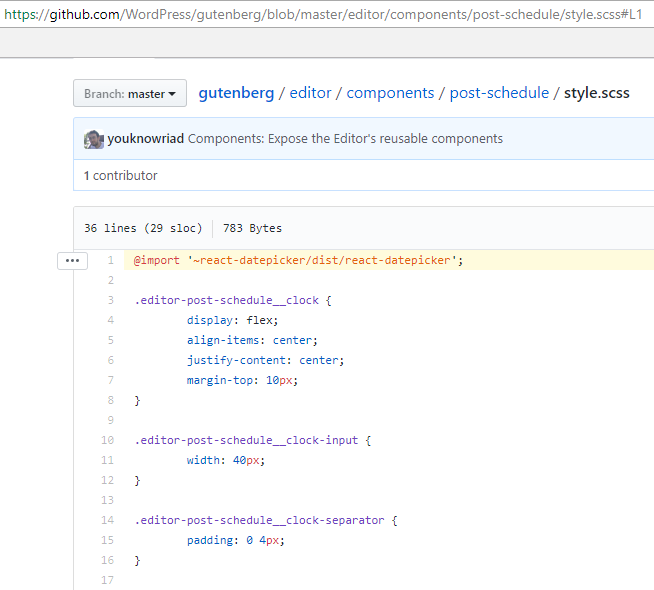
Further reading:
Notes:
Guidelines should cover:
- How to enqueue npm package CSS in WordPress/React environment
- External module CSS not applied because CSS Module adds unique ID
- Our preferred methods to deal with this
External package usually ship its styling and some of them need us to import the CSS file.
Importing any CSS file will modified the class name based on localIdentName.
It makes the package styling is not applied because the CSS class name and element class name is no longer the same.
Using exclude in CSS modules will exclude the file and it can’t be imported as usual.
The excluded file will need another CSS loader to be used in React.