
Last Updated on July 25, 2018 by Neil Murray
From Rafi Ud Daula Refat
I found the following error may arise while developing the plugin in localhost:3000.
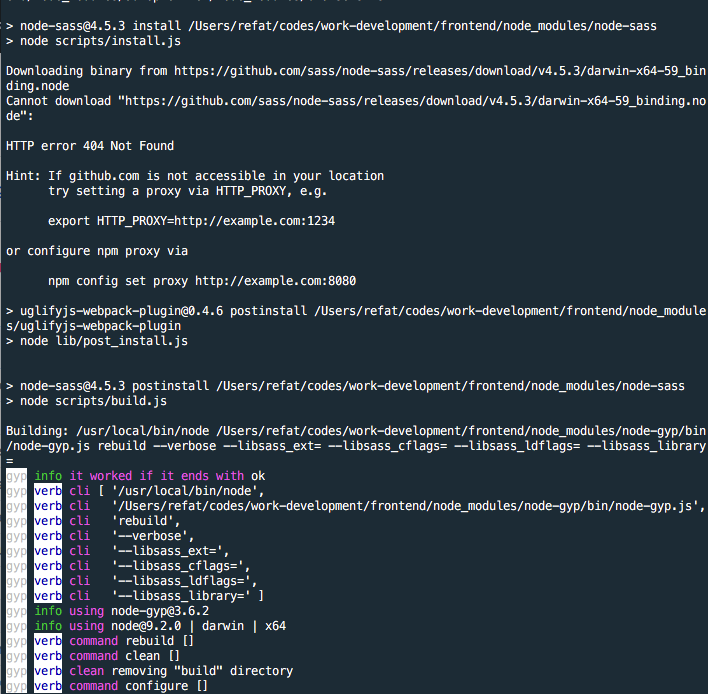
How the error is reproduced: If nodejs/npm/yarn publishes a new update, you may want to upgrade the node/npm/yarn version. If you do this and want to delete your node_modules and run yarn or npm install, then you may see the error attached upfront.
Reason: It is because of the package-lock.json and yarn.lock file. These files are not in the .gitignore file. But these two files totally depend on the local node or npm or yarn version.
Suppose, the package-lock.json and yarn.lock on Bitbucket has the node or npm or yarn version that is older than the local node or npm or yarn version.
So when running yarn or npm install on the project it will try to follow package-lock.json and yarn.lock to get the npm files download and will find a miss-match on the npm or node or yarn versions (one in the package-lock.json/yarn.lock and the local npm or node or yarn versions) and have error like the attached image.
Solution: If you face this problem, the following commands will solve it.
rm -rf node_modules
rm package-lock.json
npm install
Reference: link commented by a core contributor of NPM package node-sass.
Possible Permanent Solution: I was thinking for a possible permanent solution. Why don’t we keep the package-lock.json and yarn.lock file in the .gitignore so that everyone has those two file depending on the local node/npm/yarn version. I checked github/stackoverflow for a better answer and found this question.
Files added to `.gitignore` in commit c3d2abf
Neil Murray