
Last Updated on February 6, 2025 by Neil Murray
Table of Contents #
Heading #
When cf7skinsblog articles are converted to video scripts they do not contain enough information or sources for the editor to quickly and efficiently create a video.
cf7Skins articles must rely on text and and screenshots to convey information and the articles are written to use only these two mediums. This means that an article cannot be directly converted to a video without a significant amount of modification and information added to accomodate all the additional mediums available to make sure the video does not seem bare and is using every advantage to effectively convey information.
For this reason after an initial script has been created for the video, a final draft must also be created by the end of which the exact details of the video must be planned and listed.
For this visual descriptions of what must be going during the script must be added as well as file names for all the sources used to make the creation of the video as seemless as possible.
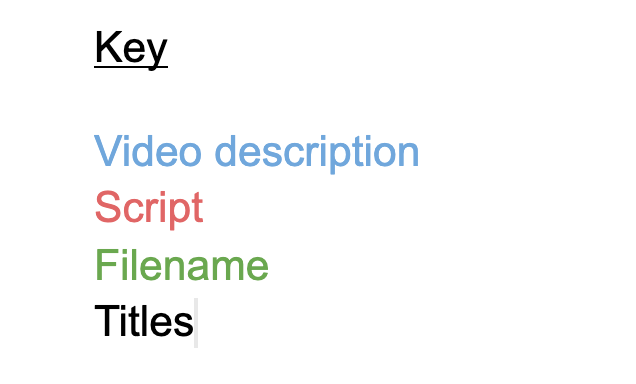
The start of the final draft must contain a key, so that the reader of script can easily distinguish between the script, the visual description and the files names with ease.
The most simple way to do this is with a color code that the editor can use to easily distinguish between the parts as seen below.
The next stage is to begin converting the initial draft to final draft. To do this the script should be broken up into segments with descriptions added explaining what should be going on visually during each.
An example of this conversion can be seen below
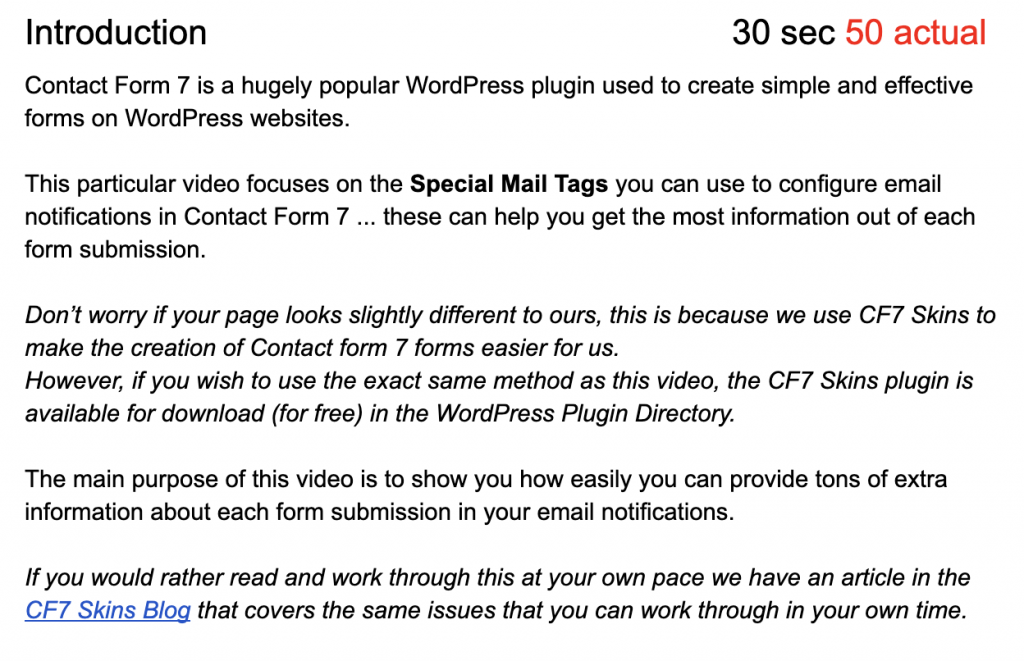
The text above contains 50 seconds of text with no description of what is being shown. From this the video editor has no idea what to show in the video during this period.
Further reading:
Notes
ADD notes here.
Save all Images to Sync – use ..\Sync\..\ADD FOLDER\