
Last Updated on May 4, 2023 by Neil Murray
With CF7 Skins Visual, all CSS used in the CF7 Skins Visual interface, is built using webpack.
We bundle components and styles in one build. All CSS styling is contained in individual React component files and added to CF7 Skins Visual via the webpack build process.
Component based CSS Styling #
All files associated with an individual React component are contained in a single folder such as ..\cf7skins-visual\src\Form\Items\InputItem.
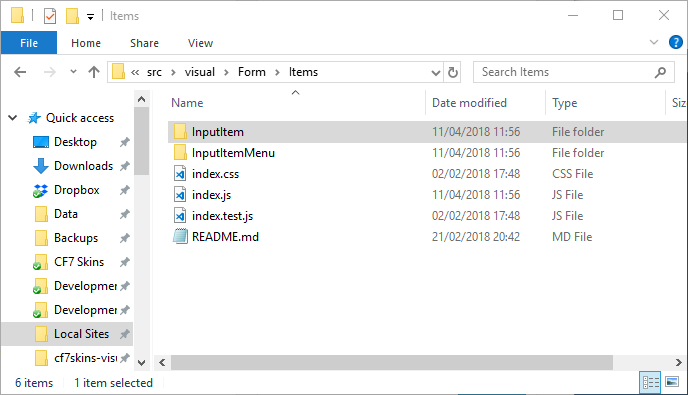
We add any CSS in the index.css file included with each particular React Component.
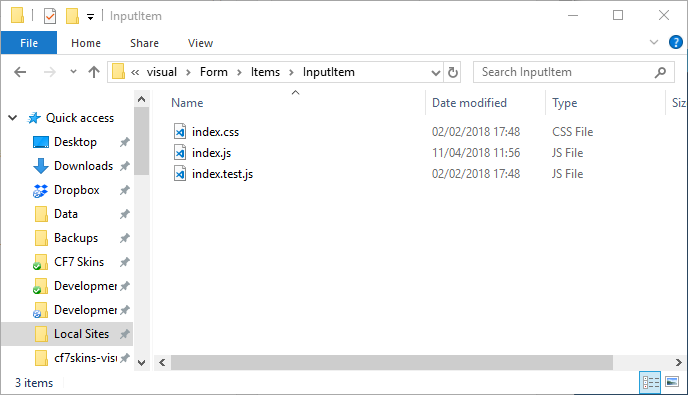
All CSS added needs to relate directly to the React Components included in the relevant folder and ONLY these React Components.
Importantly:
- Self-contained
- Can be moved
- Other React Components should NOT be styled
Self-contained CSS styling in the correct location #
Styling needs to be done on each individual React component so that it is (largely) self-contained with that component.
Importantly:
- Find the right style.css file to use for each React component
- Styling should only cover React components contained in the component folder
- CSS should NOT affect React components NOT contained in the component folder
Refer: How not to do it (Bitbucket Issue)
CSS Modules #
We use CSS Modules in our CSS configuration so that other plugins & themes used in the WordPress environment can’t interfere with our styles.
Further reading:
- CSS Modules
- CSS Guidelines
- Enqueueing CSS from external npm packages
- React CSS Styling
- CSS enqueueing issues (Bitbucket Issue)
Notes
Add notes here
Save all Images to Sync – use ..\Sync\..\Development\Development Guidelines\Working with CF7 Skins\Working with CSS in React\