
Last Updated on May 2, 2024 by Neil Murray
We’re increasingly using Rewrite & Republish which reduces the need to use our development sites.
Rewrite & Republish is used when we do not want to Publish the changes immediately on frontend, it may be due to various reasons like
- It may require longer time to edit the post/pages and can not be edited in one go
- Needs to be Reviewed
- Other reasons
Table of Contents
- Create Rewrite & Republish version of the post/page
- Edit the Post/Page
- Save Changes & Preview Post
- Republish post after confirmation
Create Rewrite & Republish version of the post/page #
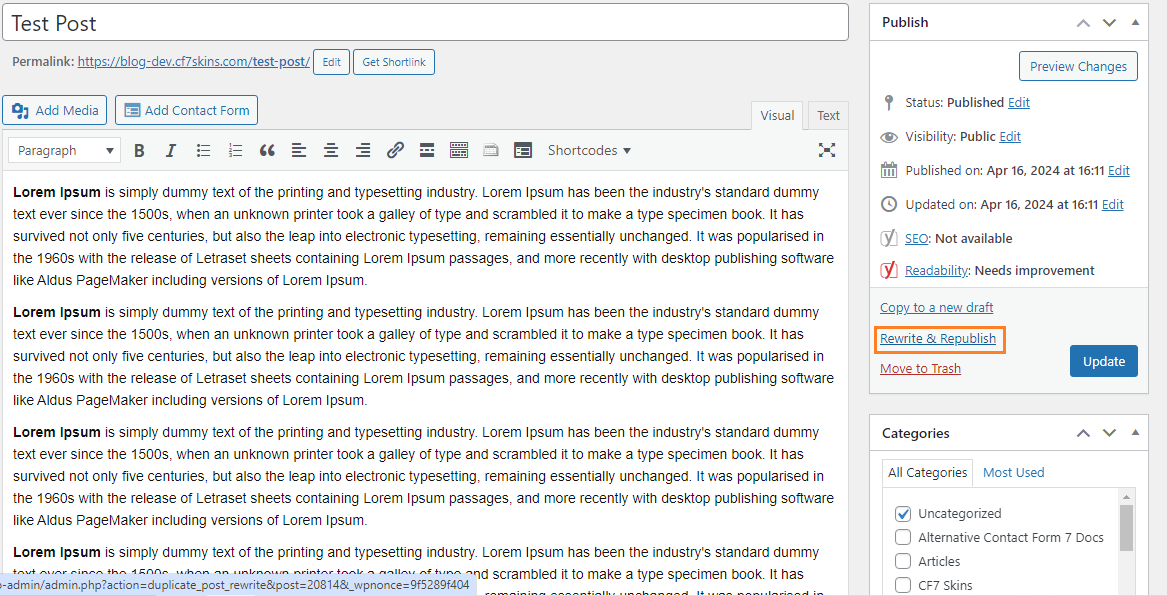
- Open the post in Edit Mode
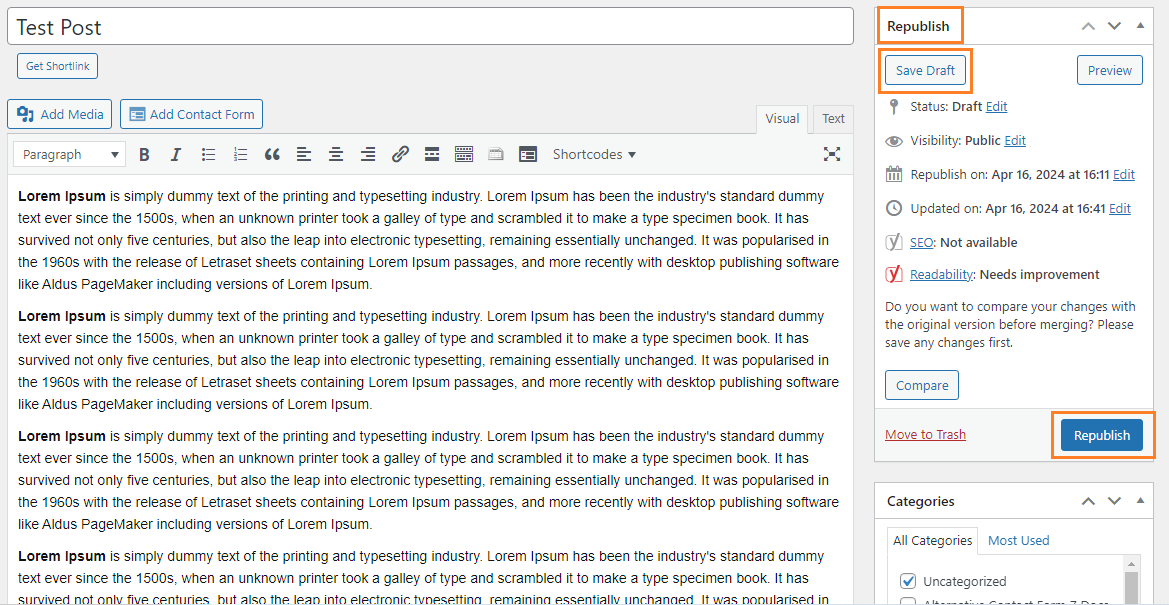
- Click Rewrite and Republish from Right side Widget
- Republish version created

Edit the Post/Page #
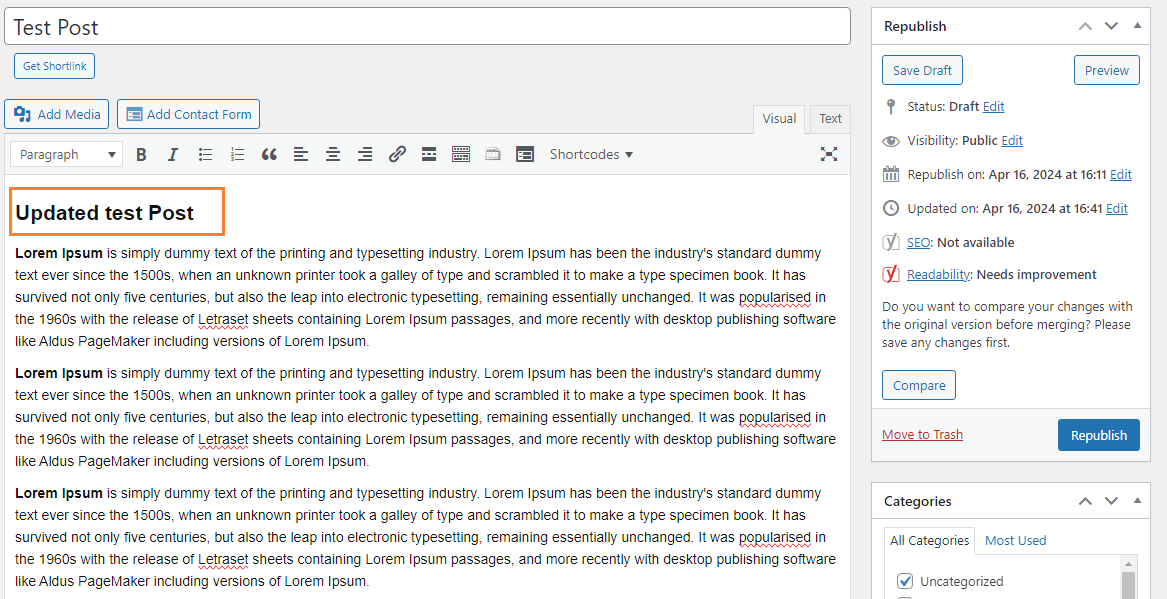
- Make required changes to Post/Page
Save Changes & Preview Post #
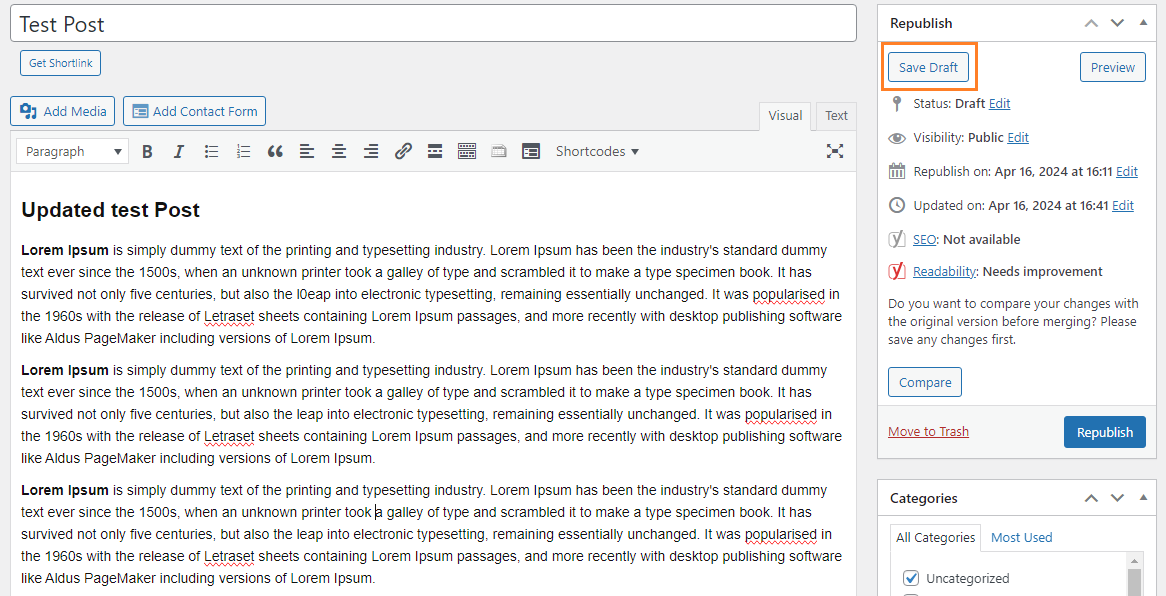
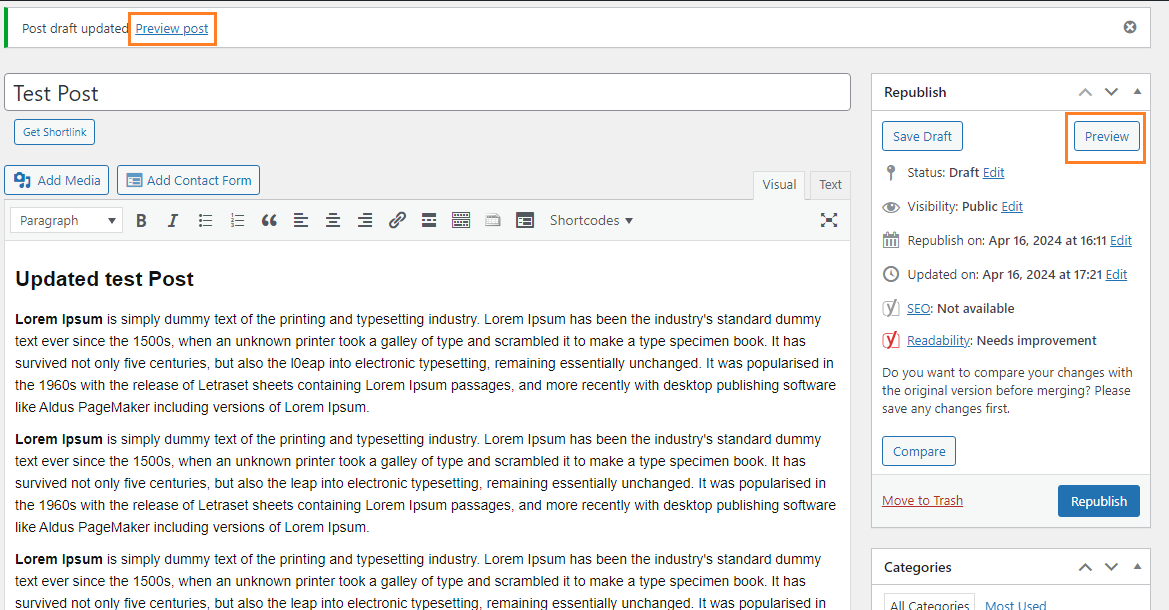
- Click Save Draft Button
- Draft Saved and Preview link
Republish post after confirmation #
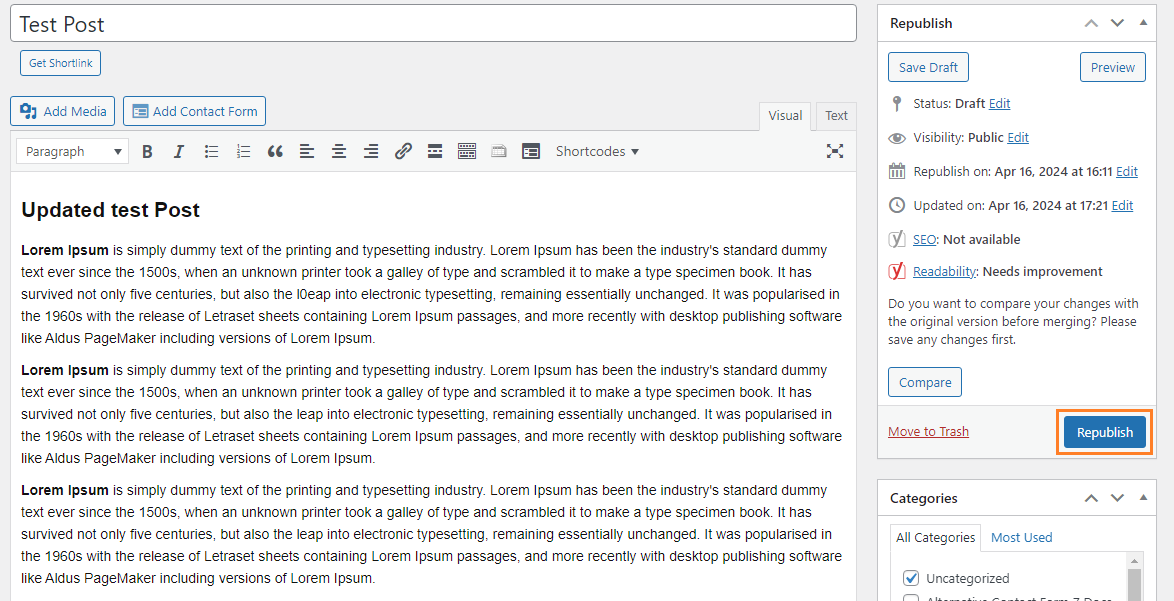
- Click Republish button
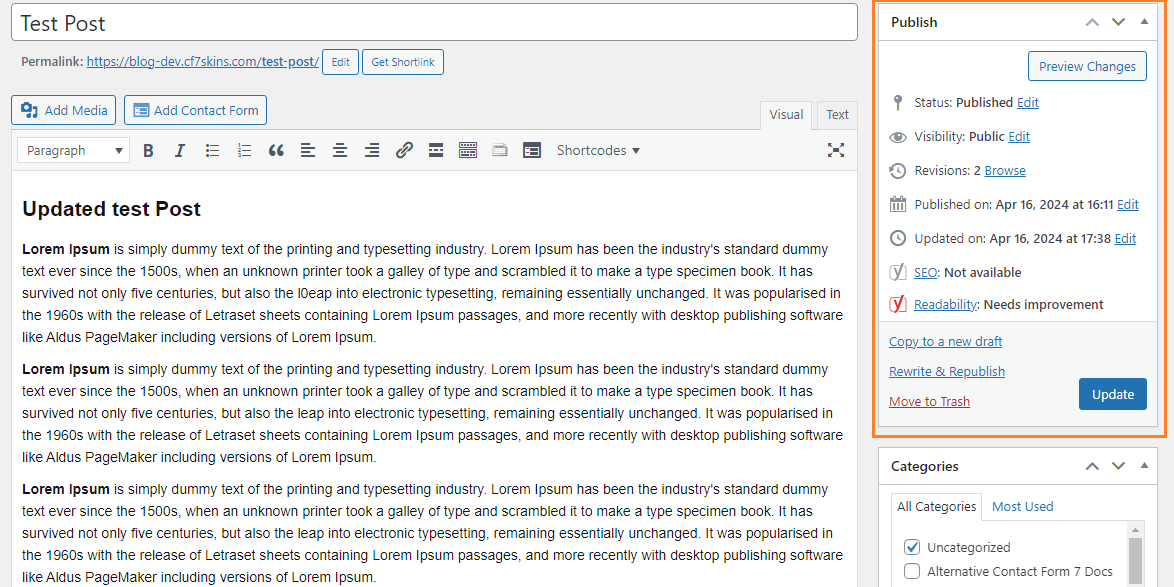
- Post/Page Republished
Further reading:
Notes
Add notes here
Save all Images to – use ..\Sync\..\Documentation\Documentation Guidelines\Rewrite & Republish\