
Last Updated on March 29, 2022 by Neil Murray
CF7 Skins Logic Visual
Tag
Conditional Logic for Contact Form 7 – written in React
Problem
CF7 Skins Logic was originally written in jQuery, which was a suitable option at the time, but as is typical with jQuery, it has become very difficult to maintain due to the large number of inter-related browser interactions that are required in the application.
Solution
In re-writing CF7 Skins Logic in React we aim to:
- create an easy to maintain data structure for all logic options & interactions
- allow drag & drop ordering of:
- Logic Statements
- Logic Tests
- item.
Method
Examine how Conditional Logic is implemented in other form plugins.
WS Form
WS Form PRO – Conditional Logic – video
From this examination, select and develop a method to implement Conditional Logic in Contact Form 7 forms:
- which is quick and easy for users
- easy for us to develop & maintain.
User Interface – UI
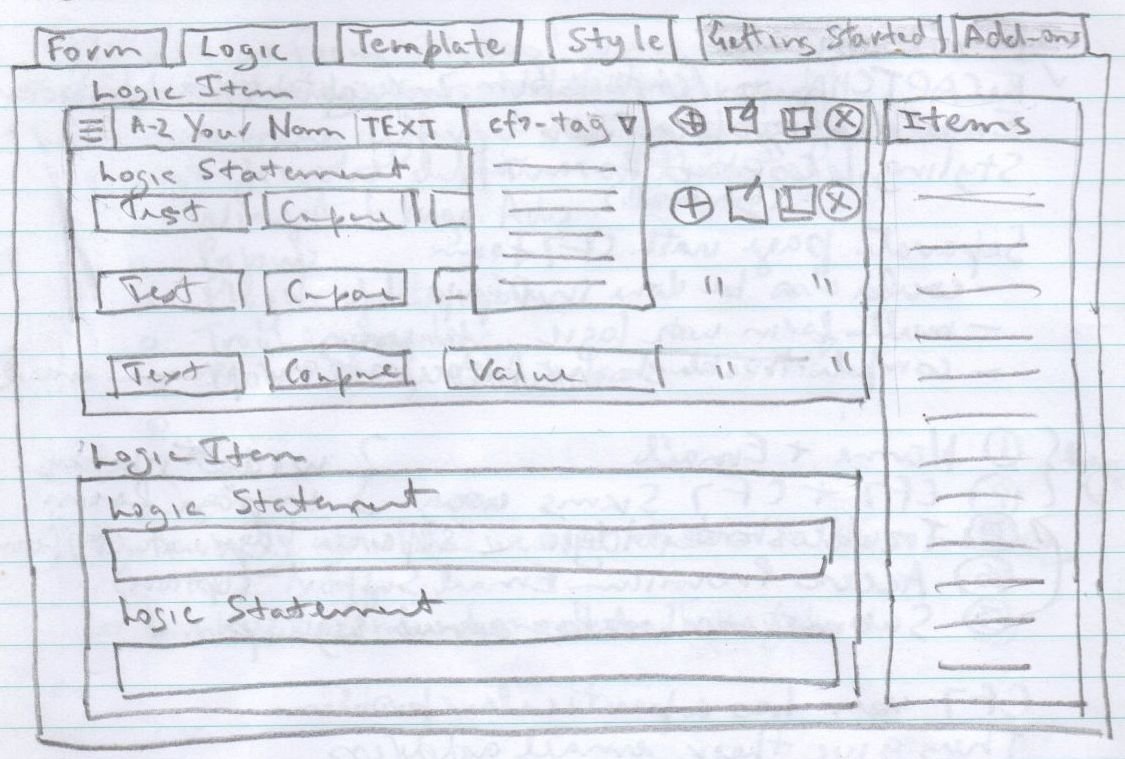
CF7 Skins Logic – ORIGINAL IDEA
Tag
Conditional Logic for Contact Form 7 – written in jQuery
Problem
Conditional Logic is a way to apply rules to your form based on the user’s input and behavior.
The Contact Form 7 plugin does not currently offer this functionality. It can be done via custom programing but you need to be rather skilled at WordPress development using PHP and/or jQuery.
Solution
CF7 Logic is an Add-on to cf7skins which allows you to add Conditional Logic to Contact Form 7 forms.
CF7 Logic works right within the cf7skins plugin interface – it adds an extra tab where you can configure each CF7 form to show or hide fields, fieldsets, or the submit button based on user selections.
This allows you to easily control what information your user is asked to provide on your WordPress powered site and tailor the form specifically to their needs.
With CF7 Logic you can:
- can dynamically change based upon user input
- show or hide fields based on a selected item
- set field values based upon a list selection
- display some text or a link based on the options chosen.
You can display or hide certain elements of the form, based on the values specified for other form fields. You can also choose to block and allow the process dynamically based on the user input.
Method
Examine how Conditional Logic is implemented in other form plugins.
Gravity Forms
http://www.gravityforms.com/features/conditional-logic/
http://www.gravityhelp.com/documentation/page/ConditionalLogic
Ninja Forms
http://ninjaforms.com/downloads/conditional-logic/
Visual Form Builder
http://vfbpro.com/documentation/conditional-logic/
From this examination, select and develop a method which is quick and easy for users to implement Conditional Logic in Contact Form 7 forms.