
Last Updated on April 10, 2022 by Neil Murray
1. Working with Database
Sometimes we need to check or update the customers site database. We previously used Adminer to do this, but the plugin is no longer listed in WP plugin repo.
As an alternative we now use ARI Adminer which has the same features – they use the same engine https://www.adminer.org/.
Typically need to delete all values for that license in the database & re-add the license. We may need to do for all licenses – even those not showing problem.
I need to deactivate all CF7 Skins plugin first.
Delete all options key starts with cf7skins _
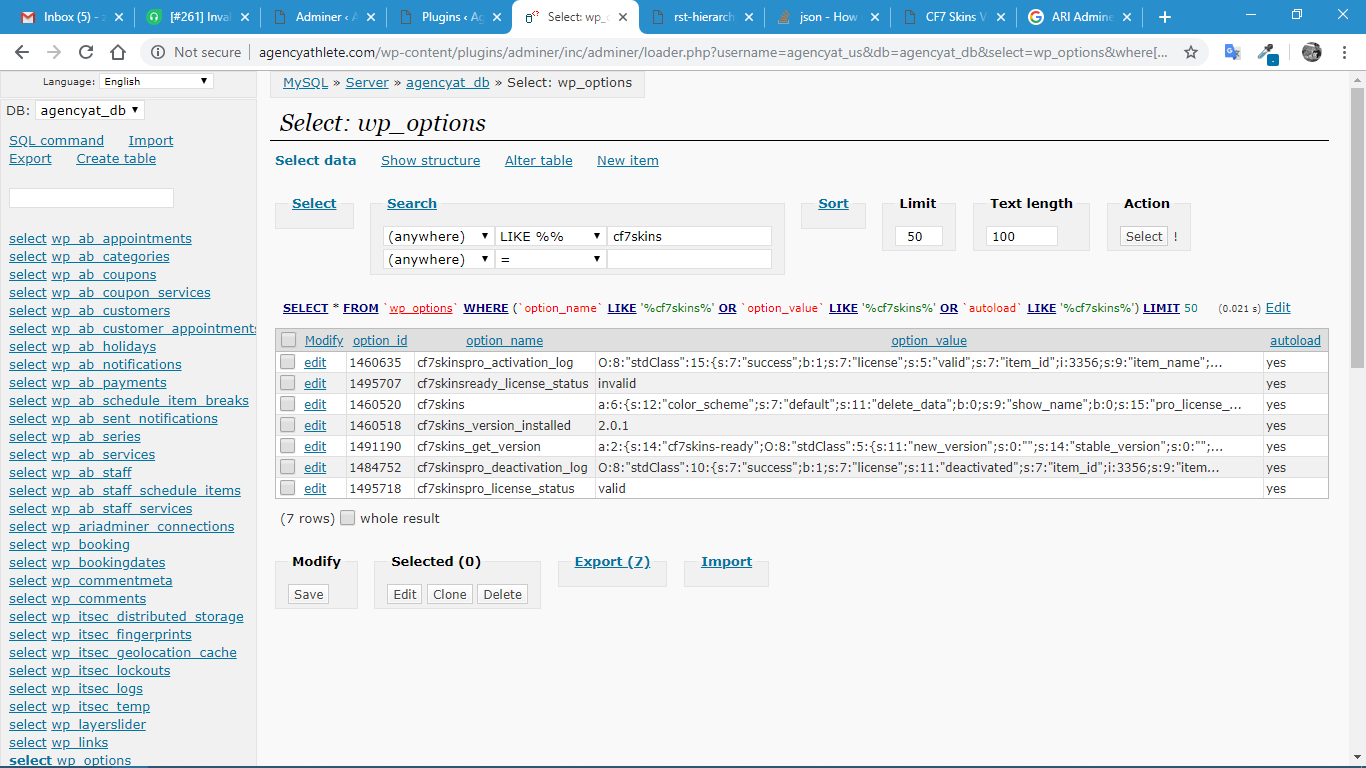
Deactivated and delete these options:
- Activate CF7 Skins, redirects to Freemius, skipped and redirect to getting-started tab.
- Activate Contact Form 7 Skins Pro, redirected to license tab
Enter Pro key: 962c84f66d0960c5abb3f81465751ccd
License key activated ( success )
Enable “Displays plugin log tab.”
2. Disable License Checking
If a customers site has an issue with activation, we might need to disable license checking by disabling the code using PHP double slash.
For example, open
cf7-skins-pro/index.php with Plugin Editor and add double slash to opening and ending logic statement.
// if( get_option( 'cf7skinspro_license_status' ) ) {

// }
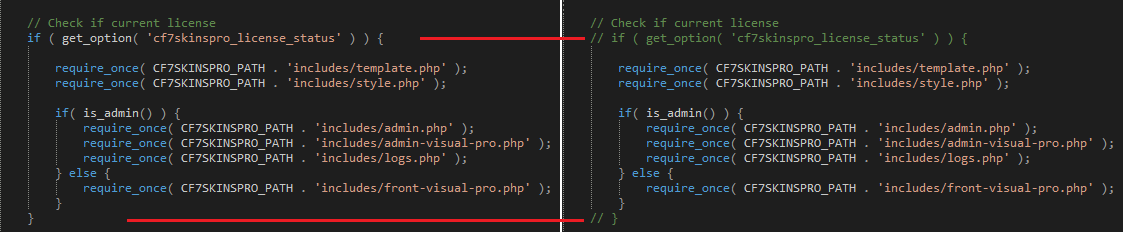
Save the file and now we can see all Pro features are enabled. Log feature is now accessible and we can see what’s happening to do further work.
Another addons also can be disabled using this approach.
3. Extra problems occur with CF7 Skins Dev plugin
You will often have extra problems occur when using the CF7 Skins Dev plugin because of values stored previously in your local WordPress database.
Investigating issues like this requires a solid understanding of how we use Easy Digital Downloads licensing in the WordPress database. Only @Sastra can do that at this stage.
Customers do not see these issues – new customers are able to activate licenses & old customers are able to download updates. This is because customers don’t install the CF7 Skins Dev plugin from various branches which can often lead to problems with values added to the WordPress database.