
Last Updated on September 30, 2022 by Neil Murray
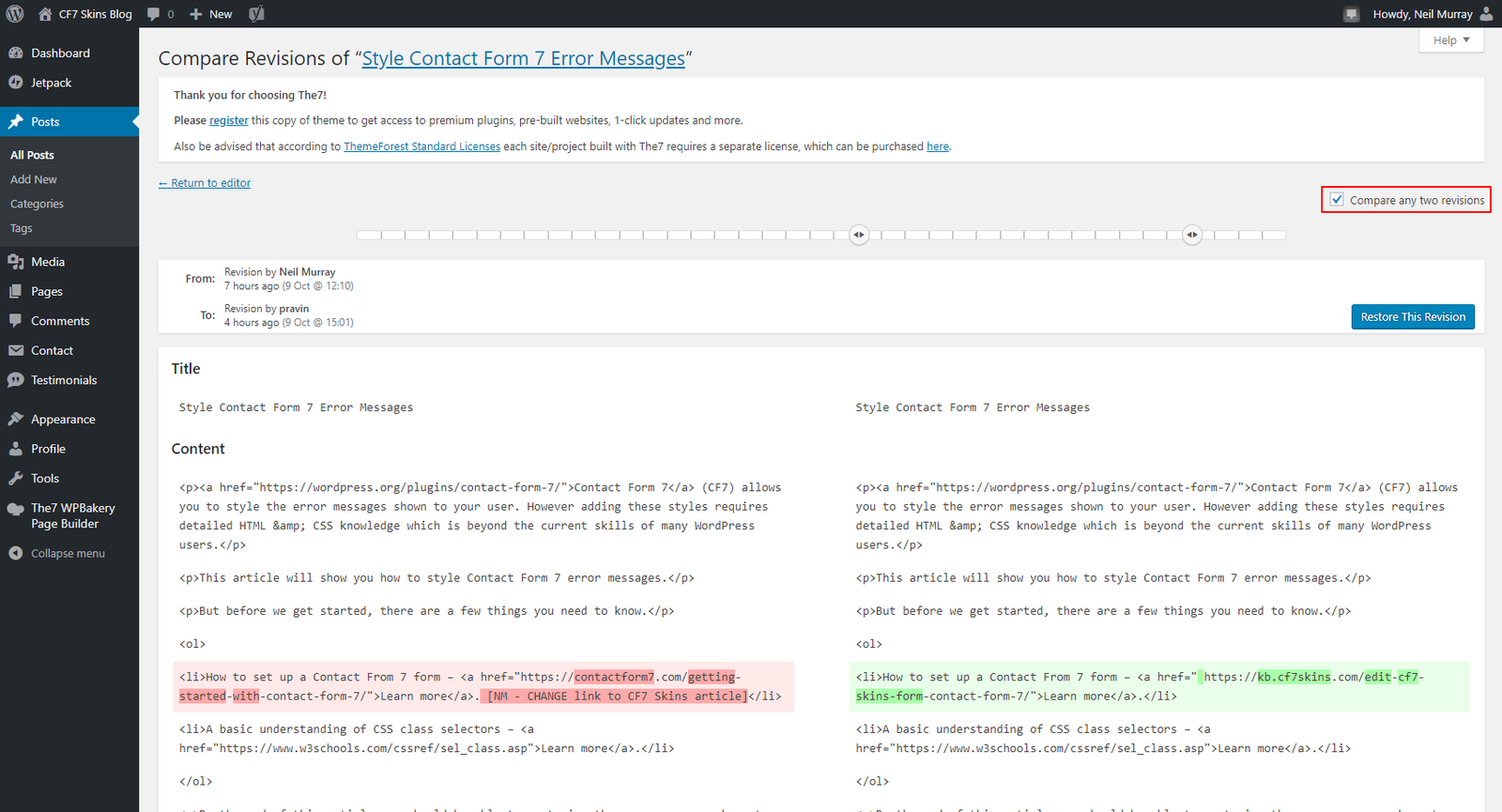
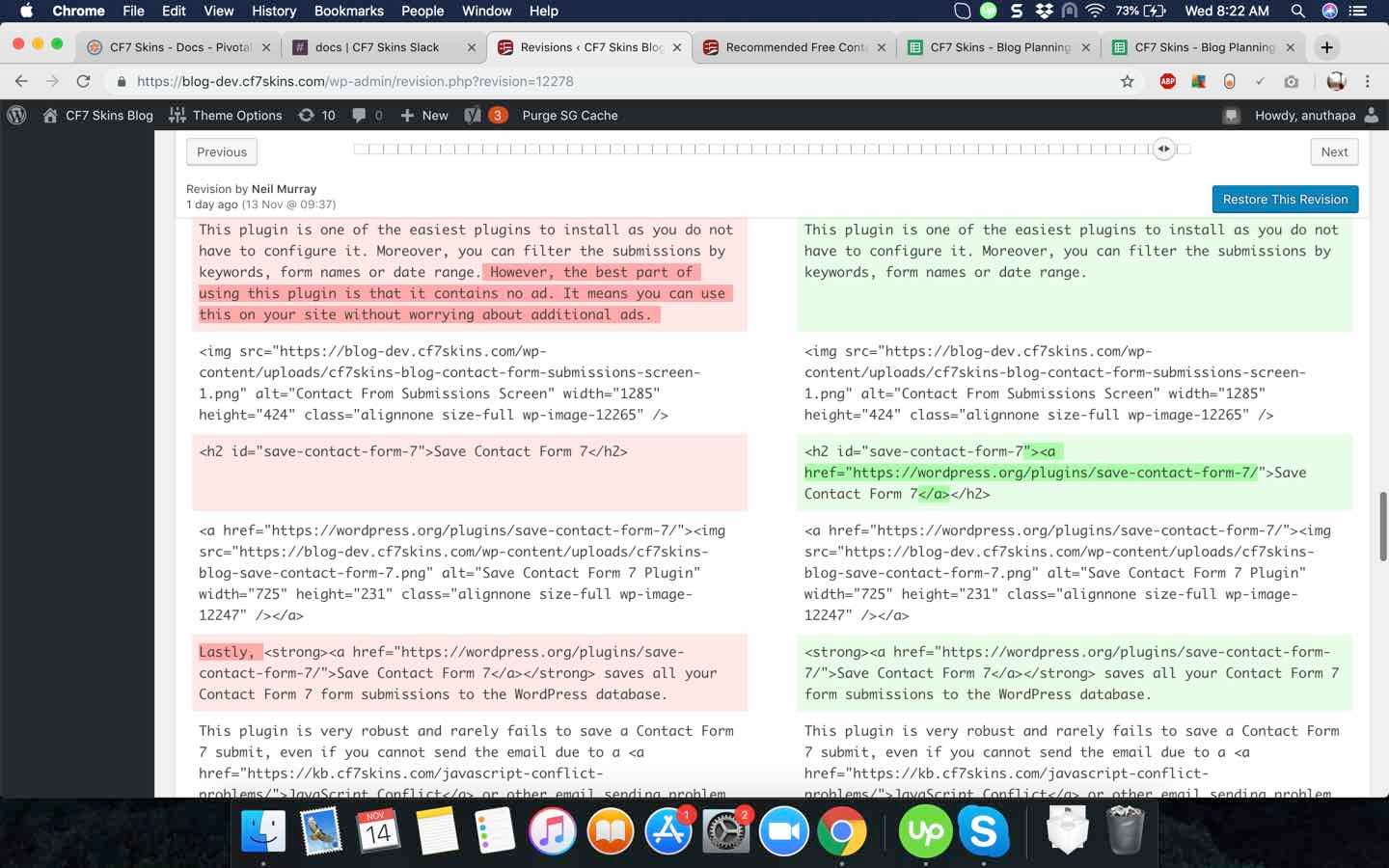
Use Compare Revisions to:
- understand the changes made when your work is reviewed
- see the changes made by others when reviewing their work.
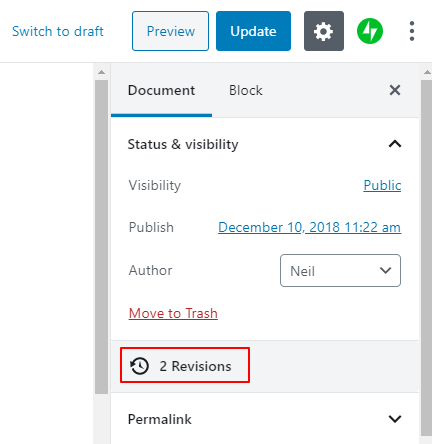
To start Compare Revisions in the Gutenberg/Block Editor click on Revisions in the Block Settings tab.
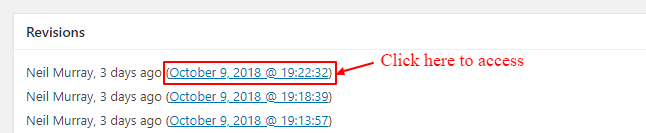
To start Compare Revisions in the Classic Editor click on a Revision Date & Time link in the Revisions Metabox.
NOTES
Add comments, questions & notes here
Save all Images to Sync – use ..\Sync\..\Documentation\Documentation Guidelines\Compare WordPress Revisions\