
Last Updated on October 4, 2024 by Neil Murray
We test our form Templates & Styles over the full range of available:
- CF7 Tags
- CF7 Skins Templates
- CF7 Skins Styles
When starting work on creating a new Template or Style we need to first add new CF7 forms & pages at https://test.cf7skins.com/ to test this Template or Style.
When we create new templates we have to apply the template to all CF7 test forms.
1. Forms #
A. Create Forms #
Step 01 – Search
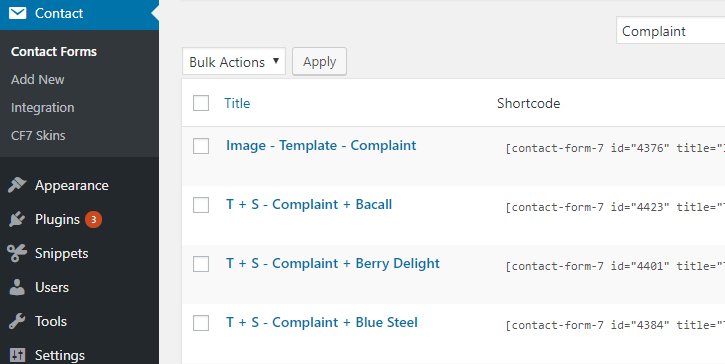
Click Contact Forms on the left menu bar to see all forms listed.
We can search on the right corner search box Ex:- “Complaint” to see all forms that belong to Complaint template.
Step 02 – Duplicate
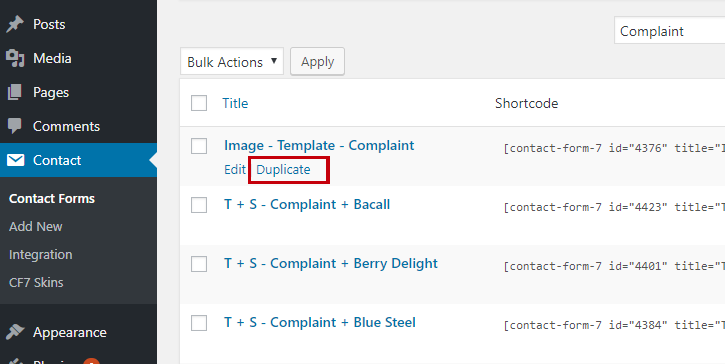
We can duplicate those forms for the new template – click the Duplicate link on each form.
Step 03 – Edit
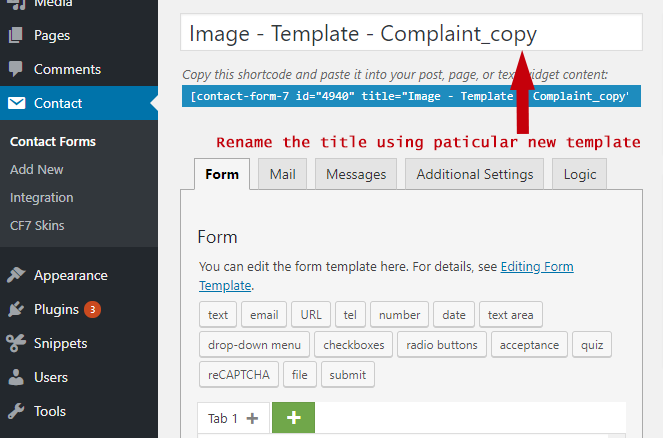
Click Duplicate or Edit to see this interface. Change the title using new template name.
Click Template on below menu and select the particular template.
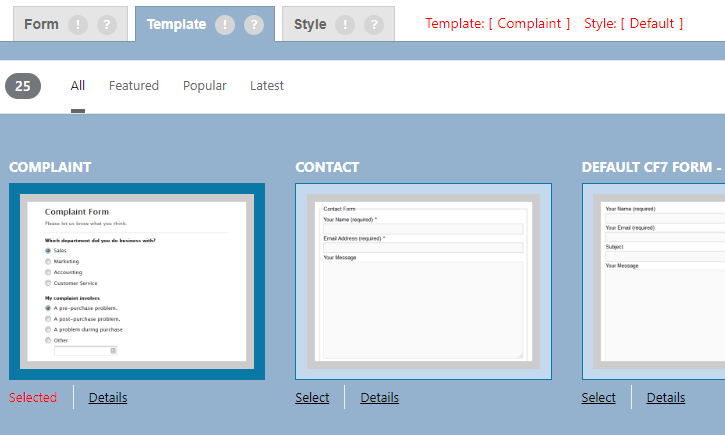
Once selected click Save button on the right side.
Now the first form is created for the new template, we can follow the same way for all listed forms.
Refer:
– Form Naming System
– Form Labels
B. Add Forms to Pages #
Once we’ve created all forms, we have to apply the forms to particular pages.
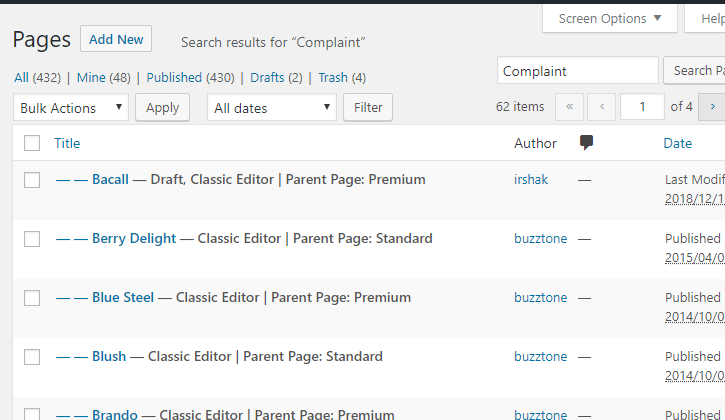
Step 01 – Search
Search for completed pages on the right corner search box Ex:- “Complaint“ we can see all the pages belongs to the complaint form.
Step 02 – Duplicate
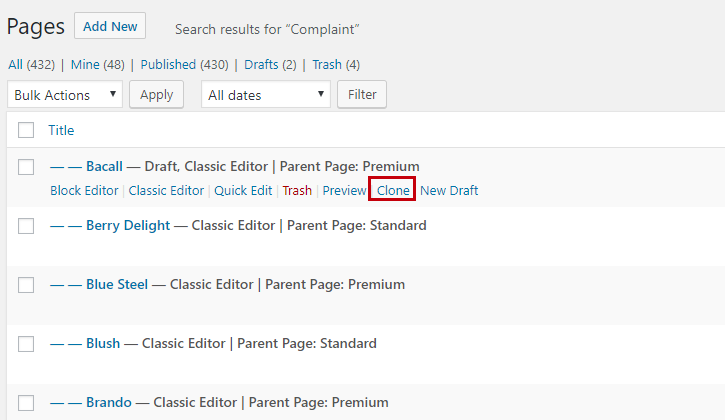
We have to duplicate only some pages (not all pages) for the new template. Click the clone link on a suitable page.
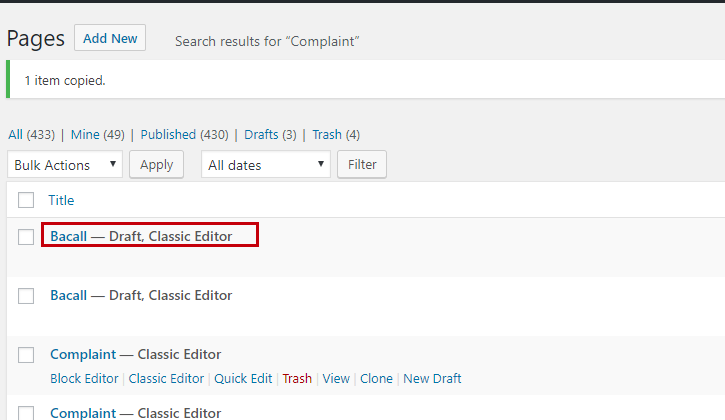
Once we click the clone link we can see the duplicated page on the pages list.
Step 03 – Edit
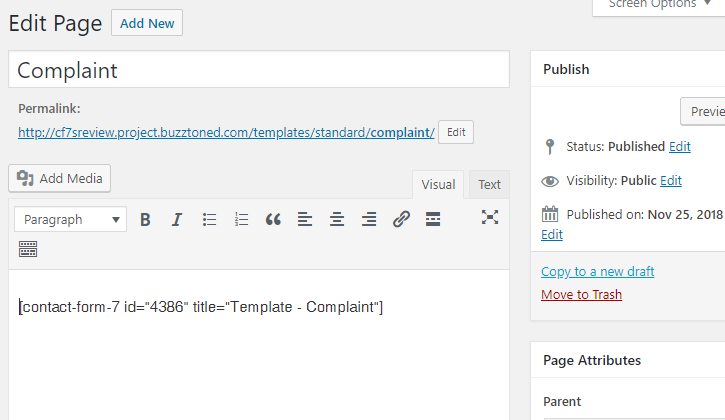
Clicked Edit then change the Title and Permalink according to the new page.
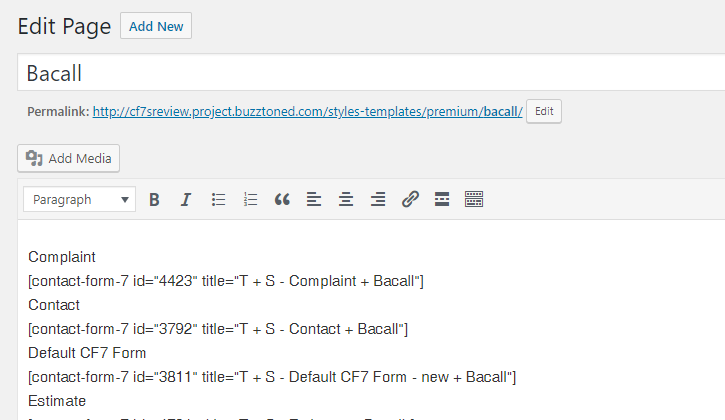
Step 04 – Add CF7 Form shortcode
Now add the particular CF7 form shortcode and click Save.
In some pages, we just need to click Edit (we don’t need to duplicate all pages) and add the form shortcode.
2. Pages #
Create test page for each Template at:
Create test page for each Style at:
Refer: Form Labels
Further reading:
Notes
Add notes here
Save all Images to Sync – use ..\Sync\..\Development\Development Guidelines\CF7 Skins Code\CF7 Skins Forms\Creating Test Forms, Templates & Styles\