Form Block Articles

CF7 Skins Articles #

Tasks Legend

  • [ ] – not started
  • [-] – started/ partially done
  • [R] – review
  • [X] – done

Items by others #

[Next – Previous article block]

[Other articles in this series – Reuseable Block]
Graphic Design for Documentation Images

Husnain Ali is our professional go-to Graphic Designer who works on improving our images. All the team members can access the updated images on Dropbox.

Dropbox path: ../Dropbox/Support/Documentation/Graphic Design/

In the Dropbox path mentioned above, you can:

  • Add images that need work at ../Dropbox/Support/Documentation/Graphic Design/NEW/
  • Next, add details such as date, what needs to be improved in Images – CF7Skins.txt with the addition of each new image. The details must be clearly stated.
  • Once updating the image is complete, the new image is available at ../Dropbox/Support/Documentation/Graphic Design/DONE/

Refer – Documentation Images – Graphic Design

Contact Form 7 5.0

Change Log

  • Additional settingson_sent_ok and on_submit have been removed.
  • New additional settingskip_mail
  • Acceptance checkbox: Allows the specifying of a statement of conditions in the form-tag’s content part.
  • Acceptance checkbox: Supports the optional option.
  • New special mail tags
    • [_site_title][_site_description][_site_url][_site_admin_email]
    • [_invalid_fields][_user_login][_user_email][_user_url]
    • [_user_first_name][_user_last_name][_user_nickname], [_user_display_name]
  • New filter hooks: 
    • wpcf7_upload_file_namewpcf7_autop_or_notwpcf7_posted_data_{$type}, and wpcf7_mail_tag_replaced_{$type}
  • New form-tag features: zero-controls-container and not-for-mail

Refer Contact Form 7 5.0 – Change Log

Acceptance Checkbox

Acceptance checkbox is one of the form-tag types that Contact Form 7 has long provided. It consists of a simple checkbox dedicated to confirming the submitter’s consent on a given condition.

We decided to redefine this feature because it was no longer adequate to meeting increasing requirements. Obtaining explicit consent in advance of collecting personal data is now considered essential in terms of protecting privacy rights. Therefore, it is important to record who has consented to what conditions if there is a possibility of reusing the personal data.

With the new acceptance checkbox, you can specify a condition to consent to in the content part of the form-tag, and if the submitter consents to it, the fact will be recorded in a mail message, or in the database (Flamingo).

Refer Acceptance Checkbox

How to Test CF7 Skins Styles


Once done a CF7 Test skin style. we have to follow below steps to test the style comparing with a finalized  CF7 Style

Testing Skin

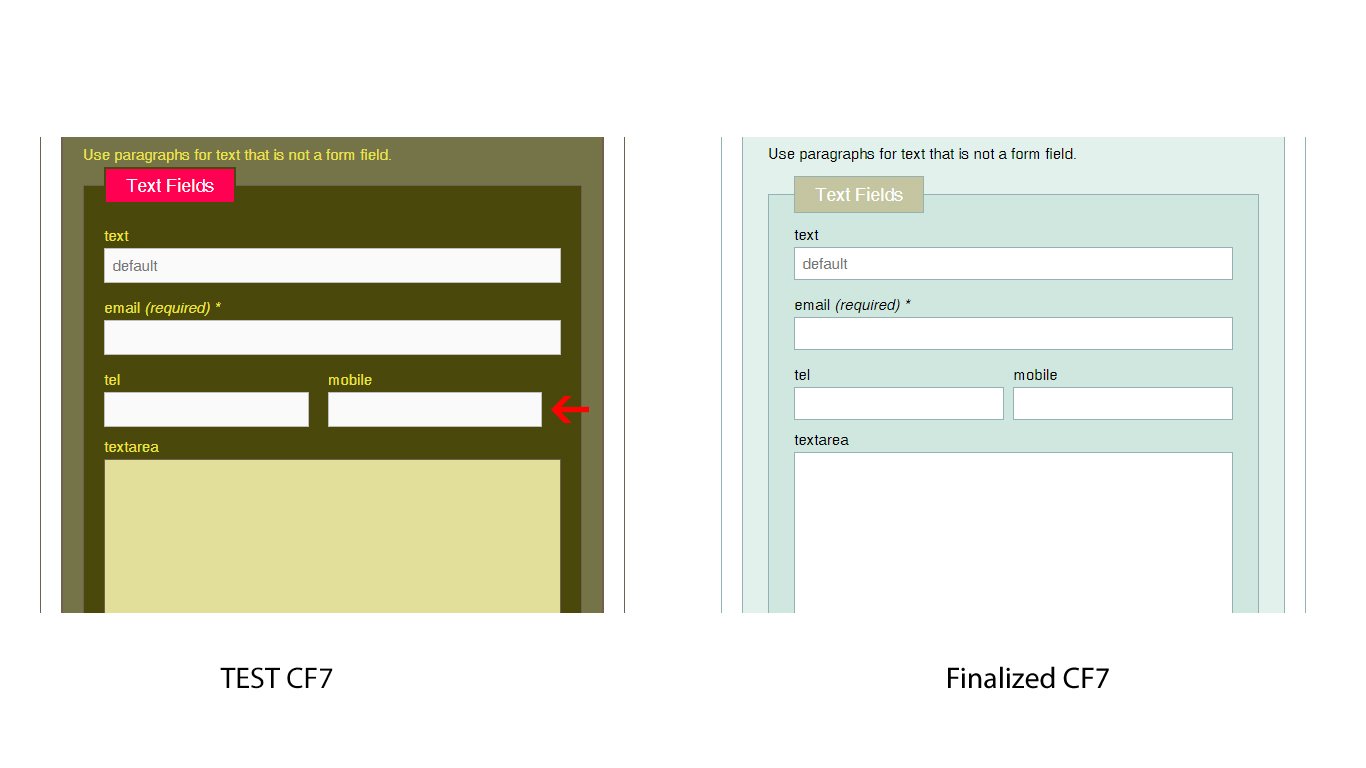
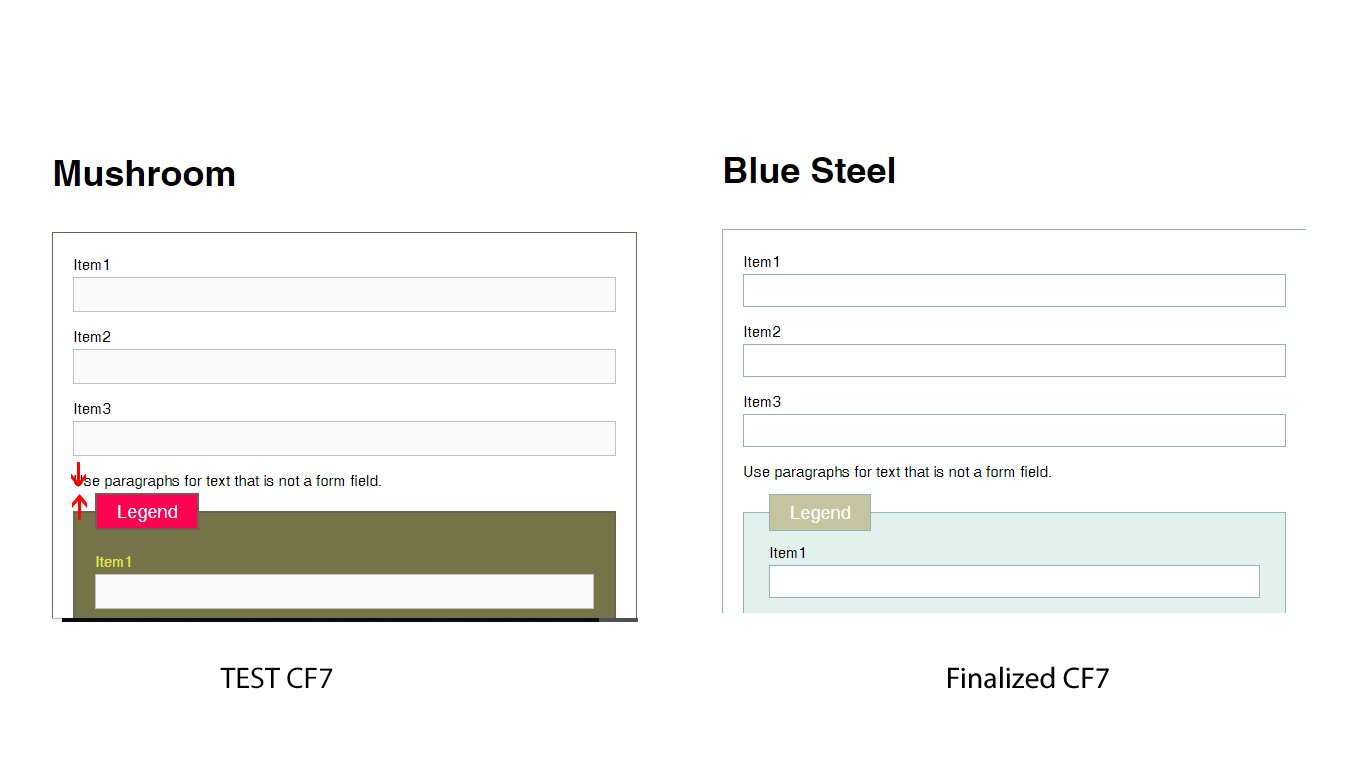
First of all we have to compare the legend padding and margin with finalized CF7 skin and make sure that both are equal. Refer the below screenshot

After that, we have to check the single line text boxes. And make sure that the right side mobile number text box touches the right side wrapper like shown on finalized cf7 skin. Refer the below screenshot


And also we have to make sure regarding the label padding and margin’s consistency like shown on finalized CF7 style. Refer the below screenshotAnd also we have to make sure the padding and margin’s consistency like on finalized CF7 style. Refer the below screenshot


Testing Ready

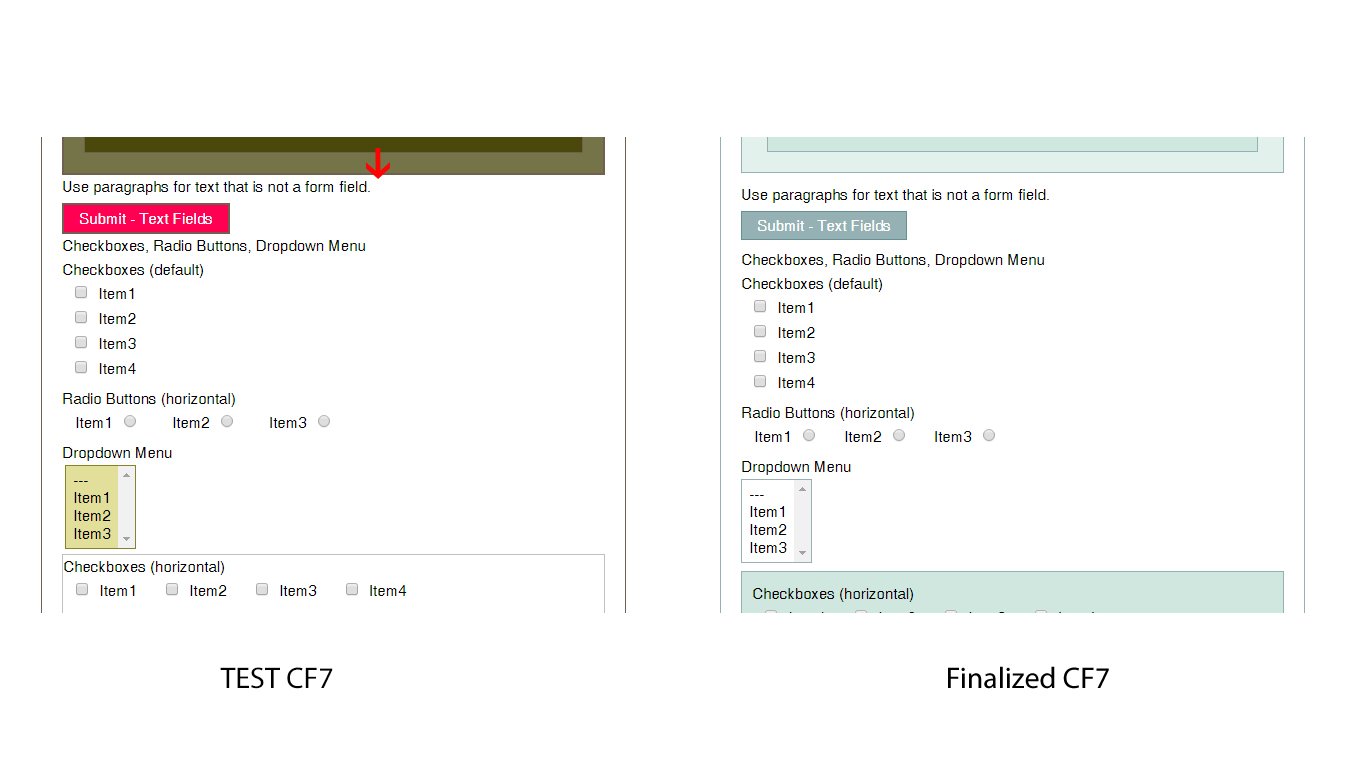
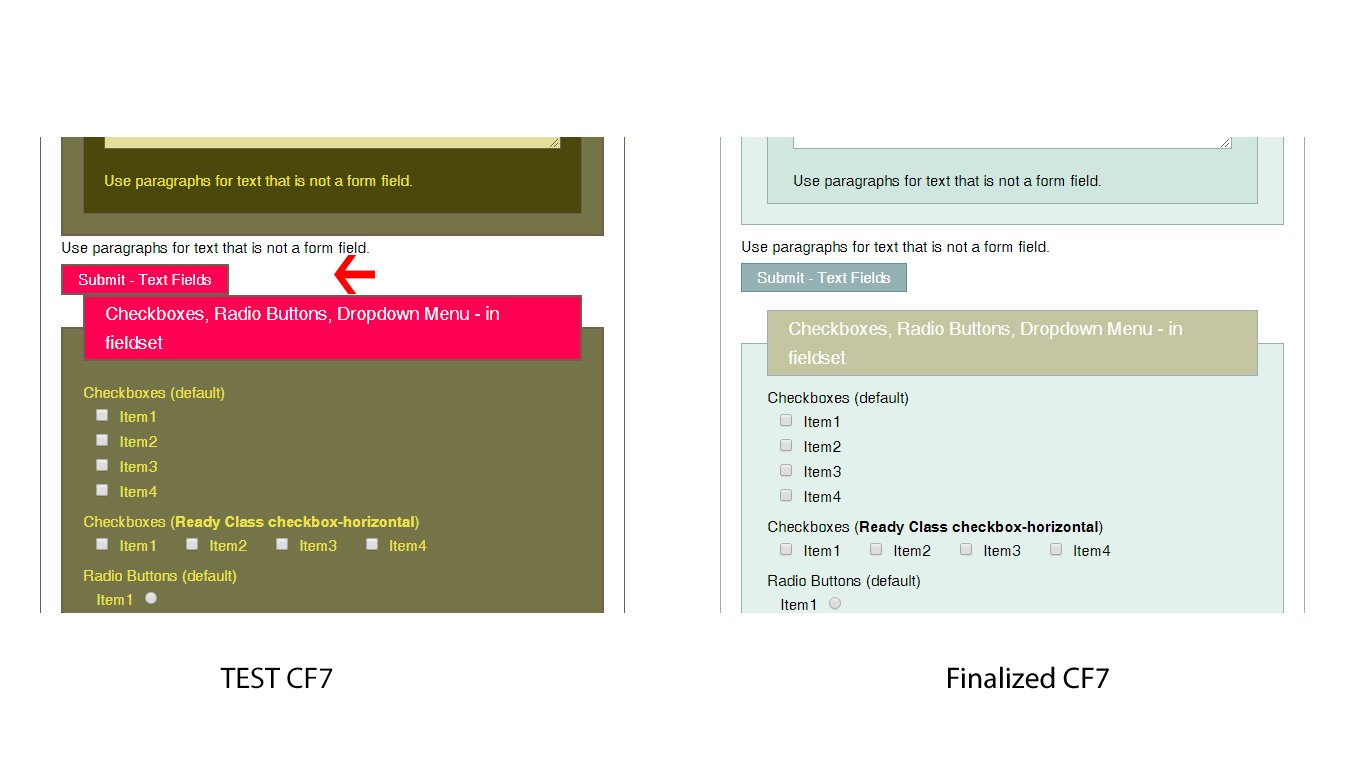
 Speciallywe have to compare the legend padding and margin with finalized CF7 skin and make sure that both are equal. Refer the below screenshot


After that we must need to check the select box background colors and hover effects. refer the screenshot


Testing Multi

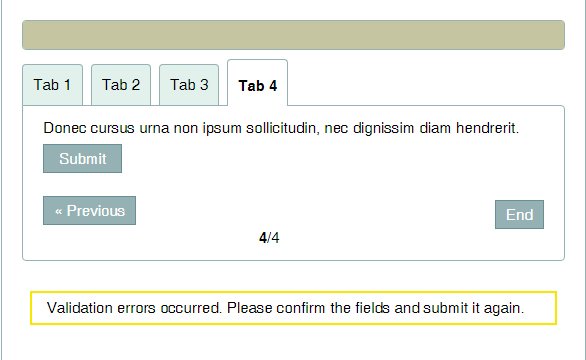
We have to make sure all the padding and margins of the labels, legends, Textboxes and the buttons on each tab. and finally, we have to click END button and check the error messages in each tab. Refer the below screenshot

Once done all we have to check the skin with Styles + Templates and Template + Styles. in this case, we have to compare each and every text boxes, labels, legends and buttons with finalized CF7 style. and make sure that they all are perfect.

Cross Browser Check

After that, we have to check the test CF7 skin with all major browsers such as Chrome, Firefox, IE and Safari

Responsive Check

Finally, we have to check the CF7 skin test style’s responsiveness in different screens. in this case, we can use google developer tool to check them.

Right-click > Inspect Element and we can select different devices from the drop box and check the page responsiveness. Refer the below screenshot

A Shortcode for Creating Link to a Post or Page

This site uses many internal links to relate to other pages. It is very easy to create a post/page link to other page using WordPress editor, but once we modify the page slug, move the page to other hierarchy, or move the site completely with different domain, we will got 404 not found page.

For a workaround for this issue, we should avoid static link to a post or page, and use a shortcode that generates the link automatically based on post ID. We can find the ID of post or page in respected admin edit screen as screenshot above from https://team.cf7skins.com/wp-admin/edit.php?post_type=page for Page type.

Creating Shortcode Link

Creating a shortcode in WordPress is easy, we just need to register our shortcode function using add_shortcode and shortcode_atts to combind user shortcode attributes with default shortcode attributes.

Here is how the code looks like:

function cf7skins_link( $atts ) {
	$atts = shortcode_atts( array(
		'id' => 701,
		'text' => '',
	), $atts, 'link' );
	
	extract( $atts, EXTR_SKIP ); // extract attributes
	
	if ( $permalink = get_permalink( $id ) ) { // return string if found or false.
		$title = $text ? $text : get_the_title( $id );
		return "<a href='$permalink'>$title</a>";
	} else {
		return 'Error, the post or page does not exist!';
	}
}

add_shortcode( 'link', 'cf7skins_link' );

The shortcode takes two attributes or parameters, id for the post ID and title for custom post/page title. If title is not set, than it will use the post title itself. The function will finds the post ID, create the link if found, or display error message if not exist.

To use the shortcode, simply add a square bracket with link string, provide the post ID and custom title if needed.

[link id="144"]

That’s it, with a few lines, we can add post/page link automatically, and save the site from 404 suffering.

Working with Regex

In some of our plugins use PHP and JavaScript regular expression or regex to find and replace string or do validation on strings. In PHP, we can write the code and reload the page to see the changes, which takes more steps to see the results. The same as testing JavaScript regex in a web page, that needs to reload the page. In JavaScript we can use browser console directly but I found have difficulties to write script using it, and we will get error if there are repeated var, const or let.

Both testing above can be a pain and takes time to develop. I want a tool that can display the result immediately without reloading the page, have a test string, notice us for any errors, match information, explanation for each regex, and have a good documentation.

The tool should be a web page, no need to install or registering process to use it. So I Google it and found https://regex101.com/ that has features I need. With that, I can write the regex, put the test string and see the results easily.

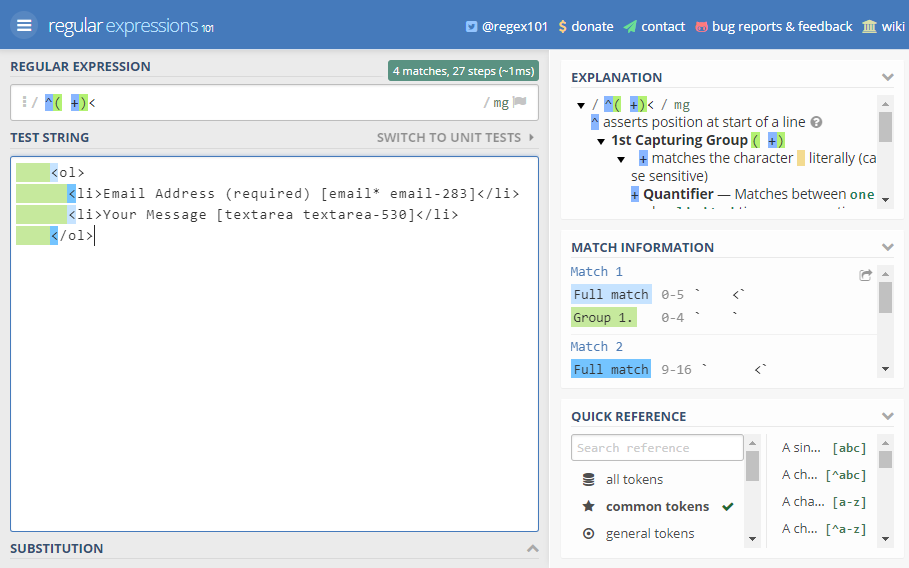
For example in Visual, after saveXML, PHP DOM create two spaces for indent/tab, while we want a four spaces tab. Regex can help to find all matched strings and replace them with tab as seen in screenshot below.

It’s very easy to work with regex using the tool. You should try it, or find another tool that suit your needs. Happy writing!

What are Gifs and Why Should we Use them

Gif is a sequence of images that are looped endlessly . You can visualize them as a 5-15 second video ( without audio ) that keeps playing without the user having to click the play button. 

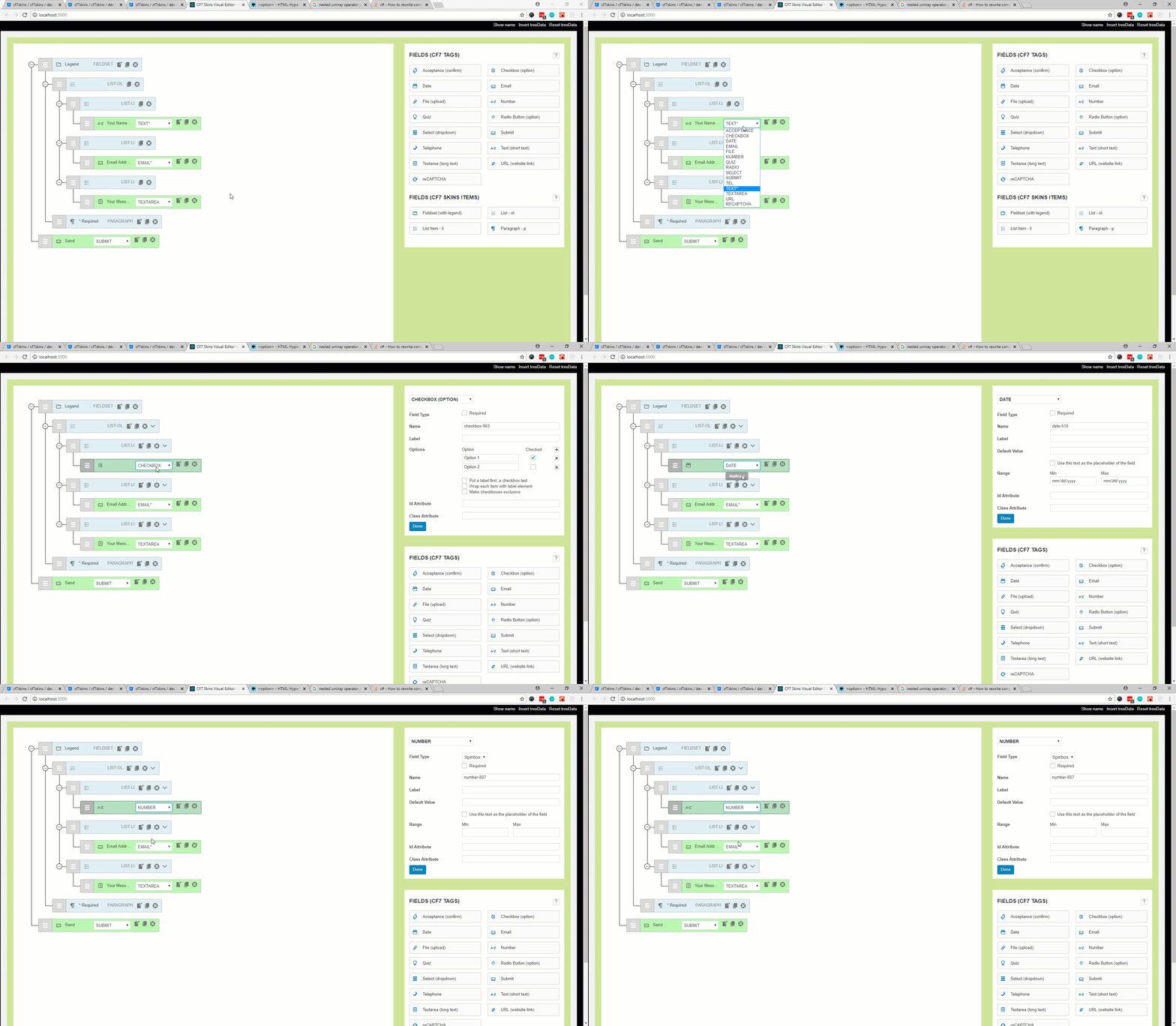
Here is an example of a Gif that I created to show what happens when we change the CF7 Tag using select dropdown that was recently added in ‘CF7skins Visual‘ addon. 

Changing CF7Tag directly from field input (open image in new tab to view full version of image)
  • If I would have opted to use either .jpeg or .png images then it would be impossible for me to show this happening in realtime also I would have to write a step by step tutorial and add an image for each step to convey whats happening. It still wouldn’t match the experience one gets by seeing things happening live.
  • The Other option that could have been used is creating a Video. This option was ruled out because I  had to upload the video to some hosting website like youtube, vimeo and then embedded it into bitbucket comment ( this is where this gif is posted by me ). Also the videos are usually have bigger size and requires the users to click on play button to see the content. 

When Should I use Gifs?

This is completely your wisdom. I prefer Gifs when I want to show something happening in live, it is self conveying ( doesn’t require audio ) and it isn’t too long ( 5-15 seconds max ).

Should I Always use Gifs?

As with everything .. use of too many Gifs in a post/comment can be distracting because they keep animating and it becomes difficult to read text content when there is something that is contentiously asking for your attention by animating.

How to Create a Gif Image?

There are addons for Google chrome, apps for windows and Mac that are specifically targeted for creating Gif Images. I can’t personally recommend or mention them here because I haven’t used them but I know they are there.

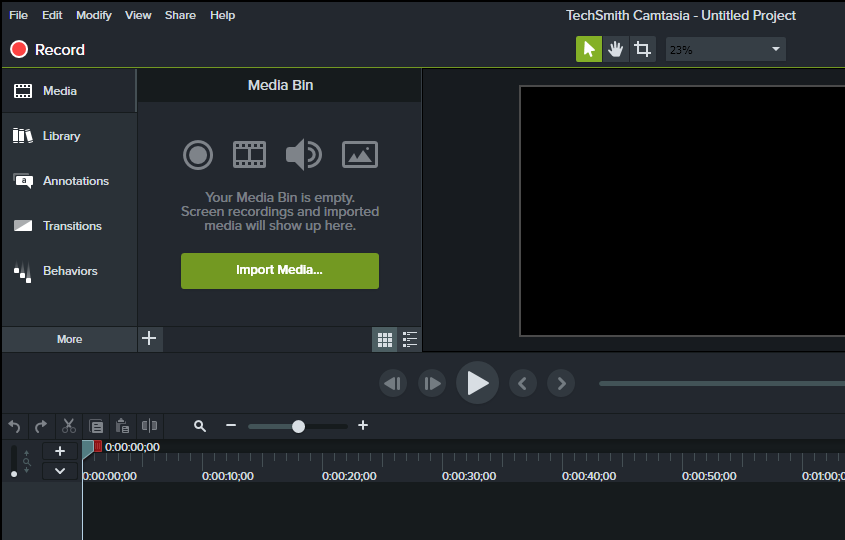
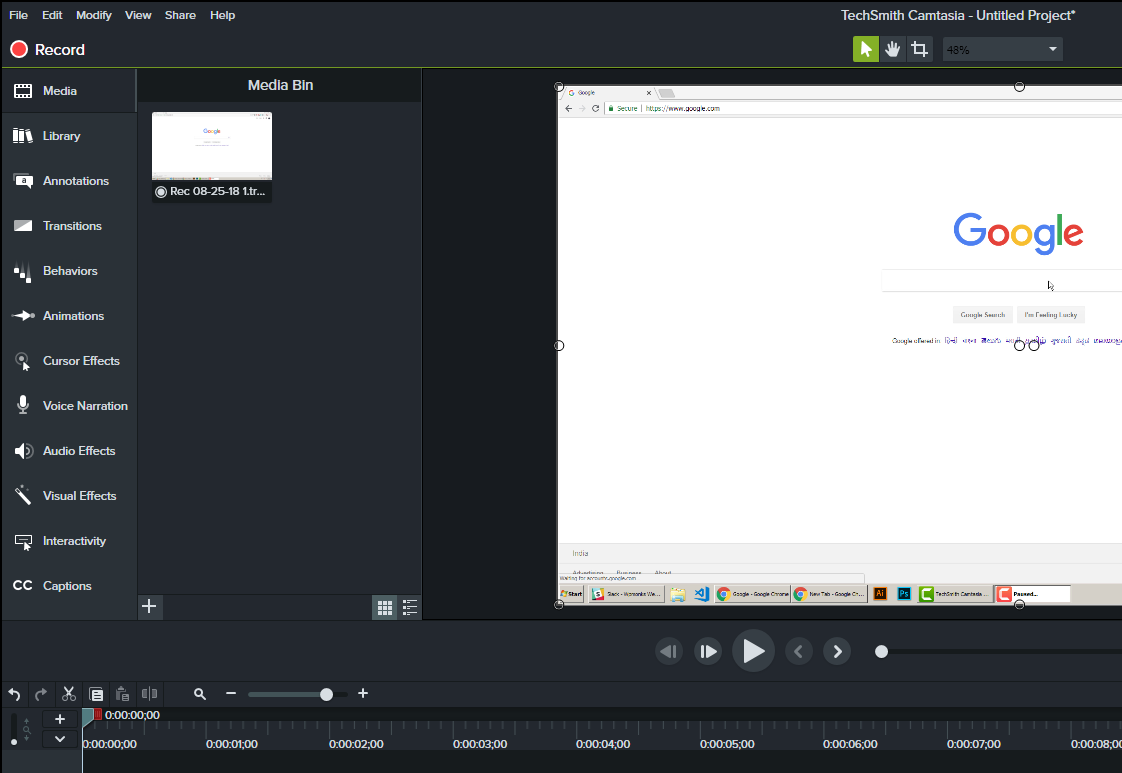
I use Camtasia Studio 8 which is more known for creating and editing videos rather then Gifs but it has functionality to make one. In this tutorial I will guide you through the whole process just in case you decide to use Camtasia.

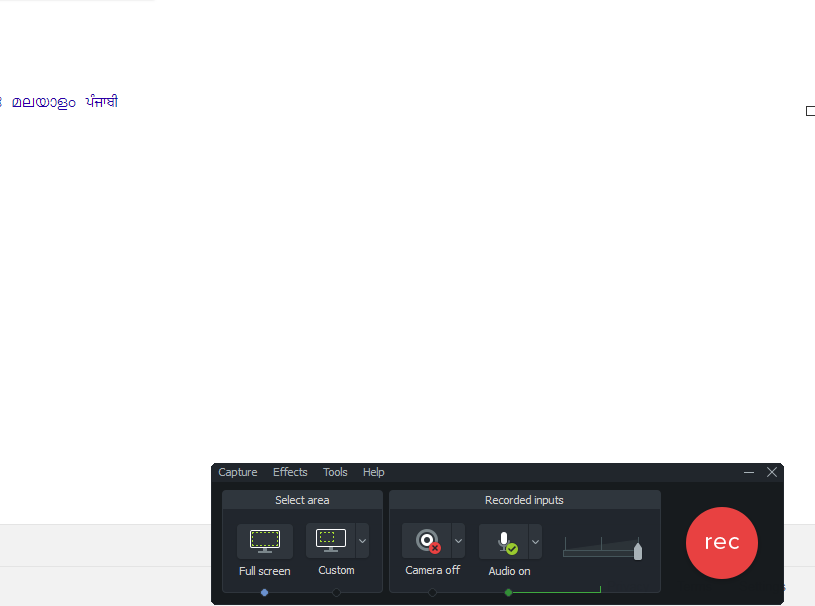
  • Open Camtasia Recorder by clicking on ‘Record‘ button in camtasia studio. Here you can select the dimensions for the screen to record.
  • Now click on the ‘rec‘ button . It will give you a timer of 3 secs before it starts recording your screen.
  • Once you have recorded you steps press F10 key to stop recording .
  • Now Camtasia studio will open automatically. Here you can modify the recorded video ( add markers, zoom the video, increase its speed etc). If you don’t know about any camtasia studio editing features even then its not an issue. 

  • Now click on ‘Share‘ in the top menu and then go to ‘custom production‘ . Select ‘Gif‘ as file type and keep pressing ‘Next‘ button until you are asked for file name and location. Add the name and location and then your file will be processed and saved.. ready to be uploaded in posts/ comments etc.

Note: Bitbucket has a limit of 1mb size per image. If any of Gifs is exceeding that limit then you have to edit ( cut unnecessary sequences from your recording, increase speed or re-record the video ) before saving it as Gif and then re-uploading it to bitbucket.

Increasing Awareness when Writing Articles

Every article you write should increase the awareness of CF7 Skins. When looking for ideas or topics on what to write, look no further than a Google search. 

5+ million CF7 Users, 1000’s have problems using CF7 each day, we are there with answers to help them solve their particular problems

For example, search ‘Contact Form 7 getting started’ or ‘Contact Form 7 how to start’. Take the top few suggestions that are shown and fabricate your own Google search result.

How do you want or imagine your article appearing in that top list?

Tip: Use a SERP preview generator to help ensure you stay within pixel and character limits. 

Once you know how you want the search to appear, write the article in that category or create the category you need.

For additional help or ideas already waiting, see what is happening with CF7 Skins Support and check out the CF7 Skins Google Sheets – Blog Content Planning

The ‘Slack Distraction’

Over the past few months, I have been working with a small (10 total with 4 developers) remote team. I noticed some comments creeping up on Slack that were along the lines of:

I'm exiting and logging out of Slack now so I can get some work done.

Then, the other day, the CEO (he is also a developer) was at his breaking point. He said:

Seriously, slack is a pathetic medium to get work done. Its equal to being on WhatsApp all day.

Slack is, arguably, the most popular tool used from small to large-sized companies for cross-team communication. What has been going wrong with our Slack team?

Slack Problems:

  1. Constantly being buzzed on my desktop and mobile device.
  2. Always seeing a notification that pulls my attention, distracting me.
  3. High priority questions getting lost in the noise.
  4. Lower priority discussions taking up time with responding.
  5. Long discussions with massive threads are hard to navigate.

As a team, we haven't yet come to a decisive answer on how to handle the above problems. However, I believe that each team is different in their communication style and we will need to adjust as CF7 Skins grows.

Communication is changing

The difficulty of remote, cross-team communication extends beyond process and available tools. It taps in directly to our cognitive evolution as a species.

Although most interactions are still offline, conversation and reading have essentially become more complex by going online or digital. We are suddenly immersed in new types of cognition during conversations where time and space seem to fold, or at least slightly bend. These new types of relational cognition add much to our lives.

Clifton Evans  |  Posted on March 20, 2018 
http://boxesandarrows.com/changing-minds/

The feelings of distraction and lack of focus are possibly a direct result of our brain adapting to new forms of communication.

Is Slack the answer for CF7 Skins communication?

As a fully remote team, how we will we know what is being worked on, if you are out for the day (or week), and how will you help other teammates who might be stuck on a problem that you have the solution for. How will we convey customer issues and discuss potential solutions? Where will we document and record this information? How will we share our knowledge with each other across teams so that we can build better, design better, and become more well-rounded in our field? 

I encourage everyone to think about the above questions as you are working and speaking with other teammates.  I don't have the answer or solution to a future problem, however, we can begin to imagine what could work for us. We all benefit from shared information and open communication so let's keep it that way… while not getting distracted.