Author Archives: Neil Murray
All CF7 Skins Visual code to the WordPress Coding Standards
I want to move all CF7 Skins Visual code to the WordPress Coding Standards before we go to Beta testing.
This includes:
- following DocBlock Formatting
- semi-colons at the end of all statements
- if, else, for, while, and try blocks should always use braces, and always go on multiple lines
Refer to Code Documentation Standards
CF7 Skins Multi Example
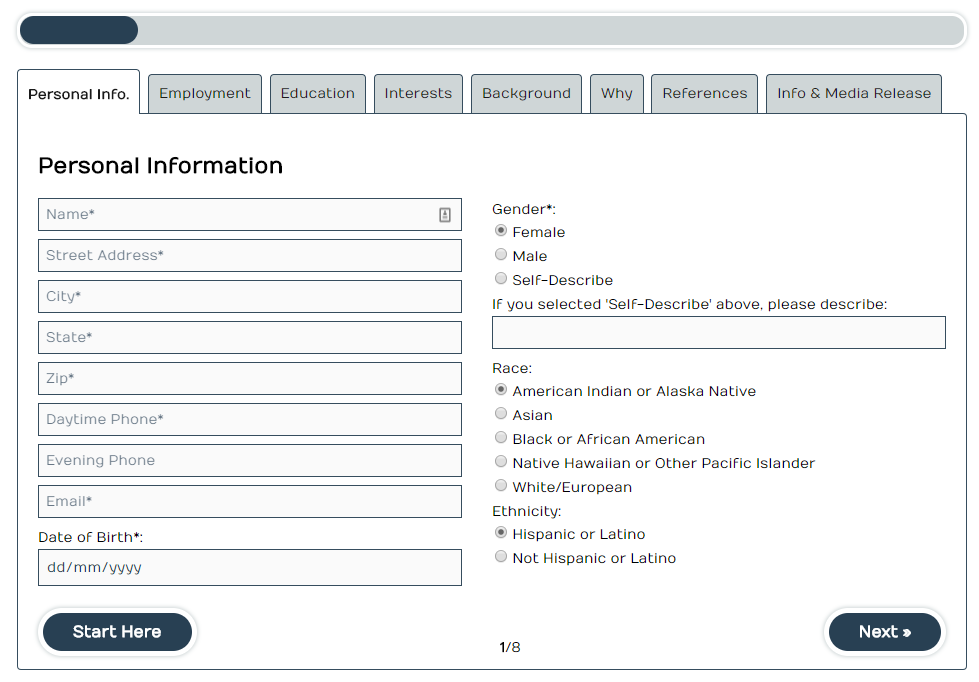
Take a look at https://www.youthserviceskc.org/mentor-application-form/ – always impressed by how our customers use CF7 Skins Multi for some pretty complicated forms
Recommended
Featured
Articles
team
- Inside the Home Workplaces of 15 WordPress Experts
- 5 Tips for Establishing Culture in a Remote Company
support
code
- React for WordPress Developers
- How to use the @wordpress/hooks package in JavaScript Apps
- CSS Forms from Codepen – Form Library using HTML, CSS, Javascript
- Understanding Redux: The World’s Easiest Guide to Beginning Redux
- Command Line Power User – free video series
- 30 Day Vanilla JS Coding Challenge – free video series
- Learning Gutenberg Series – good introduction to working with JS in WP
- The art of the error message
- 2018 Developer Skills Report – how people are coding today
- Introducing Postlight’s WordPress + React Starter Kit
- Introducing WP Reactivate, a WordPress React Boilerplate
- How to Develop a WordPress Plugin Using Webpack 3 & React
- Modern JavaScript Explained For Dinosaurs
- Customise Radio Buttons Without Compromising Accessibility
forms
- UX And HTML5: Let’s Help Users Fill In Your Mobile Form (Part 1)
- Six Agreeable Examples of GDPR ready Opt-in Forms
- Designing forms for gender diversity and inclusion
- Simple Rules for Designing Web and Mobile Forms
- UX in Contact Forms: Essentials – Making forms user friendly and more likely to be completed.
- The Best Place for Error Messages on Forms
- Gravity Forms Image Choices – add images as choices for Radio Buttons or Checkboxes fields
- 11 Best WordPress Contact Form Plugins (Reviewed and Compared)
- A Few Lessons in Form Design
- Form Templates – Industry & Type – Form field ideas! You don’t need to sign up: click Use Template button
- Bad practices on phone number form fields
- CSS Checkbox Styles – Codepen
- CSS Forms from Codepen
freemium
- stack overflow – Introducing “The Loop”: A Foundation in Listening – well worth reading the comments to see similar very negative views that occurred with the Gutenberg Editor.
- JetSloth’s Blaz Robar Talks About Selling Gravity Forms Plugins – they have a very similar relationship with Gravity Forms as we have with Contact Form 7
- The Plugin Economy – Interviews with WordPress professionals about developing, marketing and selling plugins
- Easy Digital Downloads 2017 in review
- ACF Year in Review: Looking back at 2017 and ahead to 2018 with Elliot Condon
- Development Plans for Easy Digital Downloads 3.0 – see how big plugin can make big changes
- 16 Lessons Learned Bootstrapping Kinsta From $0 to 7-Figures in Revenue – well worth reading
- 20+ SaaS Products We Use to Grow Our Web Hosting Company
- Building in the Open: Introducing Buffer’s Transparent Product Roadmap – Buffer have done this really well
- Tailor Page Builder Plugin Discontinued, Owners Cite Funding, Gutenberg, and Competition – read the Comments
- I Want to Sell My WordPress Product Business – Now What?
- What to Know Before Starting a WordPress Plugin Business
- WeGlot – From €21,000 to €44,000/monthly: The company rises
- From Building WordPress Sites to Selling Plugins in One Year
docs & writing
- Multilingual SEO on WordPress: 7 Tips To Rank In All Languages
- How to Create Anchor Links in WordPress (4 Easy Methods)
- How to Perform a Content Audit to Guide Your Content Marketing Strategy
- 10 Knowledge Base Examples That Get It Right
- Hemingway App – Very helpful and free writing assistant and content checker.
other form plugins & apps
- Formidable Forms – 01/02/2018
- Material Design for Contact Form 7
- Debug Bar Actions and Filters Addon – displays hooks(Actions and Filters) attached to the current request via Debug Bar
- Contact Form 7 Redirection – uses DOM events to perform redirect as Takayuki Miyoshi recommends
- Trigger Happy – a visual scripting tool for WordPress (built using React)
gutenberg
- Create Style Variations for WordPress Gutenberg Blocks: Part 1
- WordPress Gutenberg Block API
- 3 Tools to create custom Gutenberg WordPress Blocks visually
- How to use the @wordpress/hooks package in JavaScript Apps
- How to Convert a Shortcode to a Gutenberg Block
- Learning Gutenberg Series – good introduction to working with JS in WP
- Introducing the Atomic Blocks Plugin and Theme – Theme shop embraces Gutenberg
- Gutenberg News
- Going Gutenberg: Events Calendar plugin
- A Collection of Gutenberg Conversations, Resources, and Videos
- This Changes Everything: Gutenberg is Good Now
- A Page Builder Creator’s Opinion of Gutenberg
- Gutenberg Usability Testing Plan – Feedback Needed
- How Different CMS’s Handle Content Blocks
Extra
Podcasts
- Interview With Pippin Williamson
- The Business Podcasts That Will Make You a Better Entrepreneur in 2018
- Pippin Williamson on the Why, When and How of Easy Digital Downloads 3.0
- Gutenberg with Tammie Lister and Matias Ventura
- Building a healthy remote company, with Tom Willmot
- Gutenberg, Telemetry, Calypso, and More With Matt Mullenweg
- Interview with Matt Mullenweg on the WordPress ecosystem
- Ben Pines On Developing the Elementor Page Builder Plugin
Videos
- Creating a Content Strategy For Your WordPress Site
- How to Create A Video That Easily Drives More Downloads and Sales for Your WordPress Plugin
- Designing Gutenberg – with Automattic Product Designer, Mel Choyce
- Arrow functions in JavaScript – What, Why and How
- Destructuring: What, Why and How – Part 1 of ES6 JavaScript Features
- Arrow functions in JavaScript – What, Why and How
- Command Line Power User – free video series
- 30 Day Vanilla JS Coding Challenge – free video series
- AWP Gutenberg Interview Series with Joost de Valk
- WordCamp US 2017 videos – check out the full list of the WCUS 2017 videos
- Andrew Roberts: Lessons Learned Trying to Commercialize a Major Open Source Project
- Morten Rand-Hendriksen: Gutenberg and the WordPress of Tomorrow – the very best explanation of Gutenberg & the changes it will likely bring so far
Slides
Ebooks
Plugins
- Material Design for Contact Form 7
- Debug Bar Actions and Filters Addon – displays hooks(Actions and Filters) attached to the current request via Debug Bar
- Contact Form 7 Redirection – uses DOM events to perform redirect as Takayuki Miyoshi recommends
- Trigger Happy – a visual scripting tool for WordPress (built using React)
Release CF7 Skins Visual
I'm thinking about & planning how we do the following:
- Complete work on RST version in Oct – Nov
- Prepare Beta version (based on Contact Form 7 Skins Visual Dev plugin) during Nov – Dec
- Conduct testing by current CF7 Skins Pro customers during January 2018
- Release CF7 Skins Visual within Contact Form 7 Skins (free version) in Feb – Apr 2018
Note: need to release CF7 Skins Visual version for CF7 Skins Pro at same time
Gutenberg Editor will fundamentally change all development in WordPress
Gutenberg Editor is at the heart of the future of WordPress. The way Gutenberg interacts with things like the Media Library, WP Rest API & the Customizer will become the foundation of how WordPress works 5 – 10 years from now.
This will fundamentally change the way themes & plugins interact with WordPress, from a situation where PHP dominates, to a new mode where both JavaScript & PHP cooperate in that interaction.
Gutenberg Ideas
With the introduction of the Gutenberg Editor into WordPress it is likely than many users will become familiar & comfortable with this interface.
I believe it makes sense for us to try to match the overall UI for the CF7 Skins Visual Editor with this new WordPress interface.
- It is also written using React.js
- The overall structure is also pretty similar.
Install CF7 Skins plugins on customer site
You can install latest versions of CF7 Skins plugins on customer sites.
Start by using the latest Live versions.
You should have access via Dropbox to latest live versions of all CF7 Skins plugins at Dropbox\Support\Zips – CF7 Skins Pro & Add-ons\. License Keys are also there.
You can if necessary install the latest Dev version from the relevant Bitbucket repository.
Setup WP_DEBUG with Developer plugin
Normally WP_DEBUG can be set to true using FTP or hosting panel.
If you have Admin rights on a customer’s site, WP_DEBUG can be set to true to see errors via the Developer plugin.
This appears to be no longer possible in Developer – we are looking for an alternative.
We asked for help on WP Answers at http://discourse.wpanswers.co/t/372 and got the SO Turn On Debug plugin as a solution. We are currently testing this.
You can still use the Developer plugin to check if WP_DEBUG can be set to true.


Make sure you remove WP_DEBUG when you finish – especially if this is a live site.
CF7 Skins Visual started – a drag and drop visual editor for Contact Form 7 forms

We’ve started work on CF7 Skins Visual – a drag and drop visual editor for Contact Form 7 forms.
We believe many WordPress users would like to use a visual drag and drop interface similar to that available in other WordPress form plugins.
We decided to give people an option to use a drag and drop visual editor within CF7 Skins as a quick and easy way to create Contact Form 7 forms.
CF7 Skins Visual works right within the normal Contact Form 7 interface

Provides all Contact Form 7 tags

Edit Contact Form 7 tags quickly & easily

Includes support for CF7 Skins unique innovative features & Add-ons

CF7 Skins Visual works with the other innovative features championed in CF7 Skins including Templates & Styles as well as integrated support for Fieldsets & Lists within your Contact Form 7 forms.
Built using React
We’re very excited to be using React to build this extension to CF7 Skins. We are building it from the ground up to take advantage of what the React.js JavaScript library has to offer.
So far we’ve found React.js to be a terrific tool for building a visual interface within a WordPress plugin. Already we’ve seen very significant improvements when compared to using jQuery to add JavaScript functionality to our CF7 Skins plugins.
In particular using React JSX allows us to experiment quickly & easily with changes to the interface using something that feels very much like simple HTML.
Plus using React Components lets you focus on small discrete parts of the interface. Using modular CSS also keeps things contained & separated.
We also found Redux ideal for maintaining state in the JavaScript interface. What we’d previously found increasingly cumbersome & confusing when using jQuery is amazingly simple with Redux (once you know what you are doing) and so far it’s remained just as simple as we’ve added more complexity to the interface.
CF7 Skins Visual is built from the ground up to take advantage of what the React.js JavaScript library has to offer.
Works with CF7 Skins other innovative features
CF7 Skins Visual is great for simple forms but it really shines for more complex forms. Especially when you combine this with the convenience offered by CF7 Skins other innovative features.
Templates
Each Template acts as an easy to follow guide, which can be quickly adapted to your particular requirements:
– start off by choosing a CF7 Skins Template with matches your required form
– quickly add or delete fields using the Visual Editor
– then use the drag and drop interface to adjust the form to suit your requirements.
Styles
CF7 Skins provides a wide range of compatible Styles that cover the full range of Contact Form 7 form elements plus other important innovative elements supported by CF7 Skins like Fieldsets or Lists.
With CF7 Skins you can use the easy to use Visual Editor, together with a range of compatible Templates and Styles, to make creating & styling of Contact Form 7 forms much easier.
Fieldsets & Lists
The CF7 Skins Visual Editor makes building of CF7 Skins forms, including Fieldsets and Lists, even easier by the use of a simple drag and drop interface.
Using these important form elements supported by CF7 Skins enhances form usability and allows significantly more detailed styling of your forms.
Why we use Fieldset, Legend & Lists in CF7 Skins
Making your form easy to read by using Fieldsets
CF7 Skins Add-ons
Plus you also get an integrated visual interface for all our CF7 Skins Add-ons. For CF7 Skins Pro users each CF7 Skins Add-on can be operated via the visual interface.
This is a big project for us that’s going to take some time to finish. However we wanted to involve existing CF7 Skins users as early as possible to get ongoing feedback.