Adding Visual for users

Last Updated on October 21, 2018 by Neil Murray

I’ve been thinking about what will happen to existing CF7 Skins users, when we add CF7 Skins Visual to the plugin they have been using – either free or pro with add-ons.

Contact Form 7 Skins (free version) currently has 20,000+ active installs.

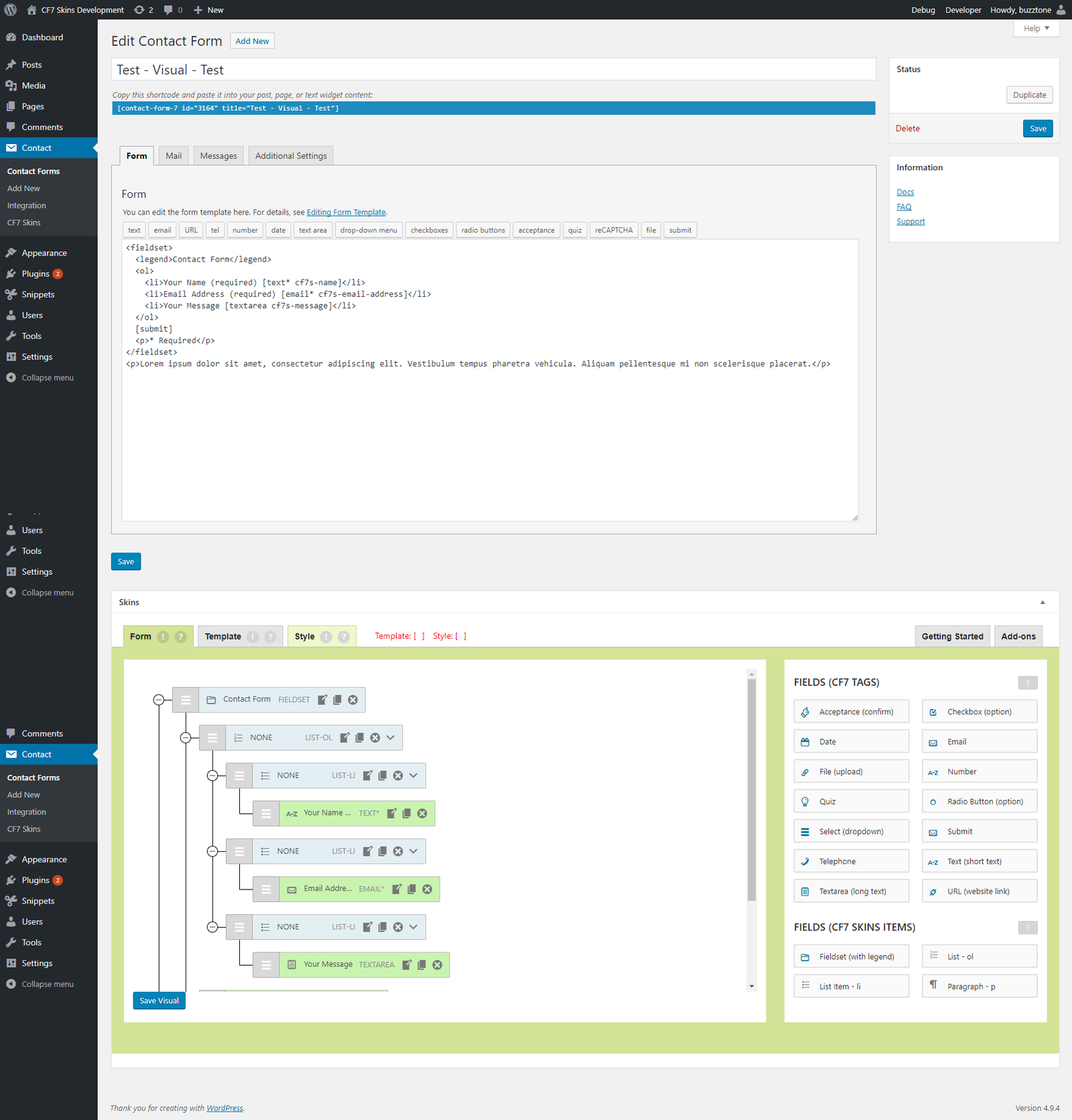
When we add CF7 Skins Visual to this free version, 20,000+ existing users will get the CF7 Skins Visual interface added to Contact Form 7, whenever they update Contact Form 7 Skins.

These existing users will then see the extra Form Tab, added in the Skins metabox (with the Visual interface), for the first time, whenever they create or edit a CF7 form.

That’s 20,000+ people who are going to have a new experience at some time.

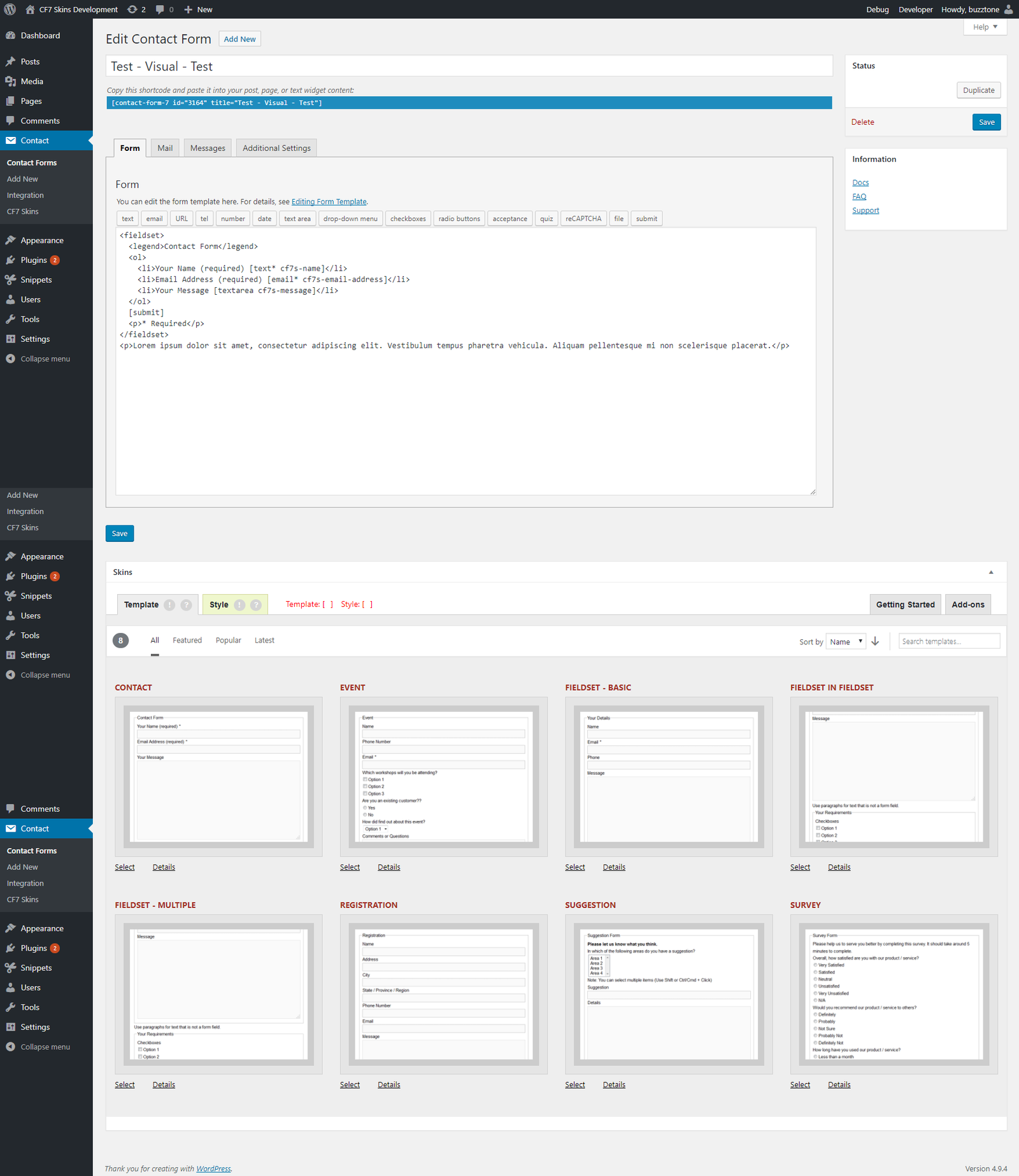
The Contact Form 7 user interface (UI), with the free version CF7 Skins installed, will go from this:

to this:

I expect these users will ask at least some of the following questions:

  • what is this?
  • what does it do?
  • should I use this?
  • can this help me?
  • how do I use this?

We need to provide a mechanism to answer these questions quickly & easily in a way that provides both assurance & encouragement to  existing users.

While some users will have read or heard about our adding a drag&drop visual interface to CF7 Skins ( & thus to Contact Form 7 ), we can’t count on that.

What you you think? How should we do this? Please add your Comments to this post.

Update

Version 1 – 2018-06-19


create-guten-block – a developer toolkit for building Gutenberg block plugins

Last Updated on September 20, 2018 by Neil Murray

I recommend we follow/watch create-guten-block.

Neil Murray Feb. 13 2018

create-guten-block – a zero-configuration #0CJS developer toolkit for building WordPress Gutenberg block plugins

Some articles on using create-guten-block:

Other useful articles:

Why create-guten-block?

Well, it’s really hard to configure things like Webpack, React, ES 6/7/8/Next, ESLint, Babel, etc. before you even start writing a Hello World gutenberg block. Then there’s the fact that you have to maintain and constantly update your configuration with all the new tools and growth in the JavaScript community.

create-guten-block hides all this configuration away in an optimized package that we call cgb-scripts. This package is the only dependency in your projects. We keep cgb-scripts up to date while you go ahead and create the next best WordPress themes and plugins.

Use kb-dev.cf7skins.com for most initial documentation work

Last Updated on October 21, 2018 by Neil Murray

I think we should avoid using cf7skins-test.project.buzztoned.com for initially creating blog posts. Rather we should just use kb-dev.cf7skins.com as we do for most other changes to pages, posts & faq.

I originally did this so we were using the same theme as the live blog. I’ve found we can easily make any necessary changes when we schedule the post on the live site.

All blog posts eventually also get published on kb.cf7skins.com so they need to look OK on both the themes we currently use.

What you you think? Please add your Comments to this post.

Update

  • we no longer use cf7skins-test.project.buzztoned.com at all
  • we use blog.cf7skins.com & blog-dev.cf7skins.com when creating new blog posts
  • blog posts no longer get published on kb.cf7skins.com

Using README.md in all CF7 Skins Git repositories

Last Updated on February 7, 2018 by Neil Murray

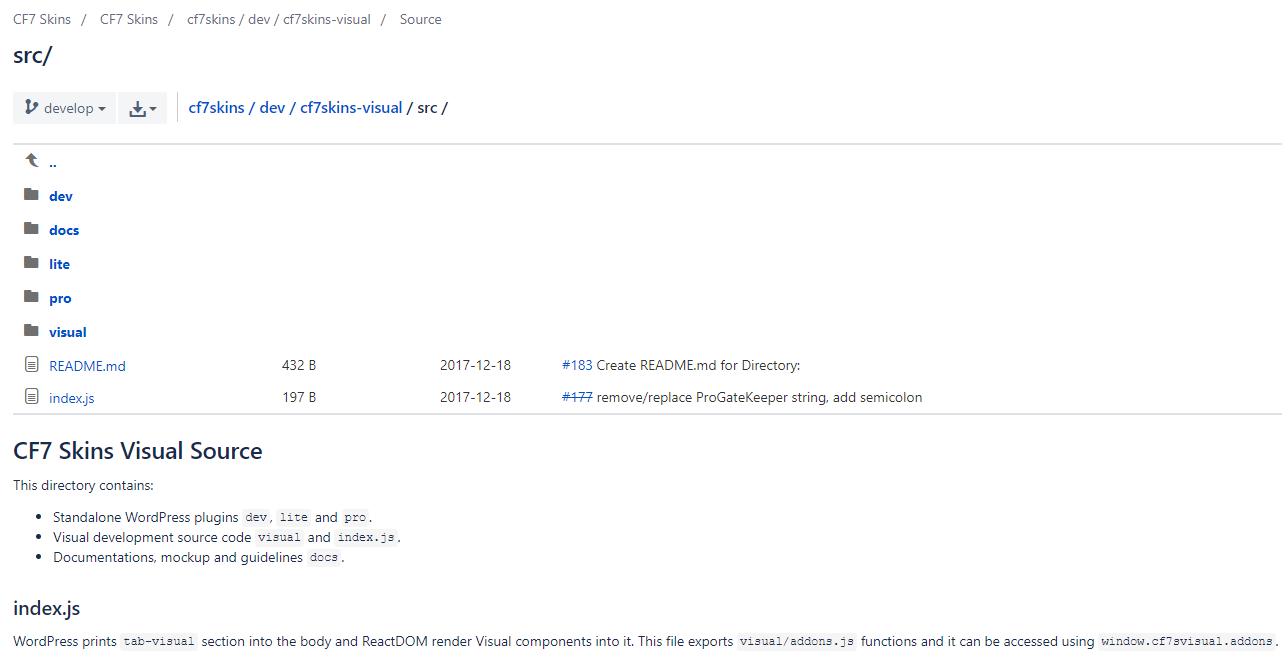
We are now adding README.md in all CF7 Skins Git repositories.

Every directory in each repository should have a README.md (markdown syntax).

These README.md are really helpful. They provide quick and easy explanation at the location where the developer is currently looking (particularly useful for new developers).

Each README.md should contain:

  • brief description about directory
  • brief description for each file
  • approach explanation
  • public functions explanation and usage example
  • external link for documentation

Refer Documenting React Code in WordPress

Download Link Expiration

Last Updated on September 30, 2018 by Neil Murray

Our download links are currently available for 14 days after the purchase. Re-sending a purchase receipt will regenerate a valid download link.

You can also download your purchases via your cf7skins.com Account at any time. You will need to register & log in to your Account. You will find links to your downloads and licenses there.

We now use Content Audit to help us better manage our documentation

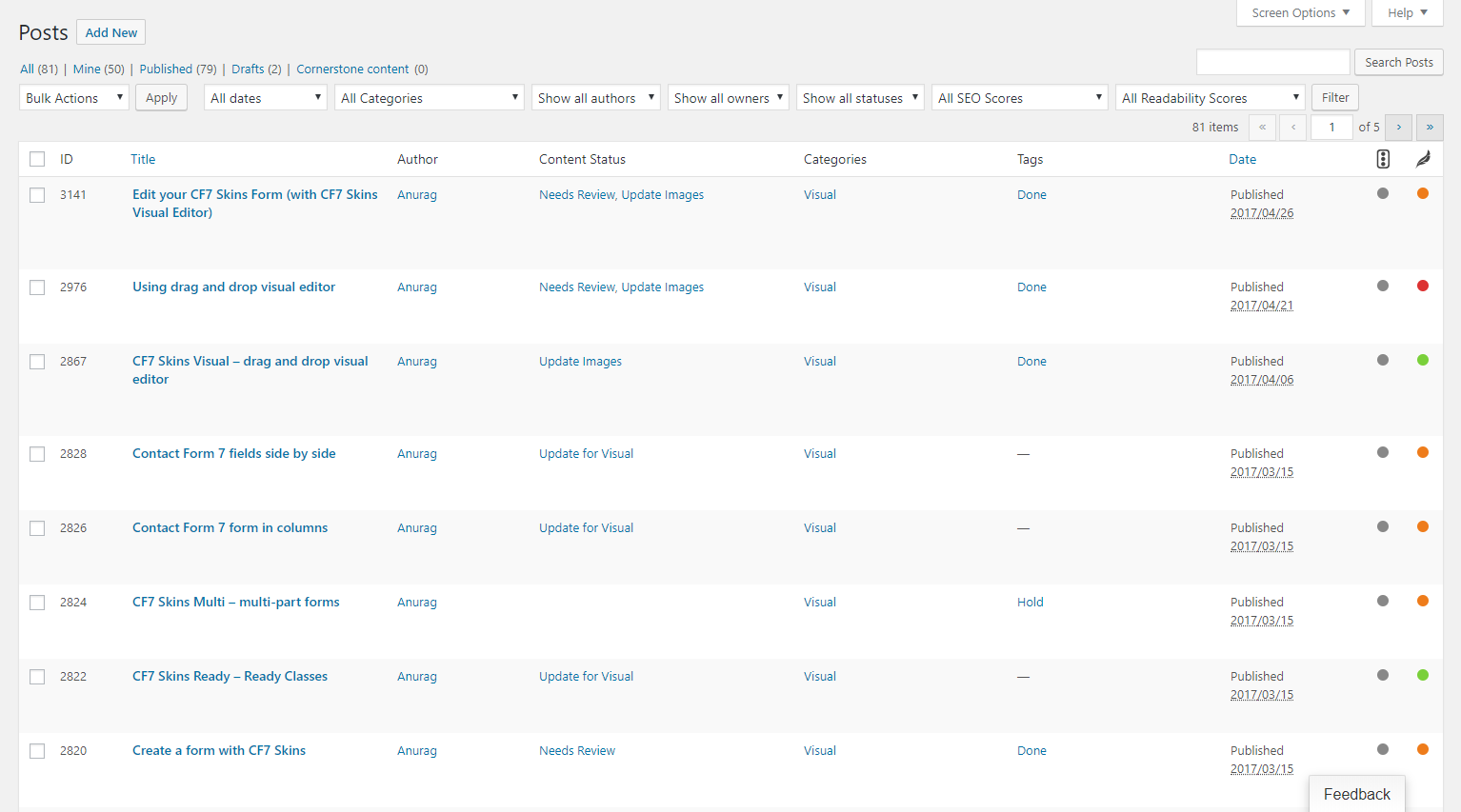
We are now using the Content Audit plugin to help us better manage changes to our documentation.

All documentation pages are now added to this system so we can:

  • use it to see what work needs to be done on each site
  • show list of items at each stage
  • use it before Slack meetings to see work that needs to be done.

You can create filtered lists of the content.

When you visit each site as a logged in user you will also see Content Audit information at the top of each item.

See Using Content Audit for more information.

A problem you get with very popular plugins

Like many other people, we use the Contact Form 7 plugin. It's great! Easy to use! We have it installed on about 50 or so sites. Since the 4.8 version (i think that was the one) of CF7, nearly all these sites have had some type of problem with form submitting. They all have different themes and there are plugins common to all but some use completely different plugins. With the exception of 3 sites, they're all hosted on the same server. Notably, the comment forms on the blogs all work. If a problem arises, it is exclusively with the CF7 form.

So, we ran through the troubleshooting guides and a myriad of forum posts and the only solution we have found is to revert back to the 4.6.1 version of CF7. I found that as a solution on one of the forum posts. I have no idea why that works but it does. There is something going on, be it a change in the WP platform causing a conflict or something with the CF7 plugin.

In the interest of helping the WP and CF7 community figure out what is going on, I wanted to submit this as the results of what we found after hours and numerous sites. I believe this was suggested to the author but I don't know that it resulted in any change.

Anthony – December 22, 2017 9:11 pm

Hi – I can see that you put quite a bit of time into your email, so I wanted to respond.

I'm absolutely 100% sure that the problem is not caused by a fault in Contact Form 7 (CF7). The problem is caused by something or several things on your particular WordPress setups. It could definitely be related to how you have setup your Contact Form 7 forms, but it's not the plugin itself.

We are currently using Contact Form 7 (version 4.9.2) on over 50 sites on two different servers. Your email was just one example of dozens we receive every day sent via Contact Form 7. Contact Form 7 works; it has done for years, flawlessly without problems, over all versions since we started using it.

I understand you found a solution that worked for you in a forum post & it's very hard to look past that.

But with well over 6 million active installs of Contact Form 7, it's relatively easy for me to find numerous forum posts that explain very convincingly that every single version of Contact Form 7 no longer works & if you switch back to the previous version your problems will be solved. I answered 1000's of questions in the Contact Form 7 support forum over several years & saw many such forum posts each & every time Contact Form 7 was updated.

And of course it works for some people, because when they revert back something else changes that solves their particular problem. With so many active installs it only takes few people getting a positive result & saying this worked for them to convince many others that reverting to some particular version is the only answer.

Any way that's what I think. I expect you may not agree & I'm glad you found a solution to your particular problem by sticking to on older version of CF7. I'm unaware of any security issues with any older versions of CF7, so I see no problems with you doing that.

Neil Murray – December 23, 2017 3:55 pm

Hey Neil

Thanks for the reply. I agree that the fault is not with CF7. I mean, there are so many moving parts on a WP site that it could be any one of a number of things and the plugin is used on 5M+ sites! If EVERYONE is having a problem, yes, the fault is likely with the plugin. Probably haha. But not if a relatively small number are having problems. As you said, it has to be in the setup. I think the most likely culprit(s) is/are conflicts with other plugins, but I'm not developer-smart enough to be able to nail that down (I still use my fingers to count haha) so don't have any hard evidence.

Interestingly, yesterday afternoon one of my developers took the time to trace common plugin usage on dozens of our sites. We really need to get and easy way of tracking what plugins are used on which sites instead of logging into the admin, but that's another topic haha. He discovered that if a site was having a CF7 submission problem AND it used WP-Spamshield (https://wordpress.org/plugins/wp-spamshield/), disabling that plugin eliminated the submission issue. Of course, as you probably know, Spamshield had a falling out with WP and is no longer listed in the repository, but some of these sites were having submission problems 6 months before all of that hit the fan. So I don't think the submission issue is related to that. However, there seems to be some conflict between the two plugins. I doubt we'll track it down because a) not developer-smart enough (see above) and, b) not enough hours in the day.

I wish we could help the author because it's not like this is a paid plugin. I mean, the author is maintaining it and forum supporting it for free! I don't know how he does it!

I can't figure out why this would suddenly happen with 4.8.0 (i think that was the version)? Why does 4.6.1 work? When a site is having a CF7 submission issue, why does the default WP comment form continue to work fine? Is it a captcha conflict? Did WP change something to lock down the REST api (I don't even know what that is haha) and CF7 has trouble accessing? These are rhetorical questions, of course, and just some of the things with which we grappled as clients were screaming at us that their forms didn't work (they can be so mean! haha).

In any event, that's something we'll be exploring going forward. Hopefully, we'll be able to solve it because CF7 is great! Sorry for this loooooong reply. If you made it this far, you're a trooper! haha

Thanks Neil

Anthony – December 23, 2017, 10:32 pm

Updating existing plugins using zip

Last Updated on January 17, 2018 by Anurag

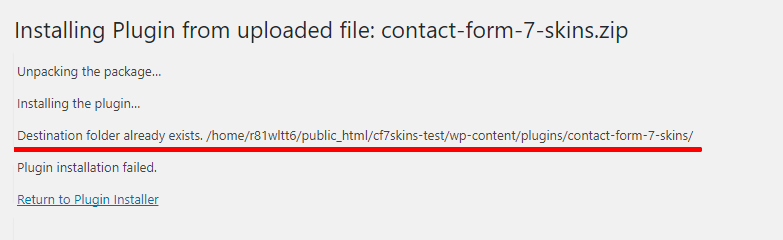
When using your a zip file to update an existing plugin, it seems it is not possible to just upload the zip as you would with new plugins.

If you do, you get an error saying the destination folder already exists. 

I expected WordPress to override this automatically, especially if it find the plugin is just a new version of the last one, but apparently not.

There are two ways to avoid this:

  1. Remove the plugin completely before adding new version of it.
  2. Use an FTP client to override the files.

Also see: [#9757] Allow Plugin/Theme updates from a uploaded .zip file

Local by Flywheel

I now use Local by Flywheel for my local WordPress development environment.

The main advantages I've noticed are:

  • Change PHP versions quickly & easily
  • Includes facility to backup local WordPress installs
  • Can use & switch between Nginx & Apache PHP servers
  • Save any site as a Blueprint to re-use later
  • Great support.

The disadvantages I've noticed are:

  • Uses Adminer for database interaction – it's trickier but possible
  • Needs decent computer – runs pretty slow on my old laptop.

Refer: The ultimate guide to set up a local WordPress development environment to get started.

The cost of the Gutenberg

Last Updated on January 11, 2018 by Neil Murray

I found this article on The cost of the Gutenberg transition for small WordPress businesses and independent developers an interesting read – though I disagree with muchof their analysis.

I found it gave me a good insight into the perspective of someone very concerned by how Gutenberg will affect their individual business.

A few points that stuck with me where:

  • This is an unavoidable change to their business which is being imposed on them by others ( and they don't like it )
  • They feel the cost of change imposed by Gutenberg is real but the cost of not changing WordPress is not – ( at least not yet )

I'm sure they're wrong about the cost. The long term the cost to their business is likely to be much greater.

What you you think? Please add your Comments to this post.