
Last Updated on April 18, 2020 by Neil Murray
In some of our plugins use PHP and JavaScript regular expression or regex to find and replace string or do validation on strings. In PHP, we can write the code and reload the page to see the changes, which takes more steps to see the results. The same as testing JavaScript regex in a web page, that needs to reload the page. In JavaScript we can use browser console directly but I found have difficulties to write script using it, and we will get error if there are repeated var, const or let.
Both testing above can be a pain and takes time to develop. I want a tool that can display the result immediately without reloading the page, have a test string, notice us for any errors, match information, explanation for each regex, and have a good documentation.
The tool should be a web page, no need to install or registering process to use it. So I Google it and found https://regex101.com/ that has features I need. With that, I can write the regex, put the test string and see the results easily.
For example in Visual, after saveXML, PHP DOM create two spaces for indent/tab, while we want a four spaces tab. Regex can help to find all matched strings and replace them with tab as seen in screenshot below.
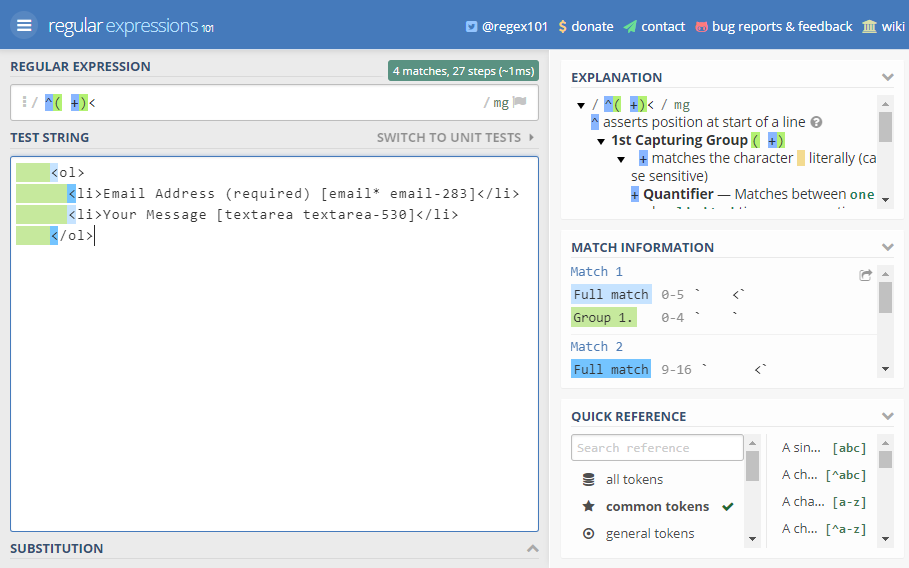
It’s very easy to work with regex using the tool. You should try it, or find another tool that suit your needs. Happy writing!