
Last Updated on January 17, 2018 by Anurag
When using your a zip file to update an existing plugin, it seems it is not possible to just upload the zip as you would with new plugins.
If you do, you get an error saying the destination folder already exists.
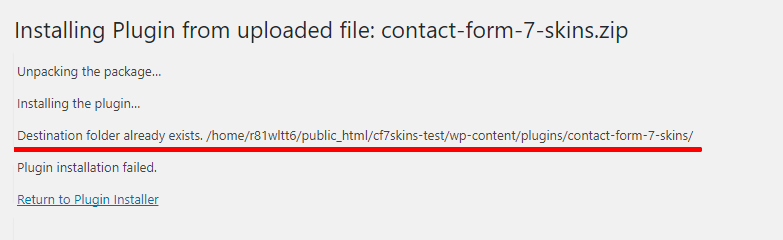
I expected WordPress to override this automatically, especially if it find the plugin is just a new version of the last one, but apparently not.
There are two ways to avoid this:
- Remove the plugin completely before adding new version of it.
- Use an FTP client to override the files.
Also see: [#9757] Allow Plugin/Theme updates from a uploaded .zip file
As you were looking to test a separate version of our plugin, the best option in this case was to add the plugin in a different folder name.
To do this, zip your plugin version into a differently named zip file. This allows you to add another version of the plugin on the same site.
You should also change the plugin name in index.php so you & others can distinguish this plugin version.
This gives a separately named plugin stored in differently named folder.
You can then de-activate other versions of the plugin installed & activate the version you want to test.
That does sound good. I will do that, then. Thanks, Neil!
See Test a separate version of plugin – https://team.cf7skins.com/documentation-guidelines/test-a-separate-version-of-plugin/.