
Last Updated on March 16, 2022 by Neil Murray
Changing Site Language
[ ADD explanation – see \Sync\..\Translation\Translation Guidelines\Testing Translations\Changing Site Language\ ]
Update WordPress translations
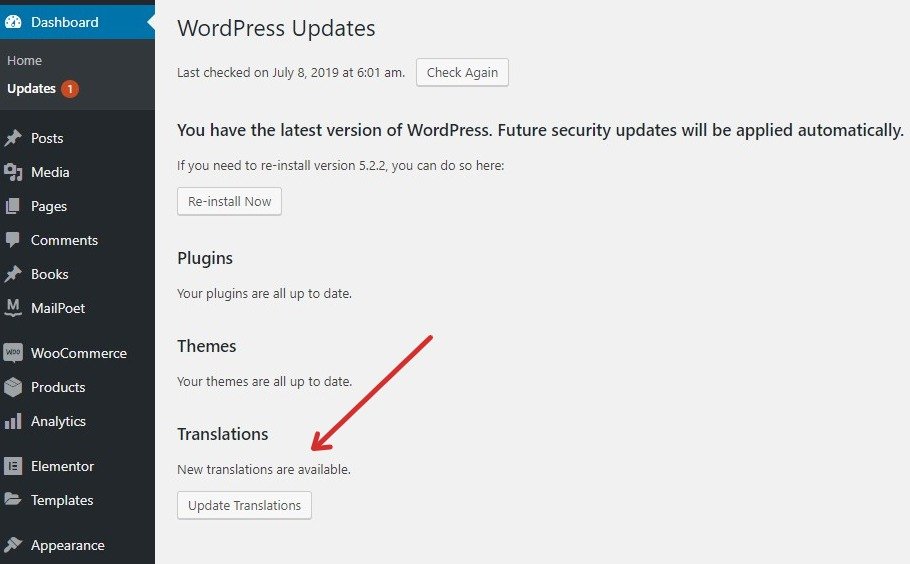
Update your site’s translations after each update of CF7 Skins. Updating Contact Form 7 Skins does not automatically update the translation.
When you switch the language from ” Settings > General“, this changes the language of Contact Form 7 Skins and CF7 Skins Add-ons as well. But there is an additional step to take.
- Go to “Dashboard > Updates” and accept the translation of Contact Form 7 Skins there by clicking the Update Translations button.
Note: After each update, there may be new strings to translate, so you should check the Dashboard > Updates panel after each update.

Further Reading:
Notes
We need to explain how we do ongoing testing of all CF7 Skins translations.