
Last Updated on November 2, 2023 by Vinoth SN
Table of Contents
- Figma
- Figma design for our WordPress plugins
- WordPress Components
- Figma design files
- Updating Figma Design
- CF7 Skins UI Design
- Create CSS in Figma for developers to follow
Figma #
We use Figma to document & plan changes to the CF7 Skins UI.
We first tried using Figma files on Logic 2.0 with very limited success. We were not able to provide our Developers with timely, effective UI design via Figma.
The WordPress UI Designer job description is based heavily on the problems we found during that process.
Sastra is able to work without detailed UI design. He has always worked effectively from my basic sketches.
Eugen writes very effective React code, very quickly, but needs detailed UI design which shows clearly how CSS is to made. This CSS code needs to include existing CSS structure used in our plugins.
Neil Murray
Figma design for our WordPress plugins #
We create & maintain Figma design files for our WordPress plugins. This helps us to:
- provide detailed UI designs that developers can follow
- item
To do this effectively we need to:
- Create Figma design files from hand sketches of plugin UI
- Use WordPress Block Components where practical
- Produce Figma design files that are well structured for easy future changes
- Create CSS in Figma for developers to follow
- Update our older Figma design files to meet the above requirements.
WordPress Components #
The Gutenberg Team has adopted Figma for work on their Components.
We see the work done by the Gutenberg Team as the best WordPress development done anywhere in the world. We follow how they create & use WordPress Components in their development process & seek to learn from their work & apply it to our plugins.
We examine their work done for WordPress Components in Figma to learn how we should using Figma in our plugin development & maintenance.
Neil Murray
Documentation
Solution
Create flexible, but well-structured Figma library files that fully mirror our code base components; are useful for both the internal teams, as well as the community; are consistently and meticulously maintained; and are scalable for the increasing velocity of iteration and explorations by both designers and engineers.
Objectives
1. Establish a mutually shared and understood structure for Figma library files.
2. Build and maintain appropriate workflows for tagging and managing Figma changes.
– Review process for making proposals from within Figma
– Review process for tagging changes in GitHub, and how Figma maintains alignment with those changes.
The SketchPress library that 10up created, a collection of WordPress admin interfaces, symbols, and icons, is in the process of being converted into a shared team library for Figma so that WordPress contributors can take advantage of it.
Figma design files #
We need to produce Figma design files that are well structured for easy future change.
Figma design file structure #
- Page
- Frame
- Block Inserter
- Components

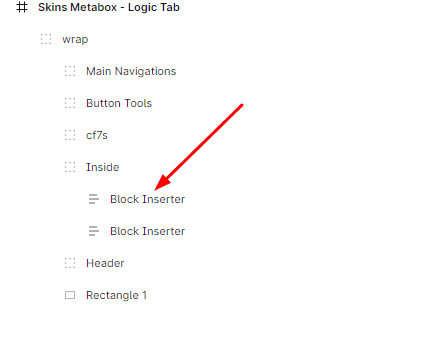

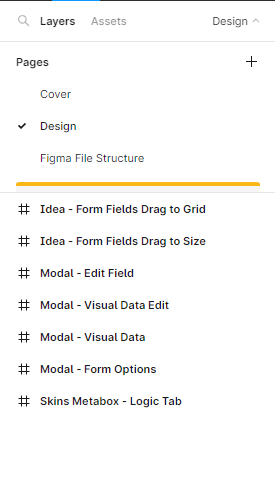
Figma File structure for future changes

CF7 Skins UI Design 2023-09-22
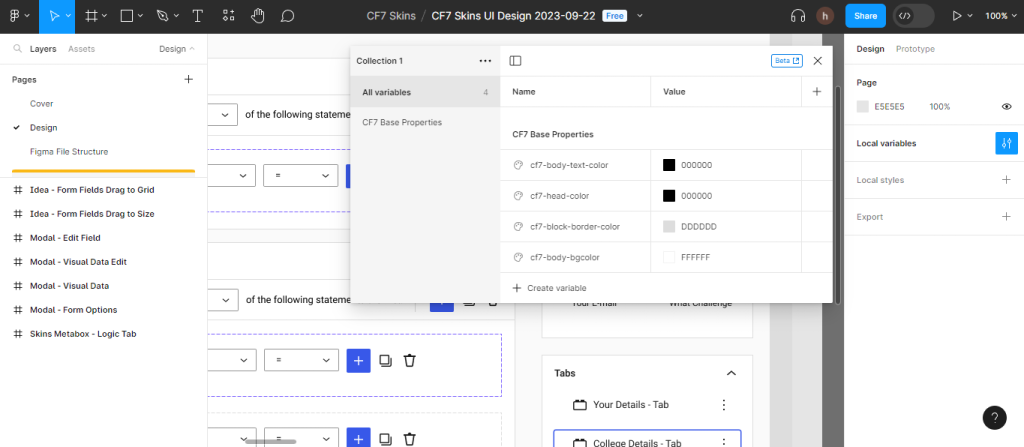
Easy to change UI Design Color Theme
Easy to mark the frame for Development
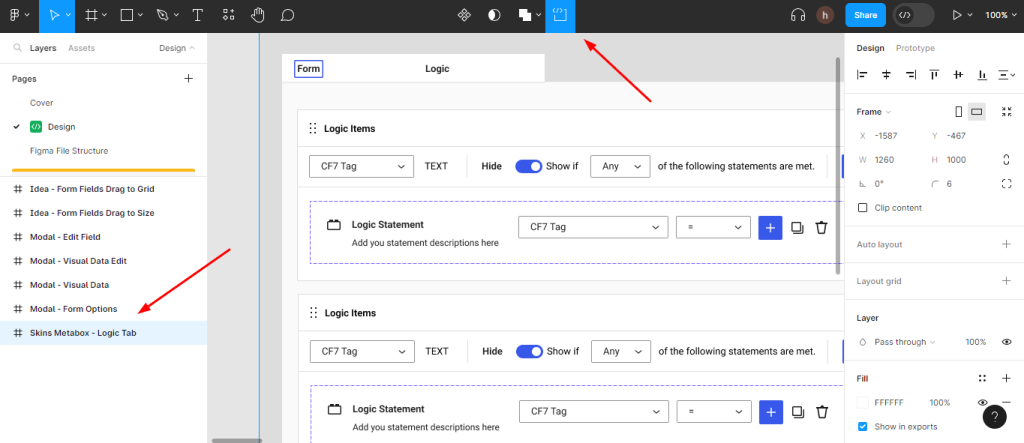
Easy-to-use development

Ready to generate the CSS value

Future Changes of UI Design in Figma
Having knowlege of figma (Expereince) can change the Layout and User Interface Design to requirement.
Note: The developer can change only the above list without the help of Figma Designer
Figma Components #
Old CF7 Skins UI 2022-06-10
Components used only a very limited version

New Components created in CF7 Skins UI Design 2023-09-22

All used components are built by WordPress for the Figma library See here
I hope this information will help full for developers understand how Figma works.
Updating Figma Design files #
The main use cases for updating our Figma design files will be:
- dealing with bugs
- updating the UI based on user feedback
- adding new features.
Understanding of UI updates like Color, Text, Border, Components etc…
| Styles: Cannot reference other styles Can store sets of Values | Variables: Can reference other Variables Can only store raw, single values |
CF7 Skins UI Design #
Source Files: Sync\ UI Design \ Tasks \ 2023-09-22 – FIGMA – #7 – Idea – Form Fields – Drag on Grid – REVIEW \ Figma-Files
Created a variable for base UI design

These variables are used for changing the base colour of the theme used in the CF7 Skin UI Design
UI of Components #
In CF7 Skin UI Design we used mostly like components field, so while updating the theme of components is very simple

Changing the style of the button
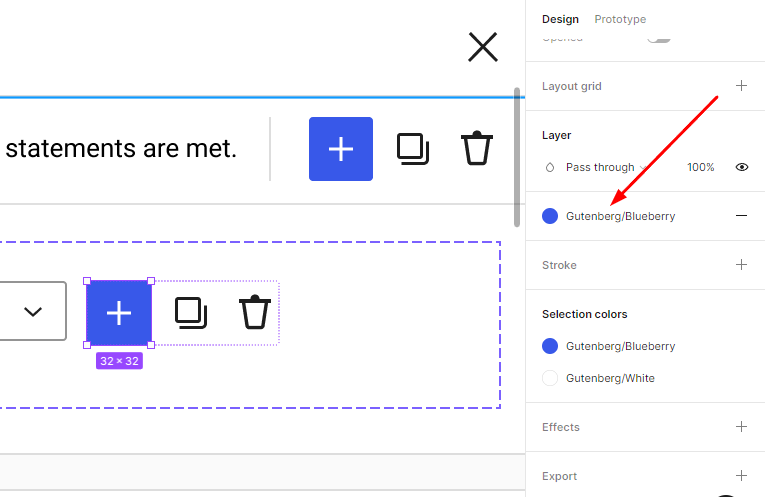
The style will be applied to all buttons used in the Frame
Note: the same method for all other components used in CF7 Skin UI Design
Create CSS in Figma for developers to follow #
We need to create CSS in Figma for developers to follow. To do this effectively we need to:
How does Figma CSS work
Currently, Figma supports CSS, iOS and Android imports. Some of the properties you can import include colour values, typography, sizes, etc.
HTML and CSS file
The screens with Breakpoints share the same HTML and CSS
Example Drag and Drop layout
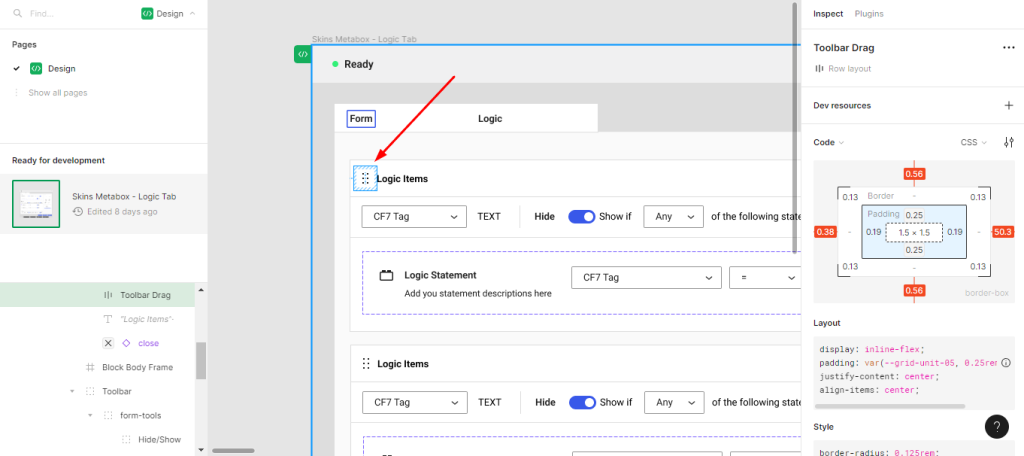
Figma generate specific styles for certain elements, like padding or margin
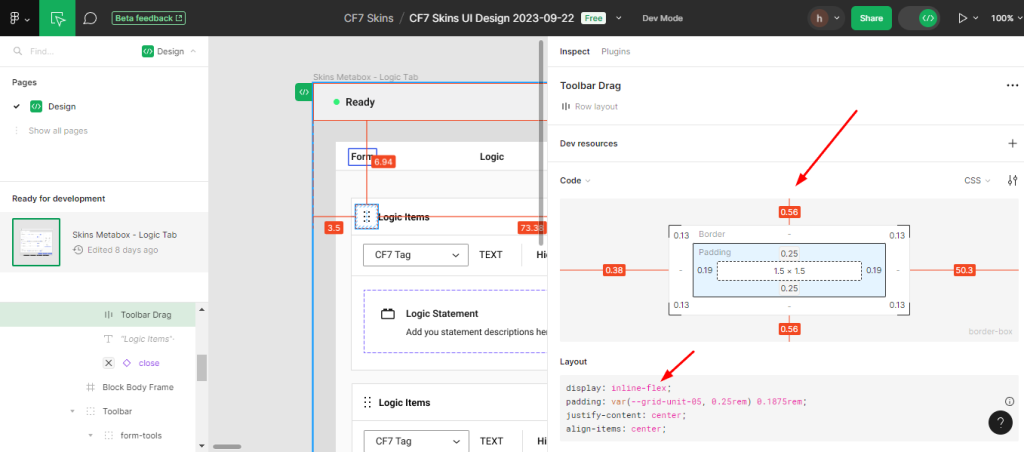
CSS Styles
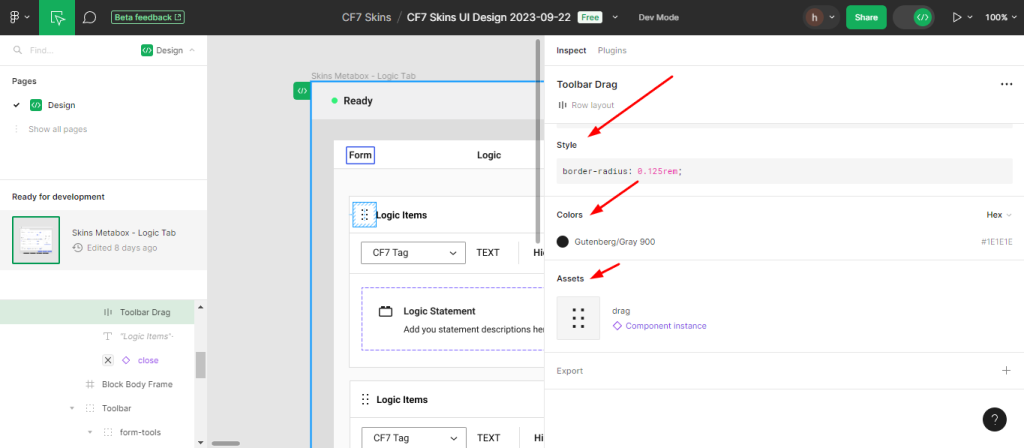
For Components figma generates styles, assets etc..
example for .fieldChangeSelect
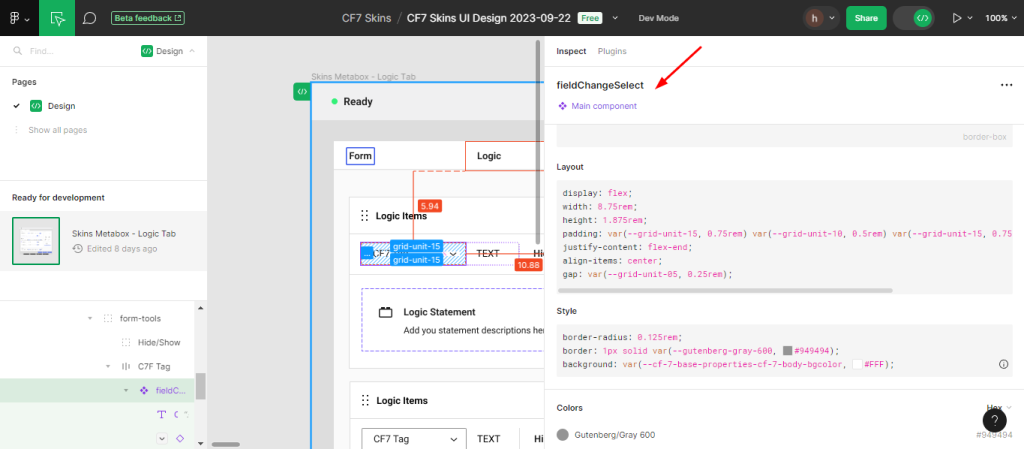
There are some limitations to how Figma can generate CSS. For example, it can’t generate specific styles for certain elements, like padding or margin.
[Explanation is given below]
Vinoth Explanation #
Figma doesn’t provide any CSS selector like className or ID except for SVG Export.
Example

(this is CF7 Skins ClassName assigned in the components field)
Figma produce only the style of components (below example)
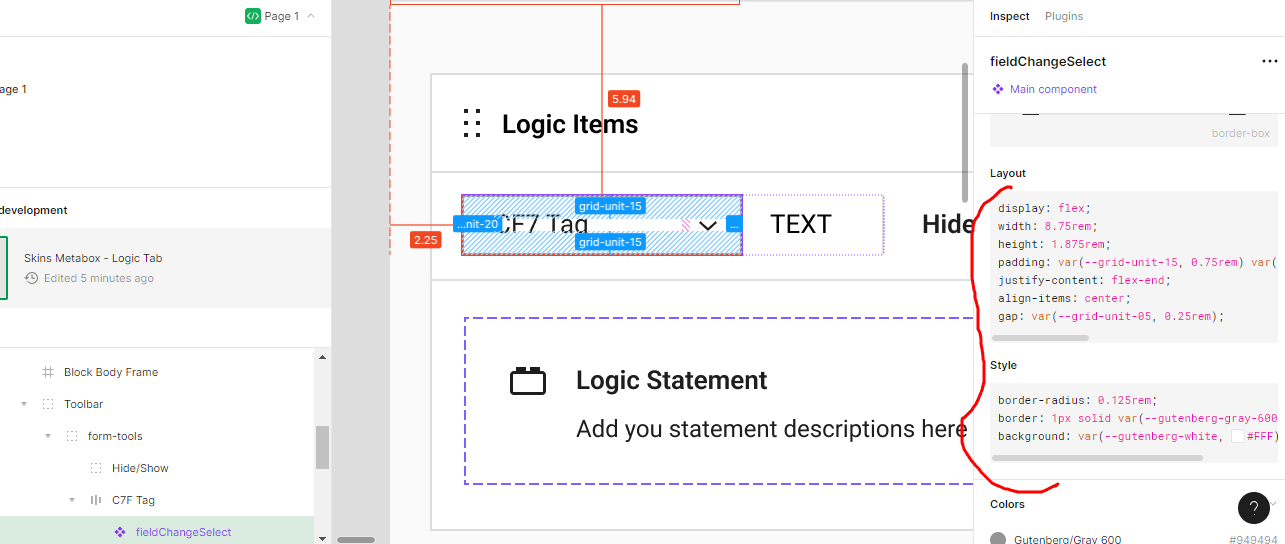
Using Plugin we get some kind of code.

^ This components field uses the className .fieldChangeSelect in reference to FieldChangeSelect
Using the plugin [ExportKit] Figma to HTML, Android, iOS, React, Xamarin, WordPress, JavaFx
Code below
<style type="text/css">
#fieldchangeselect {
	top: -1px;
	left: -1px;
	width: 140px;
	height: 30px;
	-ms-border-radius: 2px;
	-o-border-radius: 2px;
	-moz-border-radius: 2px;
	-webkit-border-radius: 2px;
	border-radius: 2px;
	border: 1px solid #949494;
	background:rgba(255,255,255,1);
}

</style>
<div id="fieldchangeselect"  ></div>
In another way using other tools, we can compile it.
Webflow, Framer, and Modulz.
Further reading:
Notes
REMOVED
Bugs in CF7 Skins UI Design #
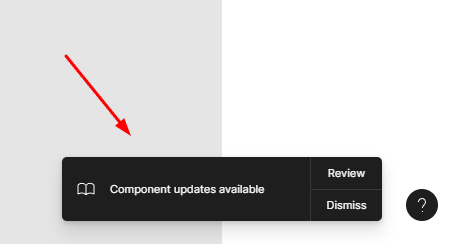
The most cases major bugs in Figma design components, Keep checking that the components & libraries are up to date.

Adding New Features #
Depends upon the user’s needs
Save all Images to Sync – use ..\Sync\..\Development\Development Guidelines\Working with CF7 Skins\Working with Figma\