
Last Updated on June 7, 2025 by Neil Murray
1. Setup for WordPress Contribution #
- Prerequisites
- Local WordPress Environment – using Docker and wp-env
- Local WordPress Environment – existing WordPress environment
- Setup wp-env
- Gutenberg – fork, clone, commit
- Using Studio
- nvm – Node version manager
- Using Docker
- Using Xdebug
Refer: Setup for WordPress Contribution
Prerequisites #
Refer:
- Getting Started With Code Contribution – Prerequisites
- Setup for WordPress Contribution – Prerequisites
Local WordPress Environment – using Docker and wp-env #
Refer:
- Getting Started With Code Contribution – Local WordPress Environment
- Setup for WordPress Contribution – Using Docker and wp-env
Local WordPress Environment – existing WordPress environment #
Refer:
- Getting Started With Code Contribution – Getting the Gutenberg code:
- Using existing WordPress environment
Further reading:
2. Key skills you need to learn #
Pull Requests #
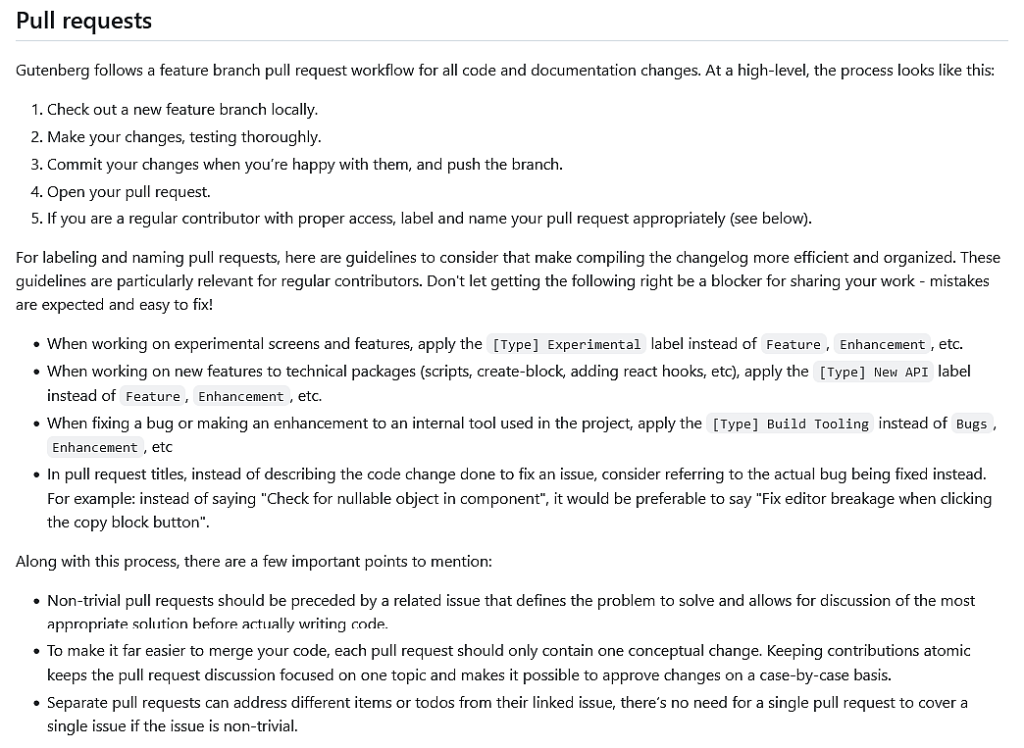
Refer: Pull requests
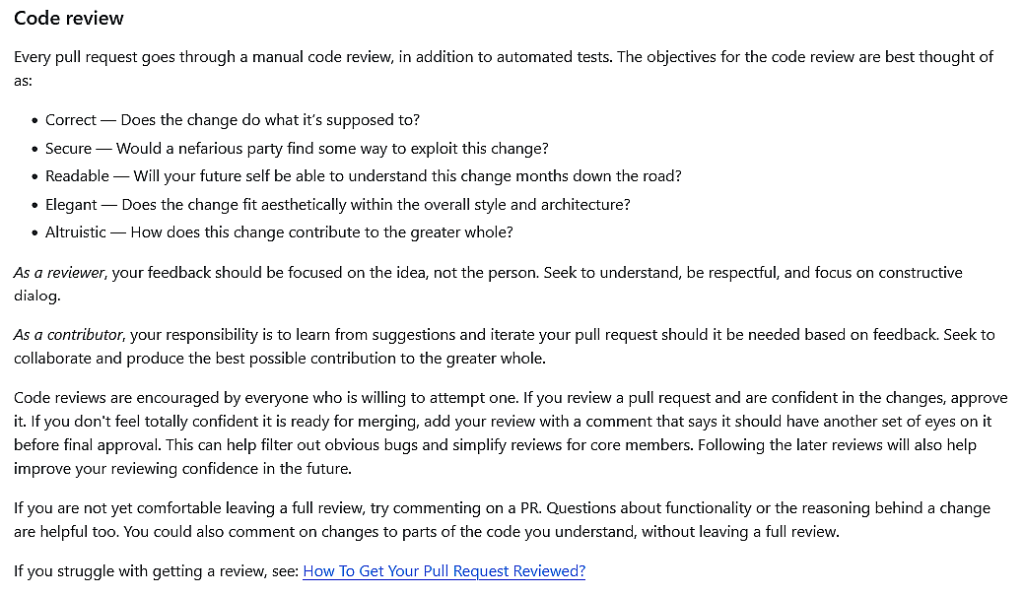
Refer:
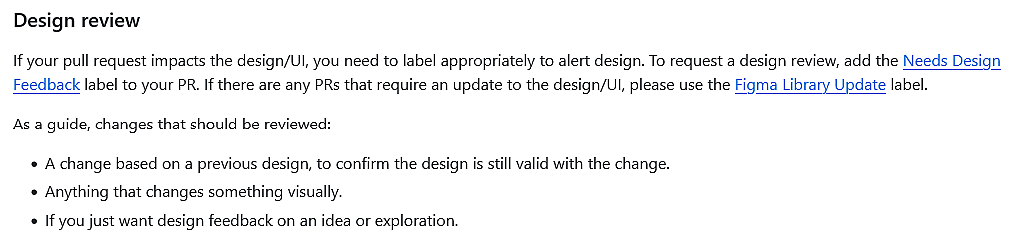
Refer: Pull requests – Design review
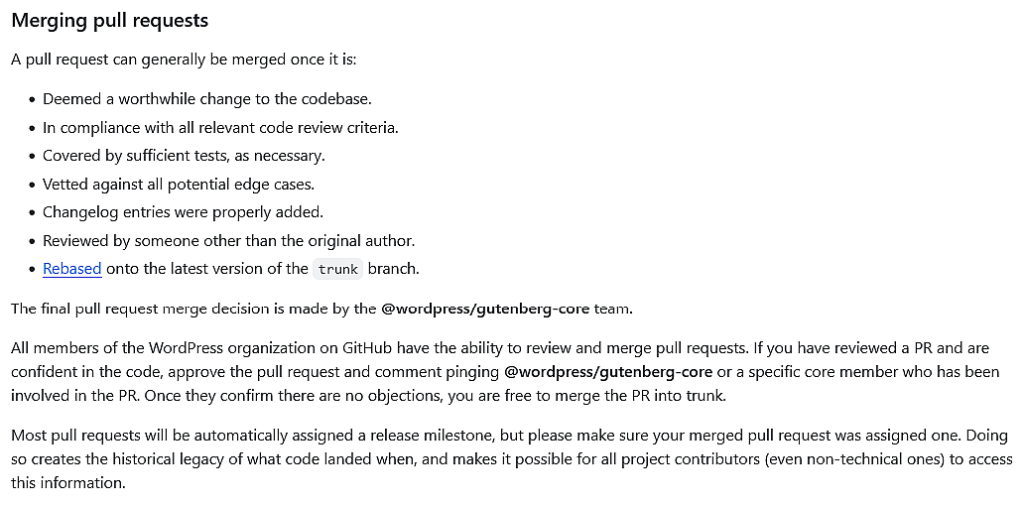
Refer:
- Pull requests – Merging pull requests
- Keeping your branch up to date
- Squash commits on branch before merge

Refer: Pull requests – Closing pull requests
Further Reading:
- Repository Management – Pull requests
- How To Get Your Pull Request Reviewed?
- How to Fork a Repository, Make Changes, and Submit a Pull Request on GitHub
3. Gutenberg Code Contributions #
Repository management #
Issue Management #

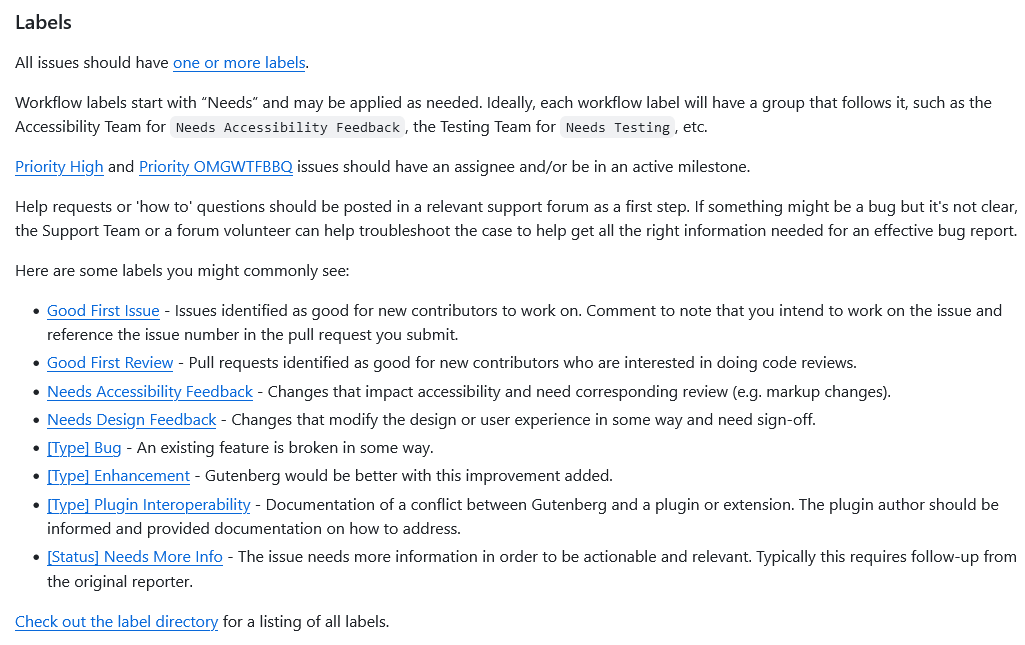
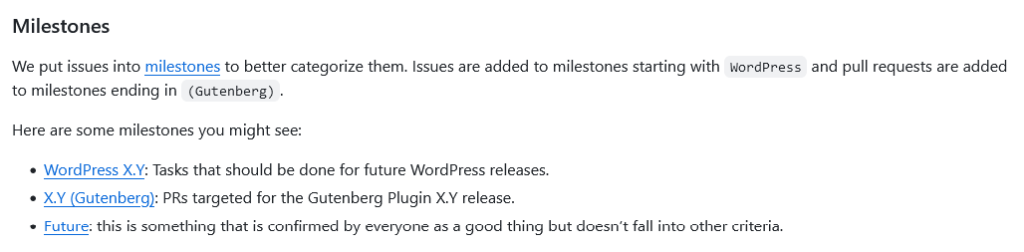

Refer: Repository Management – Issues
Teams and Projects #
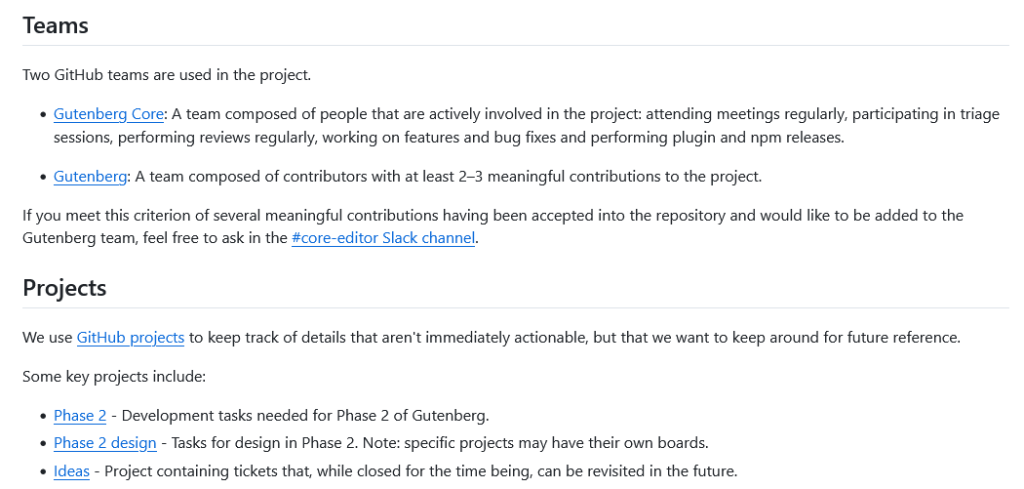
Refer: Teams & Projects
Git Workflow #
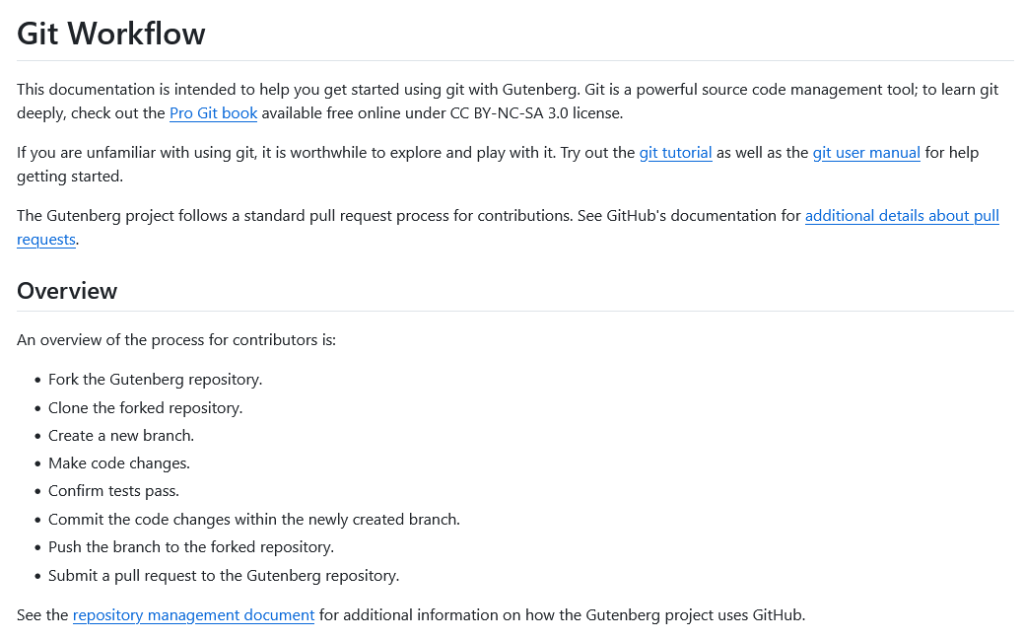
Refer: Repository Management
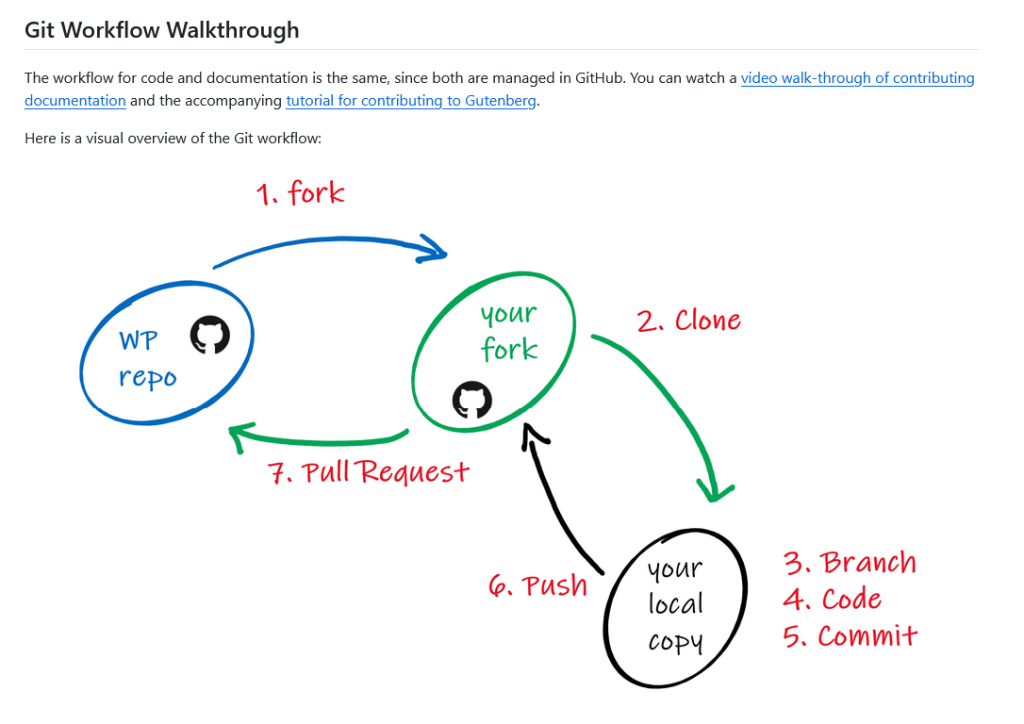
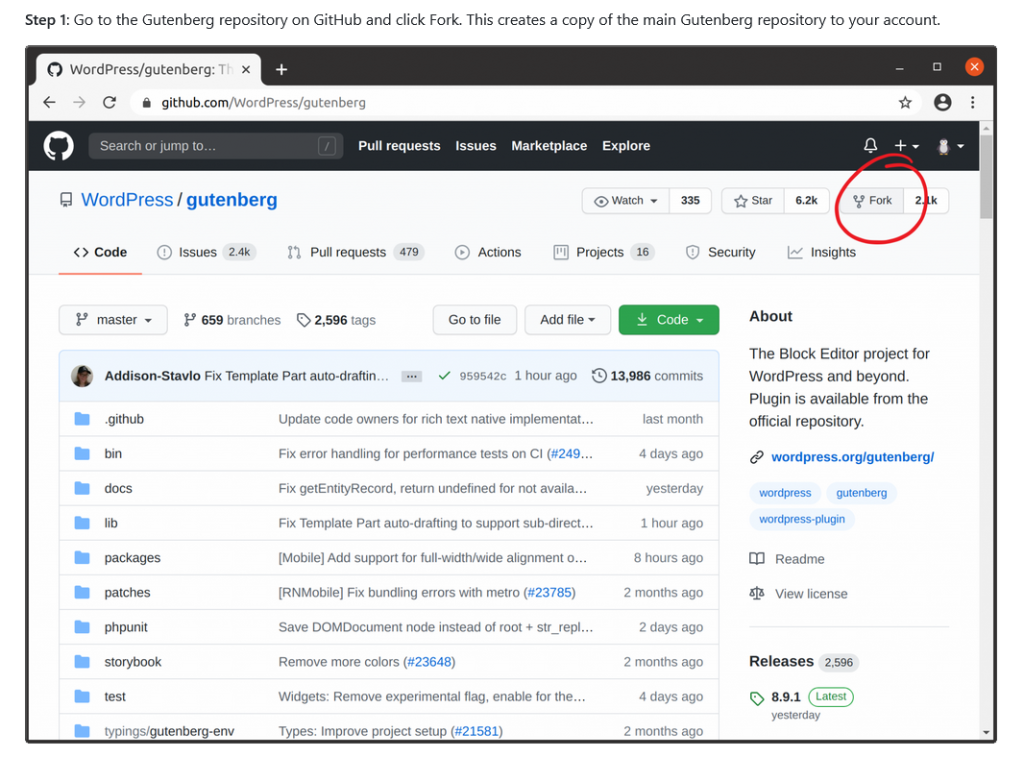
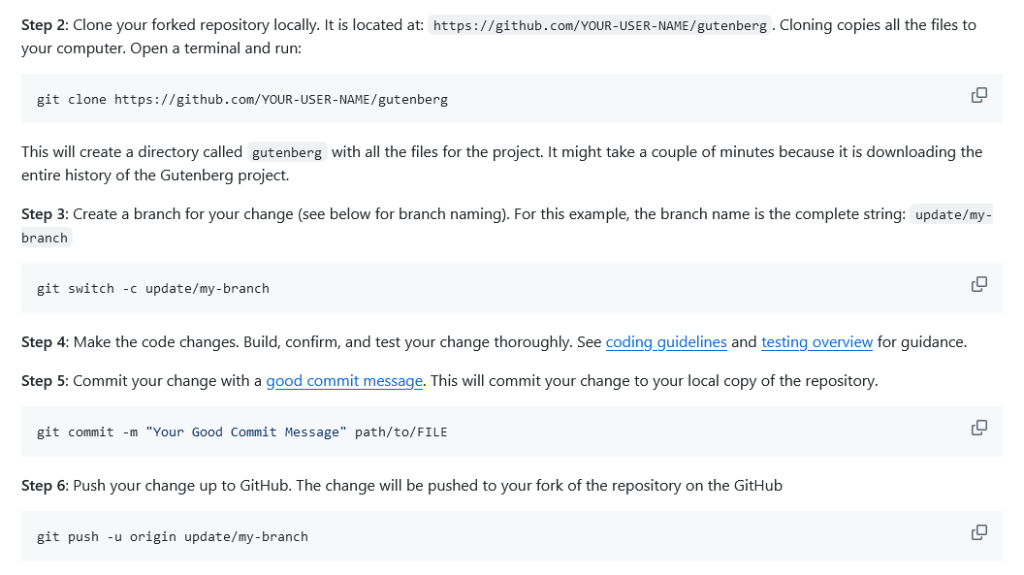
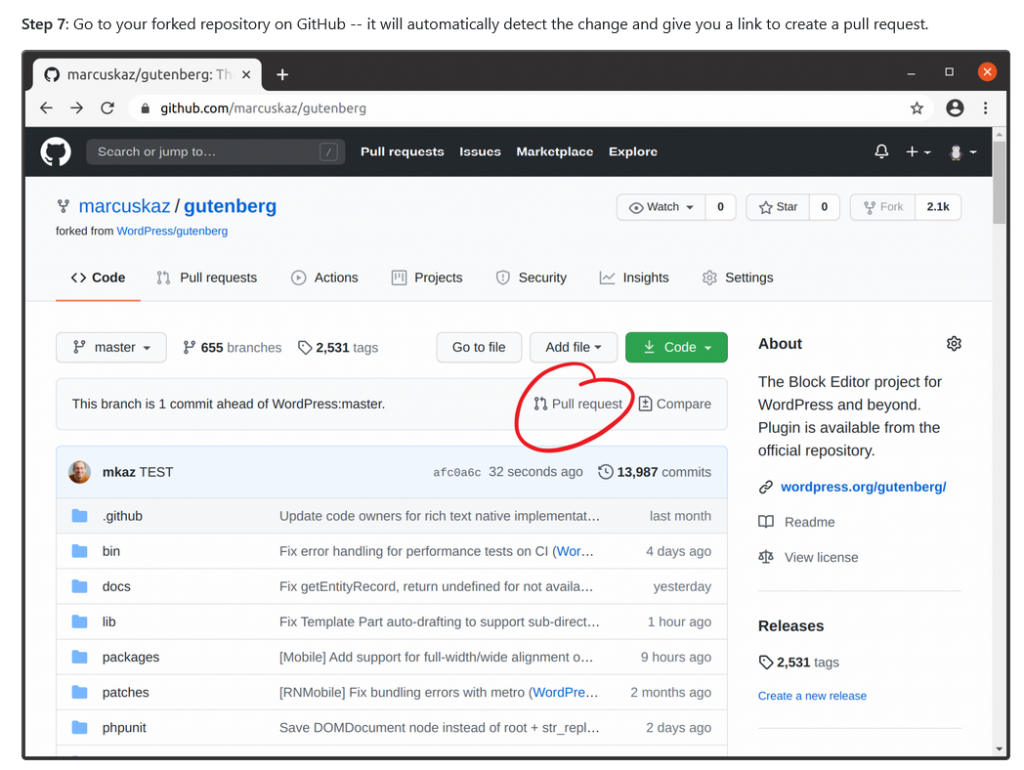
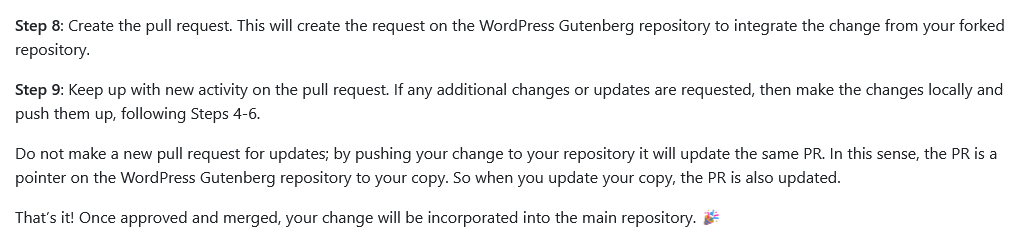
Refer: Git Workflow Walkthrough

Refer: Branch naming
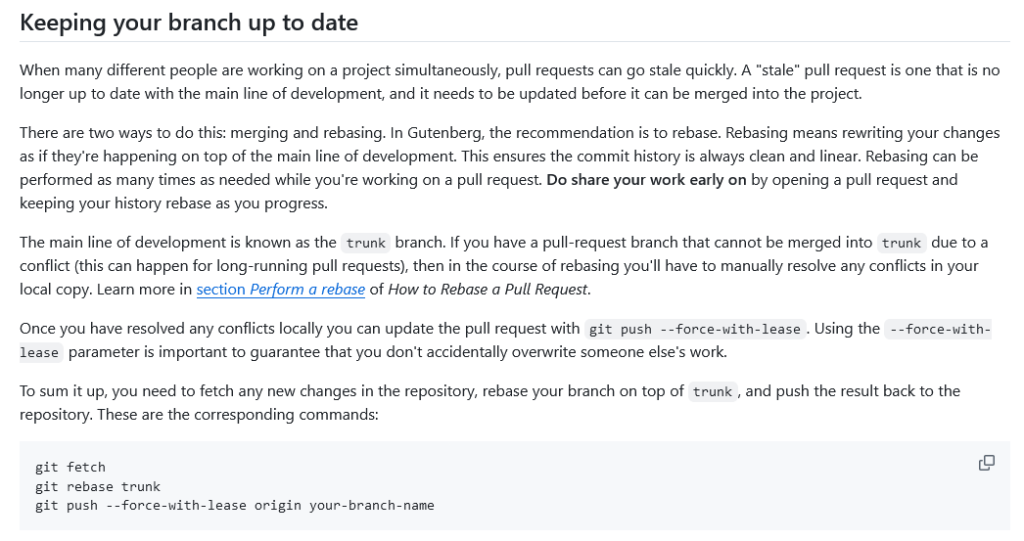
Refer: Keeping your branch up to date
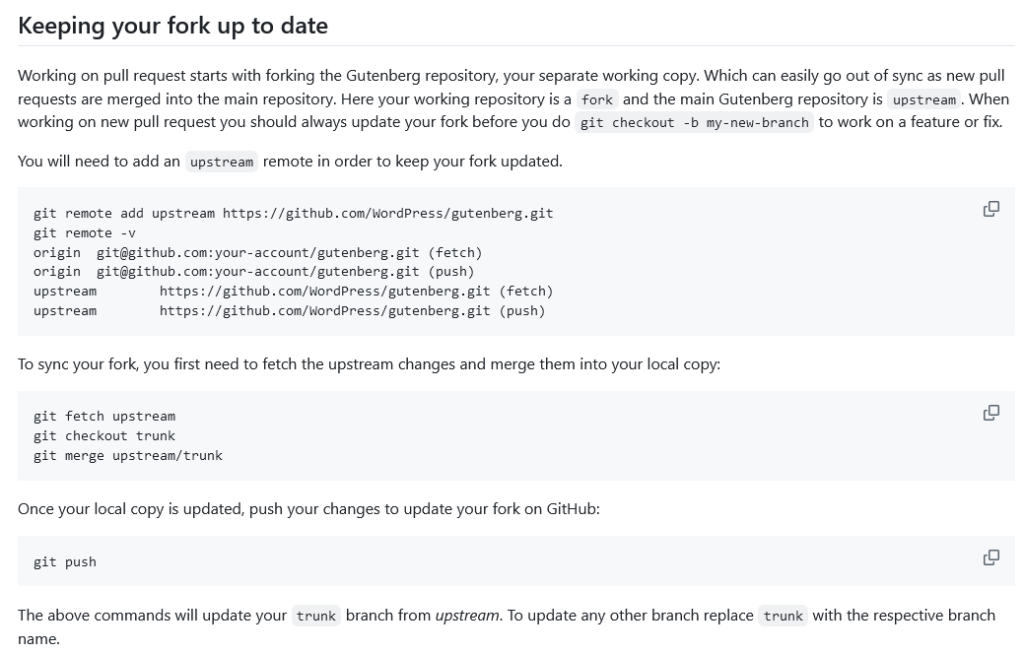
Refer: Keeping your fork up to date

Refer: Git Workflow
Coding Guidelines #
Refer: Coding Guidelines
4. Gutenberg Testing #
Writing Tests #
Refer: Writing Tests
Gutenberg Testing #
Refer: Gutenberg Testing
Get Setup for Testing #
Refer: Get Setup for Testing
Testing Bugs #
Refer: Testing Bugs
Accessibility Testing #
Refer: Accessibility Testing
5. Communicating with Gutenberg Team #
Real-time discussions for development take place in #core-editor and #core-js channels in Make WordPress Slack (registration required).
Weekly meetings for the editor component are on Wednesdays at 14:00UTC, and for the JavaScript component on Tuesday at 15:00UTC, in their respective Slack channels.
Readme links:
Further reading:
Notes
ADD notes here.
Save all Images to Sync – use ..\Sync\..\Form API\Guidelines\Form API – step by step instructions\