
Last Updated on March 29, 2023 by Muhammad Umair Khan
Guidelines to follow when writing and styling content and images.
Documentation Objectives #
- Engage, provide support, and build relationships with all users to encourage them to use CF7 Skins & Contact Form 7 – as well as actively help them succeed with it.
- Identify users’ needs and pains and how they use CF7 Skins & Contact Form 7 to define what type of guides, documentation or features are still missing.
- Investigate and design how our documentation is organized to make it as effective and simple to understand as possible.
- Create inspiring demos, guides, and tutorials about CF7 Skins & Contact Form 7.
- Help build an inclusive and supportive environment with our user community and social media platforms.
- Effectively communicate all the user feedback received to the CF7 Skins team to help define and improve our product and marketing strategies.
- Participate actively in the prioritization of both the product and content roadmap.
Writing Content #
Generally, the content should be easy to read and follow. If in doubt about any anything, you can look at our published live sites for examples to follow.
Tone #
The tone of writing is a blend of professional and conversational. Use simple English terms to answer the question as quickly as possible.
Avoid the use of sales call-to-actions (“download today for great forms!”) and, unless absolutely necessary, exclamation points.
CF7 Skins has multiple websites and often topics and content are duplicated over them. Follow the relevant style for each domain.
- Website – cf7skins.com – promotional
- Blog – blog.cf7skins.com – how to (can be promotional when appropriate)
- Documentation – kb.cf7skins.com – how to (non-promotional)
Structure #
The structure should be clear, concise, easy to follow, and supported with clear images.
The Typical Pattern #
- Heading
- Paragraph – 1 – 2 sentences
- Image
- Blockquote
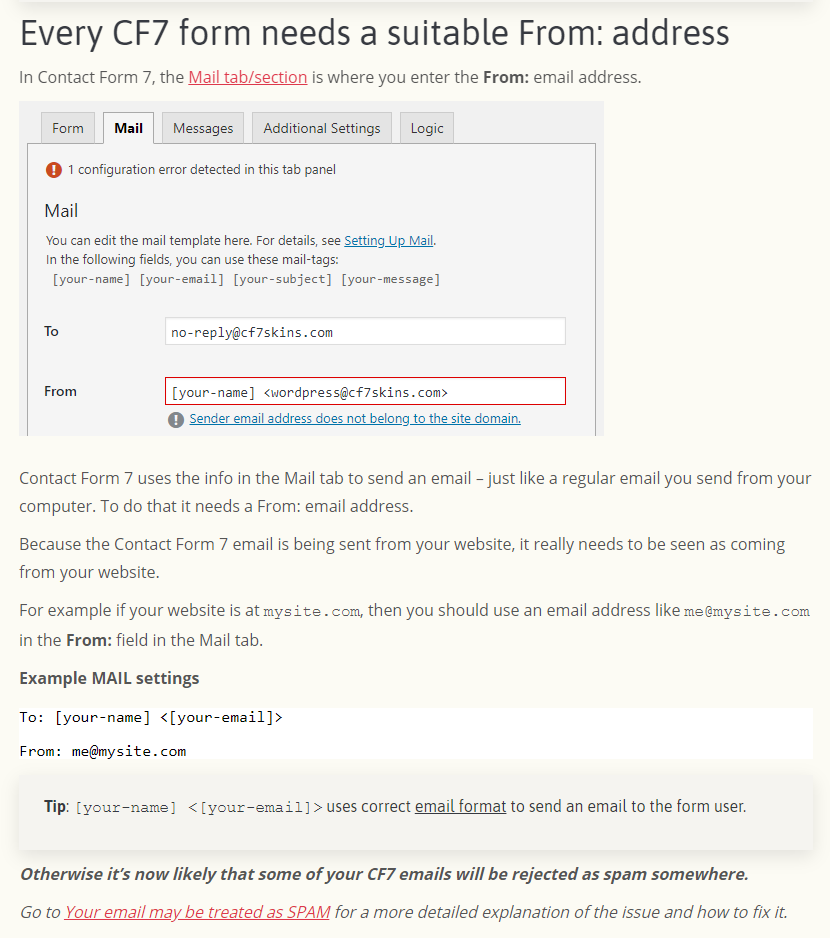
Examples
Headings #
Use headings to denote the important areas of a page.
- Avoid using multiple <h1> tags on a single page.
- Using h1-h6 tags will be strictly based on their significance. The most important heading will hold the h1 tag.
- When we are nesting headings (using headings inside another section with a heading) use the next level of heading. Avoid using the same level heading tag as the main heading.
- See Nesting of Headings
Steps & Instruction Lists #
Numbered instructions (steps to accomplish something) are not ordered lists <ol>, they are paragraphs. Numbers are added manually before each step to keep a consistent structure.
Almost all instruction lists need images with each step, which is not possible with ordered lists. Make sure that the relevant image comes right after the explanation of a step/instruction.
When entering numbers, fix the formatting so they are not indented. The number should be flush with the left side of the article.
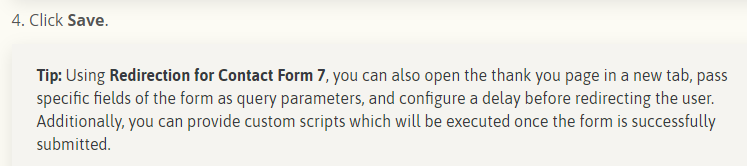
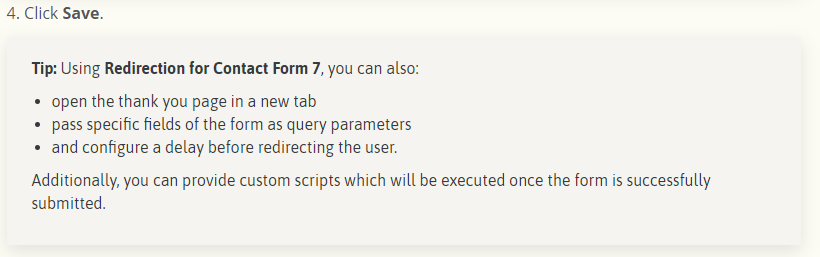
Use lists – much easier to read #
Example: Change sentence from long list of items to ordered list – much easier for readers.
CF7 Skins UI Terms #
When referring to particular areas of the plugin, what you call the UI depends on which audience the article is addressing. Always opt for the more simple term rather than a complex term and use your best judgment.
For example, what do you call the form tab when writing about creating a form?
- Visual Editor – Used more for conversation within the team or on public areas as a promotional word.
- CF7 Skins Form Tab – Instructional and direct for novice users and beginners to CF7 Skins.
- Visual Form Editor – Very precise term, but not necessarily useful. Describes the form editor rather than being promotional or instructional.
Take a look at Visual UI terms explained for help.
Forms #
All the forms used in each article must be built & maintained on the WordPress installation where the article appears – even if you just take screenshot images from the form. This allows others to modify the form as necessary.
NOTE: Do not build forms on you local WP installation where others don’t have access.
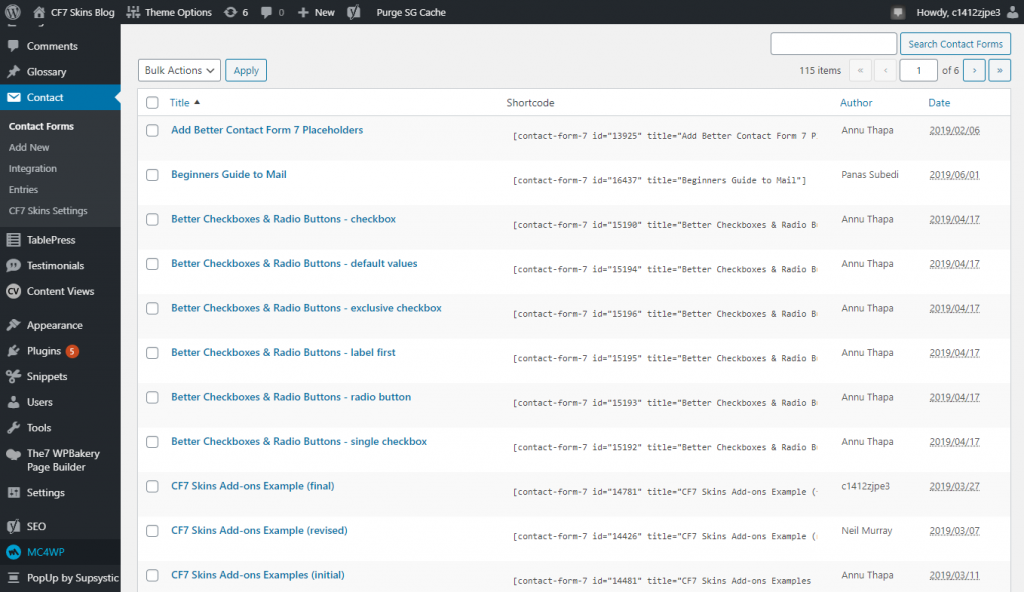
Form Titles #
Give the forms clear titles which others can easily understand that links them clearly to the article.
Add Form to Content Audit Notes #
The details of any form used should be added to Content Audit Notes in each article so others can find this easily.
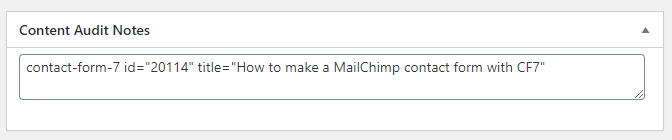
Tip: Don’t add CF7 form as shortcode on Content Audit Notes – use text only.
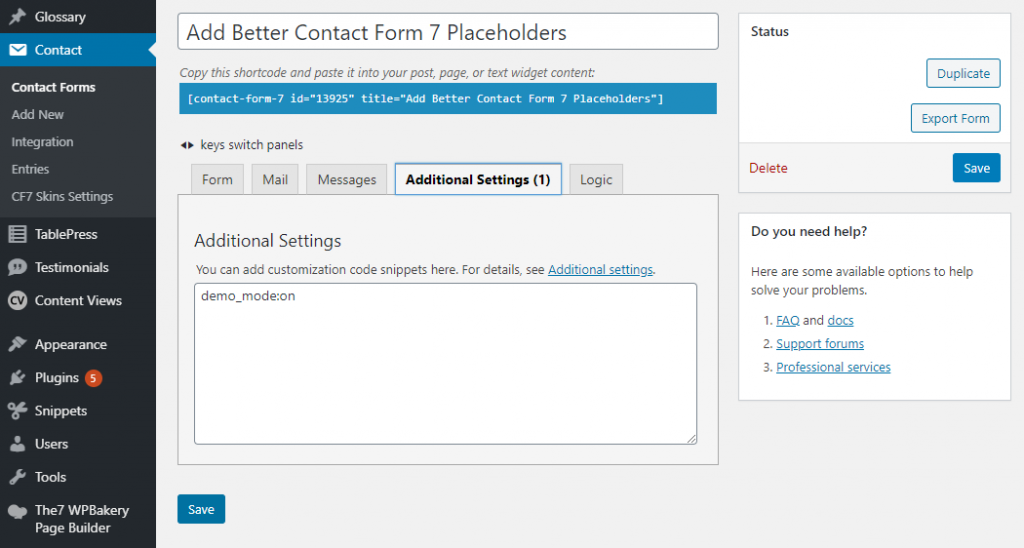
Add demo_mode:on in Additional Settings #
Add demo_mode:on in Additional Settings to stop article forms from being submittted and sending any emails.
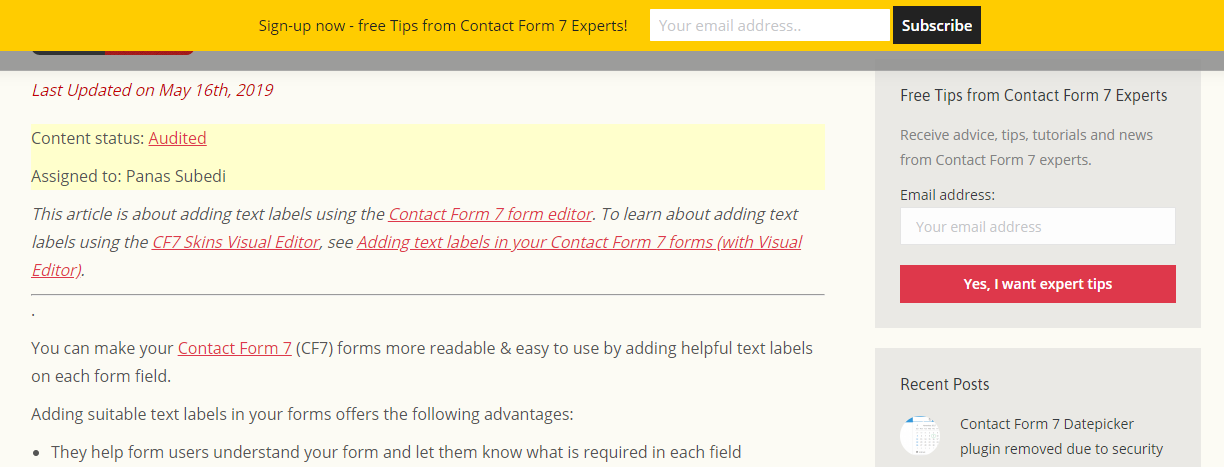
Contact Form 7 #
If the article is about Contact Form 7, enter a sentence at the top of the article showing where to find the same topic for CF7 Skins.
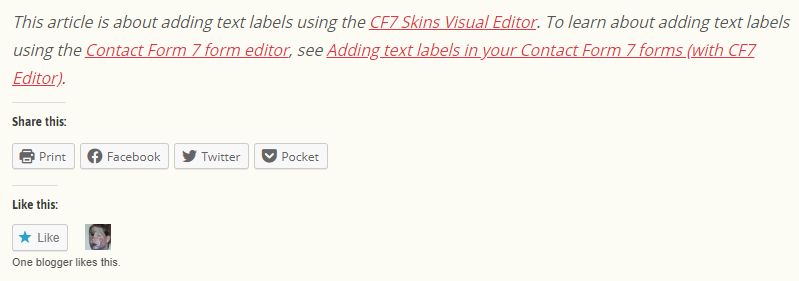
Likewise if the article is about using CF7 Skins & there is a similar article about using Contact Form 7, add a sentence at the bottom of the article showing where to find the same topic for Contact Form 7.
Tip: You can grab sample sentences at CF7 Skins Promotion.
Use the Default Contact Form 7 form #
Copy & modify the Default Contact Form 7 form Contact form 1 contact-form-7 id=”8″ title=”Contact form 1″ to create screenshots showing users info of Contact Form 7 interface.
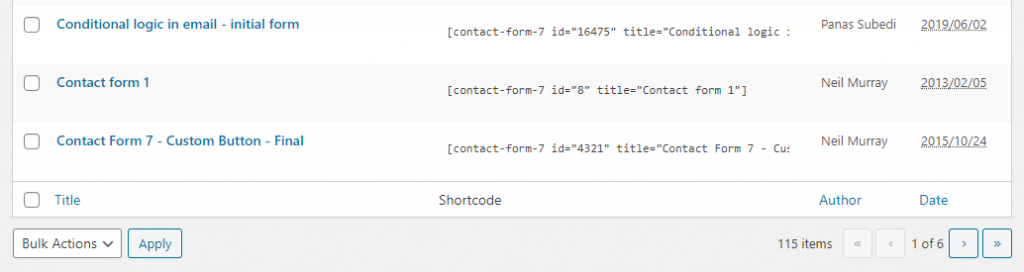
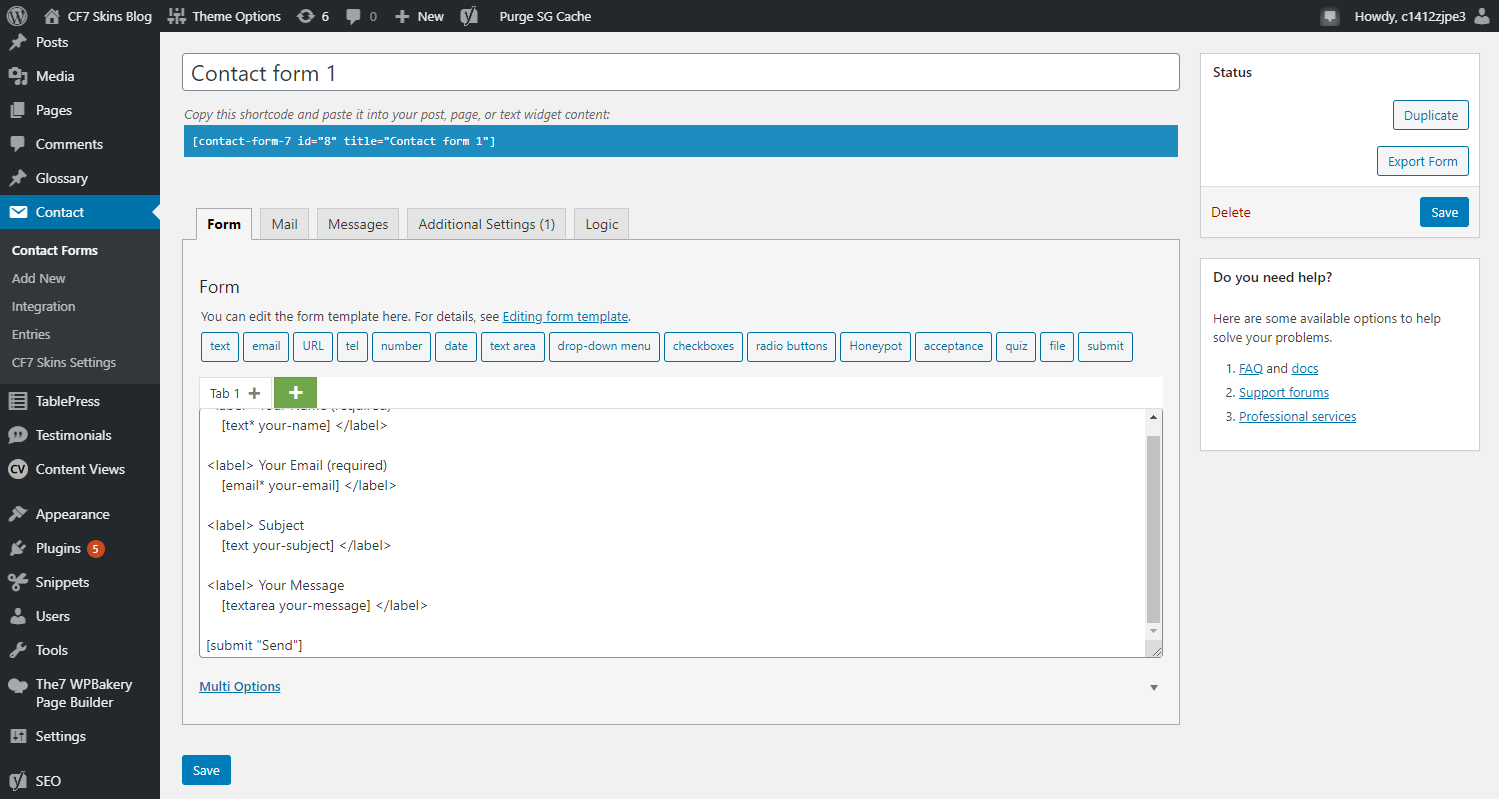
Tip: Don’t use a form built using CF7 Skins when creating screenshots showing users info of Contact Form 7 interface.
Tips #
Tips are formatted using a blockquote tag.
For example: Tip: We recommend you start with the Default style.
[ADD example image]
Related Items / Further reading #
- Linked articles must be from one of our sites.
- Only link to directly relevant items that may help readers with this particular article.
- If there are no related items, do not put any for the sake of having something there.
- Link direct to the live site, not the development site.
- If the article you want to link does not exist yet on the live site, link it to the development site and leave a note in the content audit to fix this when the article has been approved.
- Maximum of 4.
Finding and Dealing with Mistakes #
If you happen to come across a mistake on a post/article on any one of the CF7 Skins websites, steps should be taken to correct it.
If the issue is something minor like a grammatical or spelling error etc., you should edit the post/page to make corrections on the spot.
If it is something more complex, e.g. an outdated process, or a false explanation of an action or behavior, the edit/replacement may need to be verified and tested. The best course of action in this case would be to note down the errors, write down your comments/suggested edits and notify the main author of that post. You may also need to create a new task on Pivotal Tracker regarding the edit for Neil to decide how and when to tackle the error.
NOTES
Add comments, questions & notes here
Save all Images to Sync – use ..\Sync\..\Documentation\Documentation Guidelines\Writing and Style Guide\