
Last Updated on September 30, 2022 by Neil Murray
Every article you write should increase the awareness of CF7 Skins. When looking for ideas or topics on what to write, look no further than a Google search.
5+ million CF7 Users, 1000’s have problems using CF7 each day, we are there with answers to help them solve their particular problems
Using Google to find what CF7 users are searching #
When you write an article, we recommend you to use Google to see what CF7 users are searching.
You can do this by entering the title of your article on the Google Search letter by letter which lists different variations of your article title.
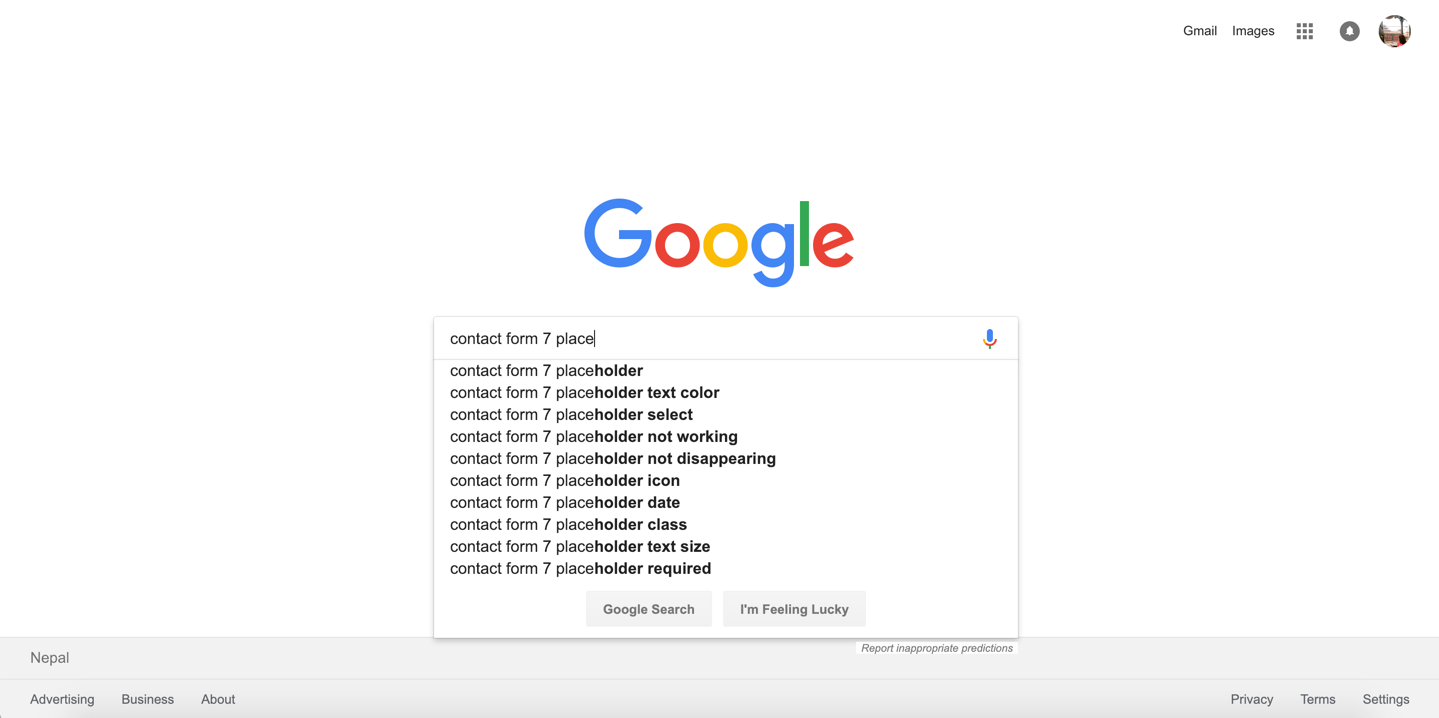
Doing so will help you get a better understanding of what your users are looking for and will aid you to shape your article.
Use a SERP preview generator #
For example, search ‘Contact Form 7 getting started’ or ‘Contact Form 7 how to start’. Take the top few suggestions that are shown and fabricate your own Google search result.
How do you want or imagine your article appearing in that top list?
Tip: Use a SERP preview generator to help ensure you stay within pixel and character limits.



Once you know how you want the search to appear, write the article in that category or create the category you need.
NOTES
Add comments, questions & notes here
Save all Images to Sync – use ..\Sync\..\Documentation\Documentation Guidelines\Search Tools\