
Last Updated on March 9, 2022 by Neil Murray
It is now possible to use the CF7 Skins Visual Editor to build a new Template exactly as you want.
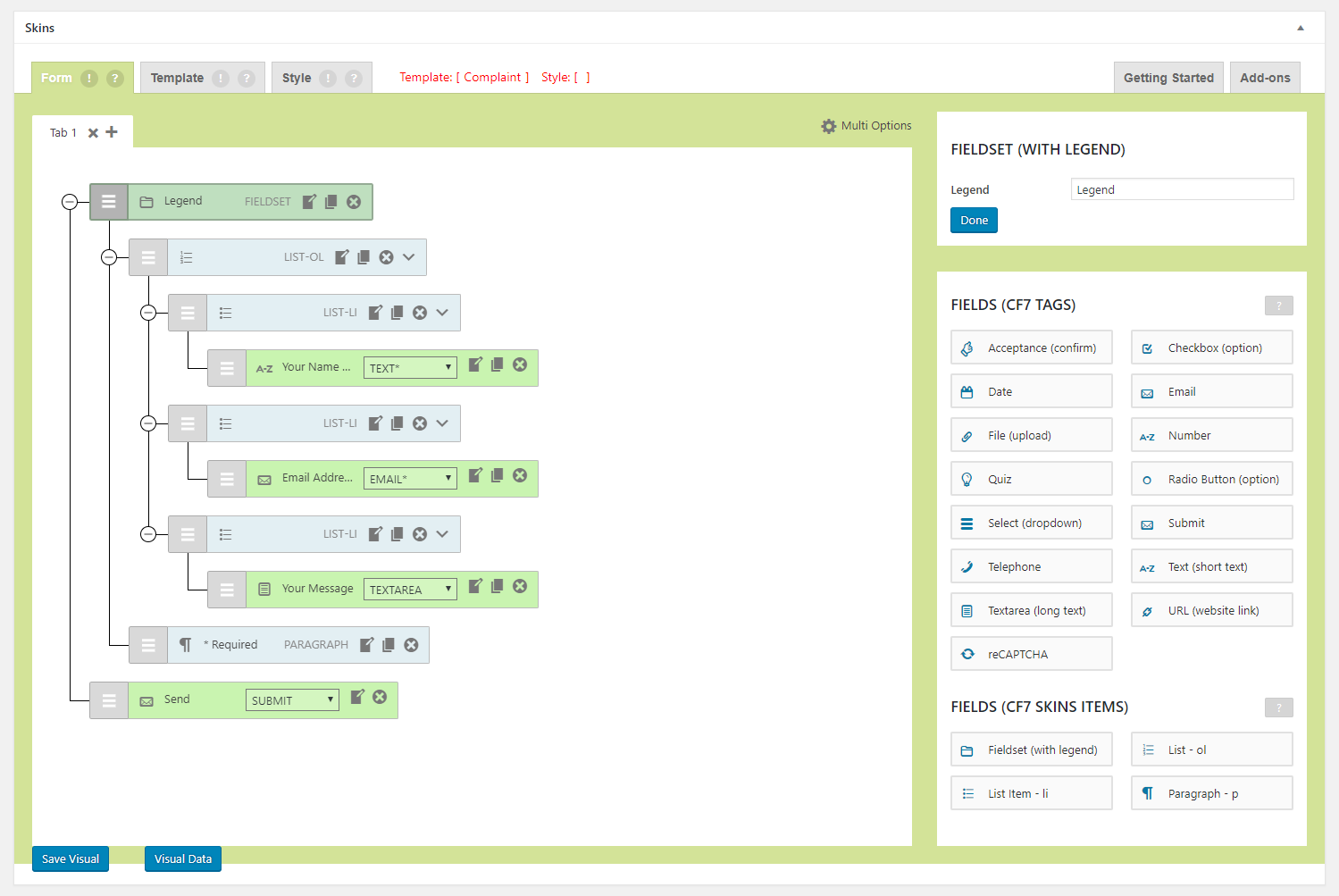
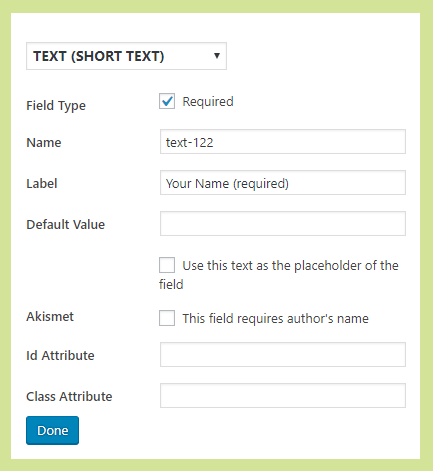
Add & edit each form field exactly as you require.
Use Save Visual to add the entire form to the CF7 Form tab, which you can then copy.
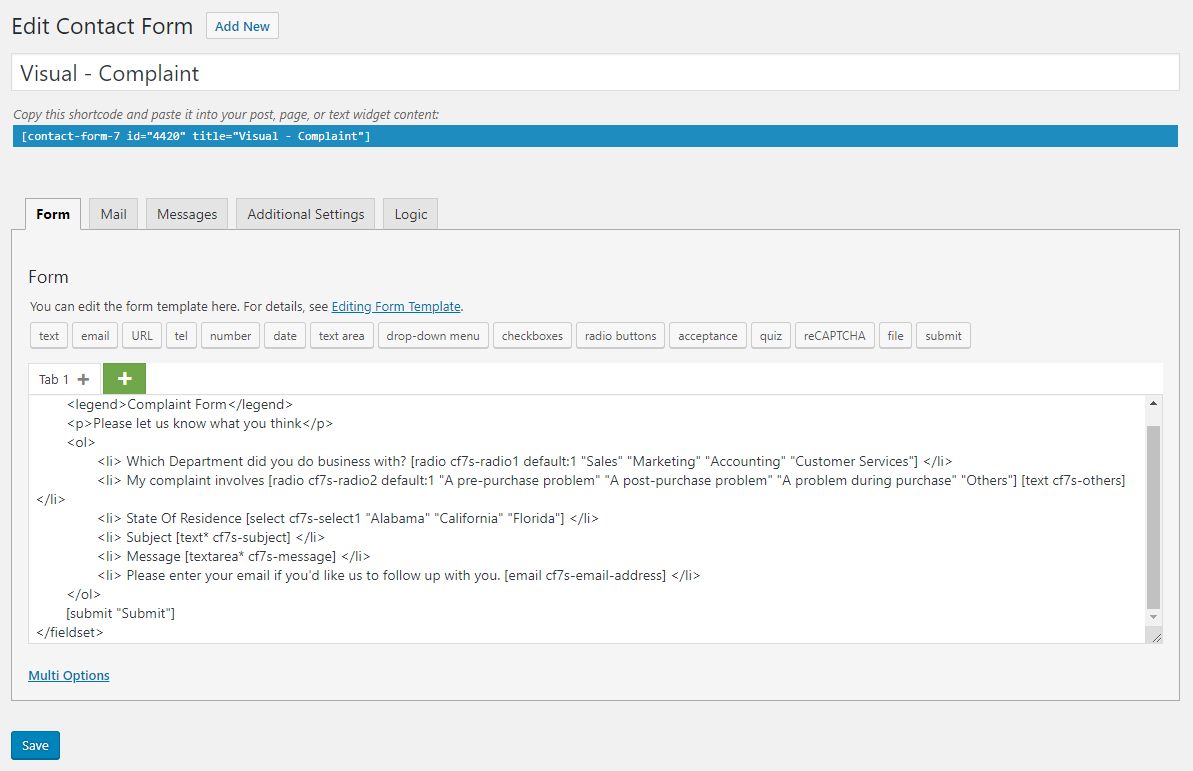
[ ADD copy to Code Editor & I18n support]
Use Visual Data to display the Visual data which you can then copy.
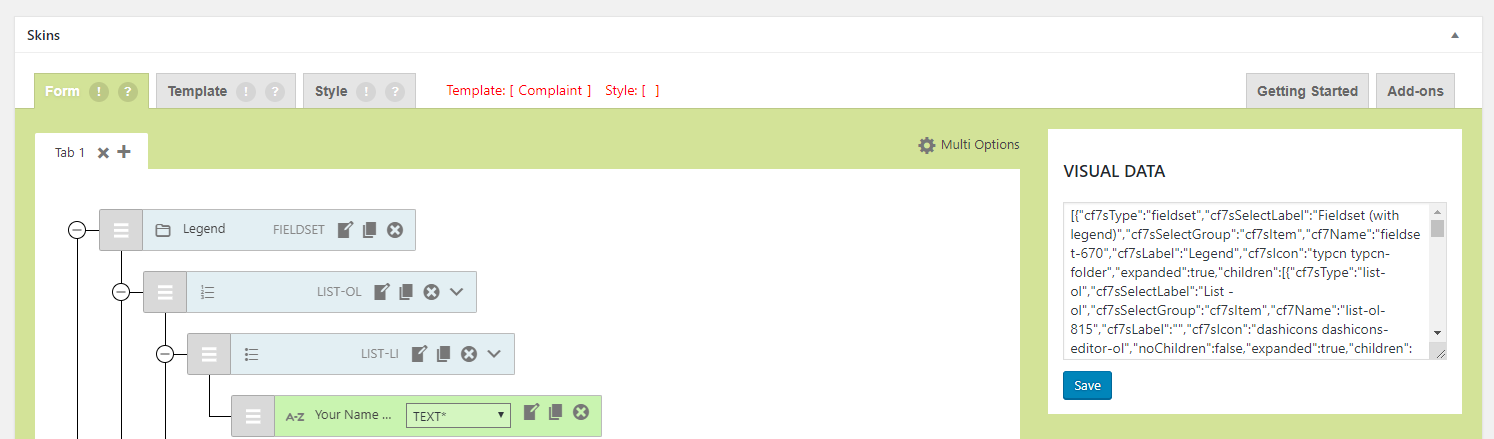
Note: For multi page CF7 Skins Multi Templates this is only option at this stage.
Format the string into JSON
Visit https://jsonformatter.curiousconcept.com/ or https://jsonformatter.org/ website to format the string into JSON.
- Paste the JSON string
- Select 4 spaces for tab
- Click process or format
- Copy the formatted JSON to clipboard
- Open template
visual.jsonfile, paste and save.
[ADD copy to visual.json file]
Refer:
- Creating Templates
- Preparing Visual Template files – RST Version
- Preparing Visual Template files – Alpha Version