
Last Updated on January 21, 2024 by Neil Murray
Component location: src/visual/Form/Edit/Type/.
Component name: EditType.
Description
This component creates a drop-down select options of all cf7sItems types.
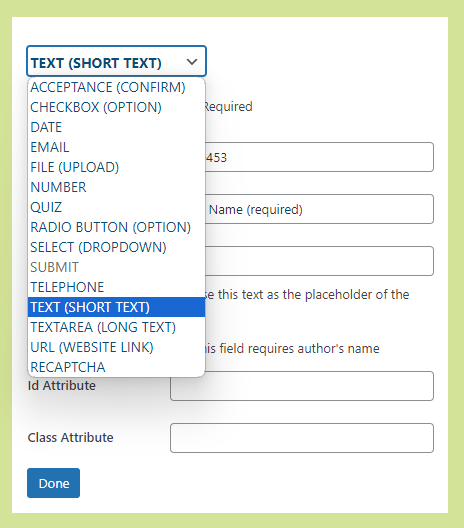
EditType can be changed easily by selecting another type and providing an update function.
Component Props
- className, the CSS
<select/>class. - treeData, current form treeData to check
submitandrecaptchaexistence. - node, current edited node.
- showRequired, show or hide
*required symbol. - onChange, the function to save type change.
Example Usage
<EditType
    className = { styles.fieldChangeSelect }
    treeData = { treeData }
    node = { node }
    onChange = { e => changeNodeType( e, this.props.rowInfo ) }
/>
NOTE: To prevent adding multiple Submit & reCaptcha fileds in a single form, it checks in the passed treeData if Submit and reCaptcha node already exists. If this is true it then disables selecting this type..
Further Reading
- 3f450ae added new re-usable component EditType for change type feature. It is added in Edit and InputItemMenu (BitBucket comment)
Notes
Add notes here