
Last Updated on August 28, 2018 by Neil Murray
WordPress Coding Standards #
HTML Coding Standards
CSS Coding Standards
PHP Coding Standards
JavaScript Coding Standards
Accessibility Coding Standards
WordPress Inline Documentation Standards #
PHP Documentation Standards
JavaScript Documentation Standards
PHPDoc Tags
Gutenburg @param types
Hooks (Actions and Filters)
Examples #

PHP_CodeSniffer #
This project is a collection of PHP_CodeSniffer rules (sniffs) to validate code developed for WordPress. It ensures code quality and adherence to coding conventions, especially the official WordPress Coding Standards.
Here are steps to install it:
- Open console or command prompt and clone
wpcsto your local directorygit clone -b master https://github.com/WordPress-Coding-Standards/WordPress-Coding-Standards.git wpcs
- Clone
phpcsto your local directorygit clone https://github.com/squizlabs/PHP_CodeSniffer.git phpcs
- Enter PHP_CodeSniffer directory
cd PHP_CodeSniffer
- Currently only support for PHP_CodeSniffer version 2.9 so we need to checkout that tag.
git checkout tags/2.9.1
- Add
wpcsruleset to PHP_CodeSnifferphp scripts/phpcs --config-set installed_paths ../wpcs
To check if a PHP file match with WordPress coding standards:
php scripts/phpcs --standard=WordPress E:/my-project/my-file.php
Determining the @since version #
The recommended tool to use when searching for the version, where something was added, is git blame.
You can use git blame to determine the @since version. Make sure that the commit you found it is the actual commit where a piece of code was introduced.
Once you have the commit hash, which introduced a piece of code, you can find out the version by using git tag --contains [commit-hash]. This will list all versions a certain commit has been shipped in. The lowest version is then what you put after the @since annotation.
Note: All @since tags should follow the three digit x.x.x format.
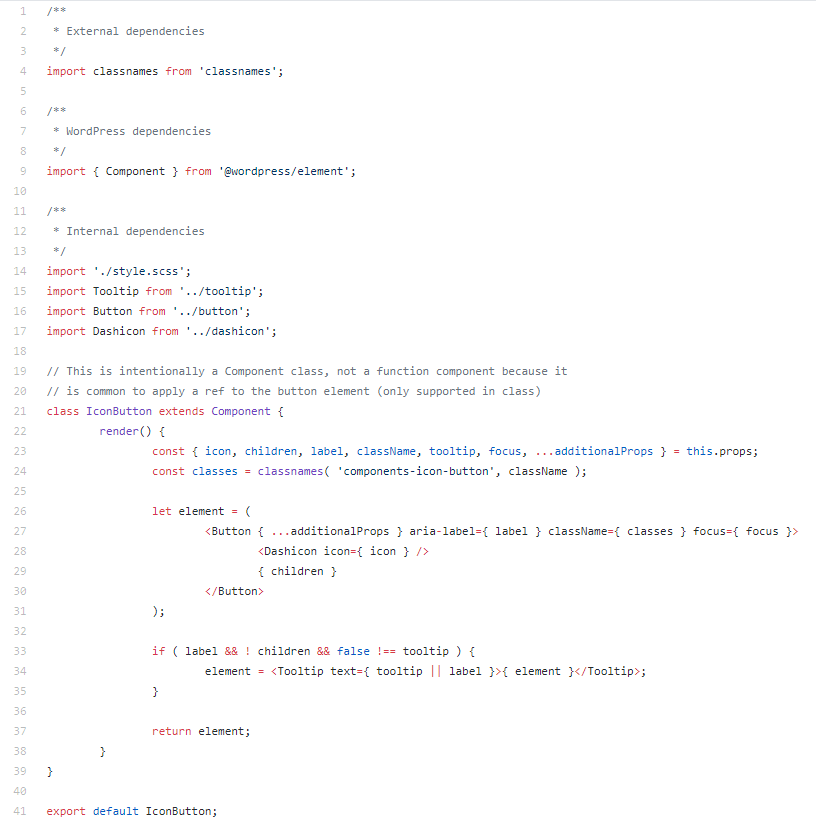
Documenting React in WordPress #
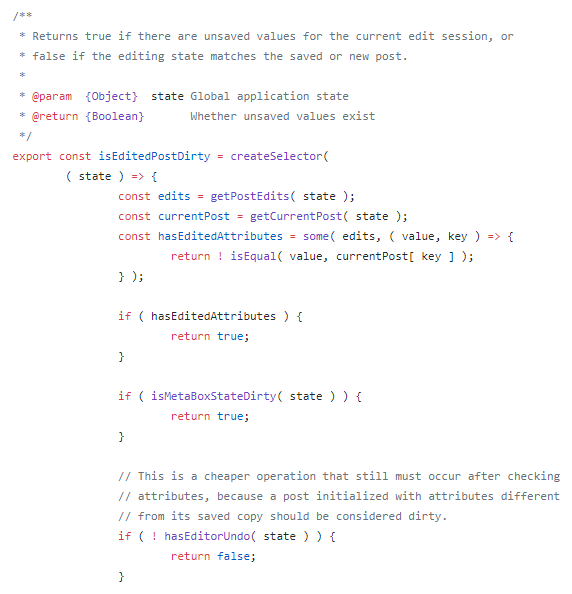
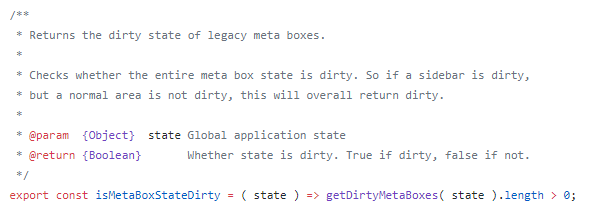
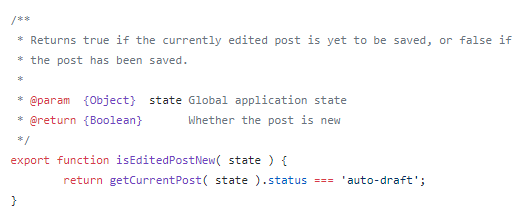
State Selectors – that’s a great reference page!
On the topic of documentation, there’s been a bit of a debate in Gutenberg over the introduction of build-enforced ESLint documentation rules, largely taking place in Add WordPress JSDoc ESLint configuration. A main concern is the value of documenting things like standard methods for React components (`render`, `constructor`, lifecycle methods). aduth
Documentation is good but what’s the best way to document a React component? Is it to add a comment to all `componentDidMount`, `render`, `onChange`… I’d argue we’d better spent the effort on writing a good README for this component explaining the props and their usage. youknowriad
For me, it depends on what we hope to gain from structured documentation. I personally favor inline comments because they are more direct and because adding an inline Why does not require me to parse and reword an existing method description to add my piece. But I haven’t worked on a project that heavily leveraged structured documentation. bpayton
I think no one is arguing against documentation, quite the contrary. I do think that — similarly to writing tests — bad documentation is sometimes worse than none. We should think about how these should be consumed so that we can make sure we promote the right patterns. matias
I’d argue that documentation takes little time if written as soon as the code is finalized. azaozz
I agree, but we are biased towards our own hours. We don’t know about the countless hours people will spend reading the code. atimmer
Yeah, I agree with both points, and any new code could potentially be forced to use JSDoc, however there is currently a mass of code that is undocumented, for better or worse, and someone would need to take the time to add all of it. chopinbach
I think adding the doc blocks so that we can have automated code docs is a good thing. Even if we have documentation go stale, there will be an easy way for people to discover the stale documentation and fix it. I always find the WordPress core code reference really useful. chopinbach