
Last Updated on October 27, 2024 by Neil Murray
npm commands #
- npm install – installs node_modules folder based on current package.json file
- npm run start – gives access to CF7 Skins Visual JavaScript interface at http://localhost:3030 (any changes are reloaded automatically)
- npm run develop – builds development versions of CF7 Skins plugins in WordPress wp-admin plugin interface (includes unminified code & map files which makes debugging easier)
- npm run build – builds release ready versions of CF7 Skins plugins in WordPress wp-admin plugin interface (includes minified code for all JavaScript & CSS files)
Development builds #
We can operate separately both WordPress Admin and standalone JavaScript versions.
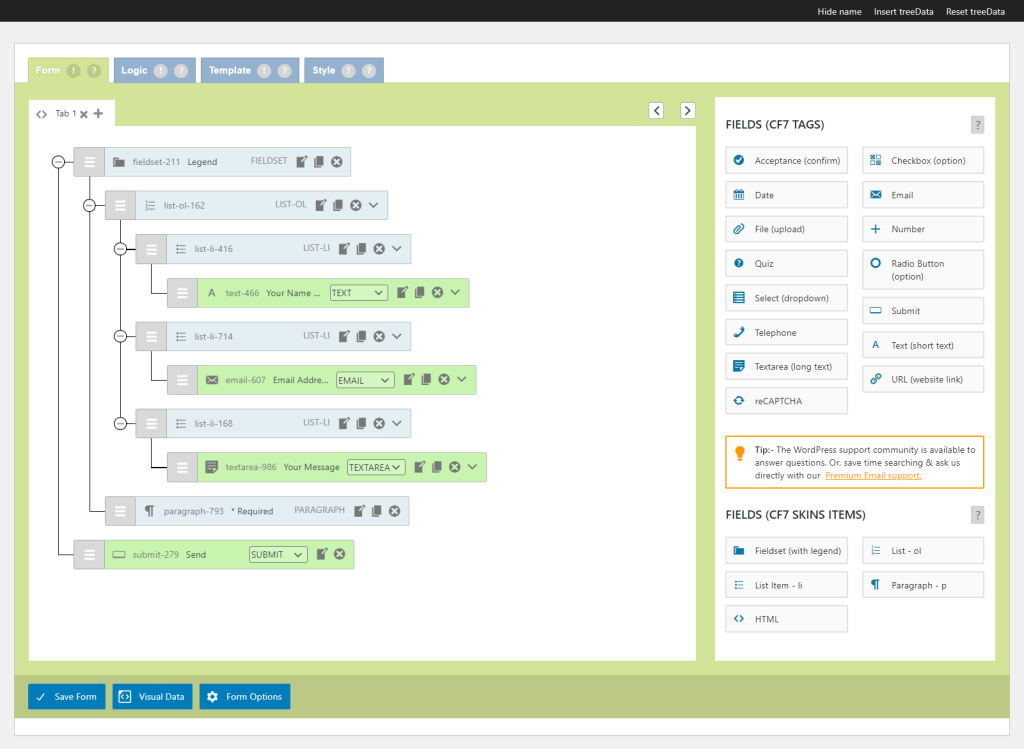
The CF7 Skins Visual JavaScript interface gives easier access in your browser to React based Javascript code used in the CF7 Skins plugins. Any changes are reloaded automatically.
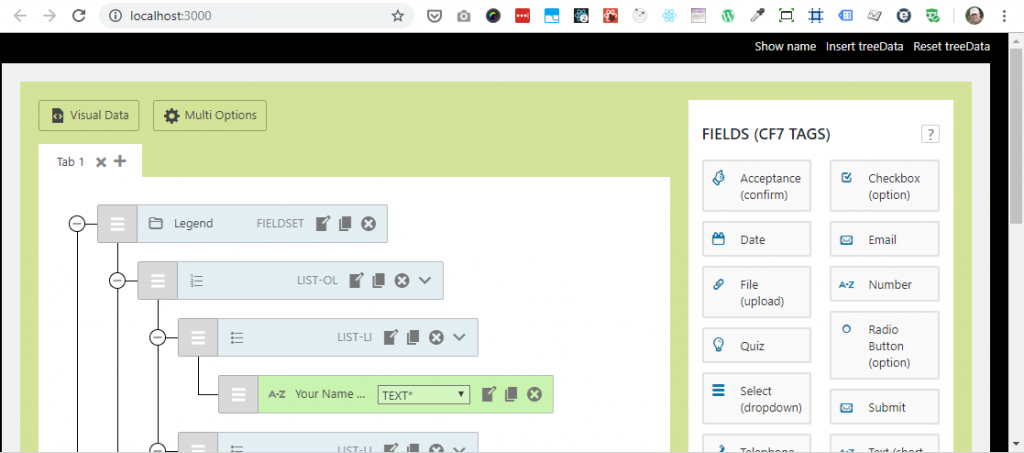
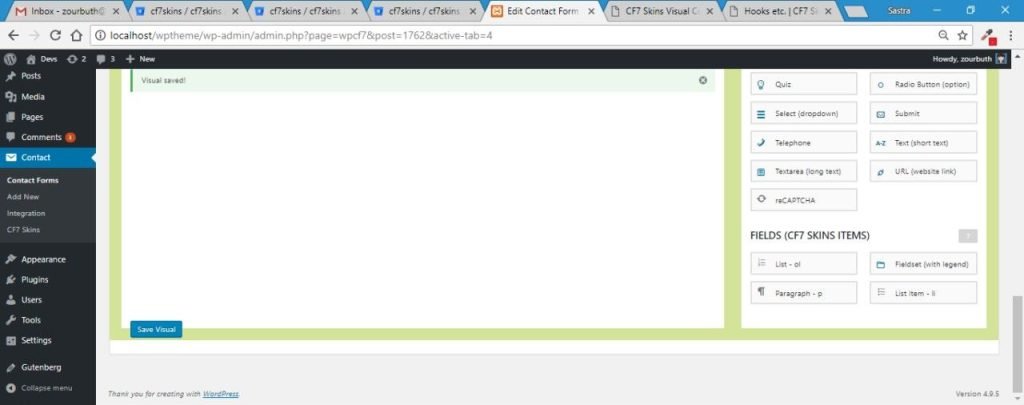
The WordPress wp-admin plugin interface is needed to test interactions between our React based JavaScript code and PHP & jQuery code in WordPress and the Contact Form 7 plugin (which CF7 Skins extends).
npm install #
For development, within both the CF7 Skins Visual JavaScript interface & the WordPress wp-admin plugin interface, run the following from the command line:
- Delete node_modules folder (1) – removes package.json setup for previous branch
- npm install (2) – installs node_modules folder based on current package.json setup
Note:
1. You need to do this after each major change e.g. switching to a different branch.
2. If you use Yarn you can use yarn install instead of npm install etc.

CF7 Skins Visual JavaScript interface #
The Visual version can be built to a standalone JavaScript interface to speed up JavaScript development.
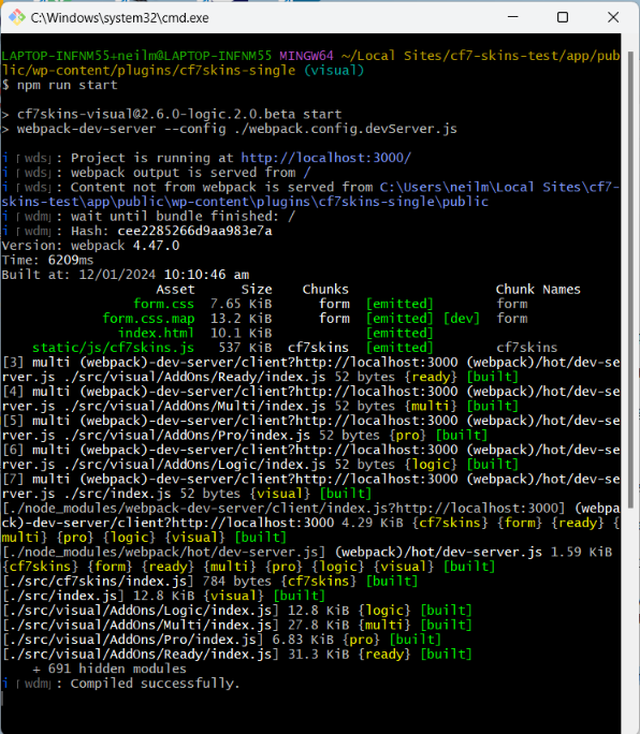
For development within the CF7 Skins Visual JavaScript interface, run the following from the command line:
- npm run start – gives access to current development at http://localhost:3030. Any changes are reloaded automatically.
Tip: Use ctrl+C (Windows) or cmd+C (Mac) to exit the local server.
WordPress wp-admin plugin interface #
This is needed to test interactions between our React based JavaScript code and PHP & JS code in WordPress and the Contact Form 7 plugin (which CF7 Skins extends).
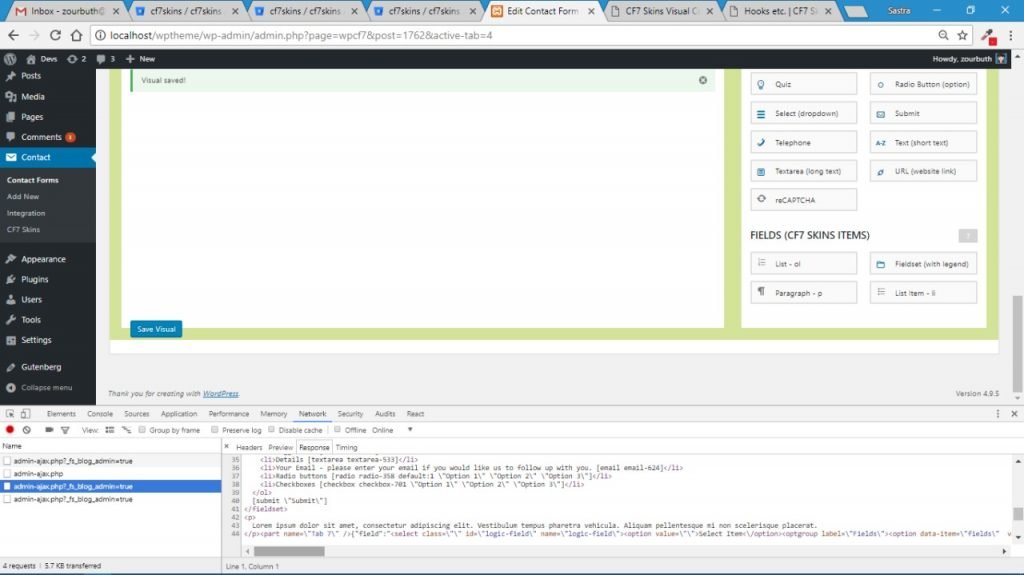
For development within the WordPress wp-admin plugin interface, run the following from the command line:
- npm run develop – builds development versions of CF7 Skins plugins (includes unminified code & map which makes debugging easier)
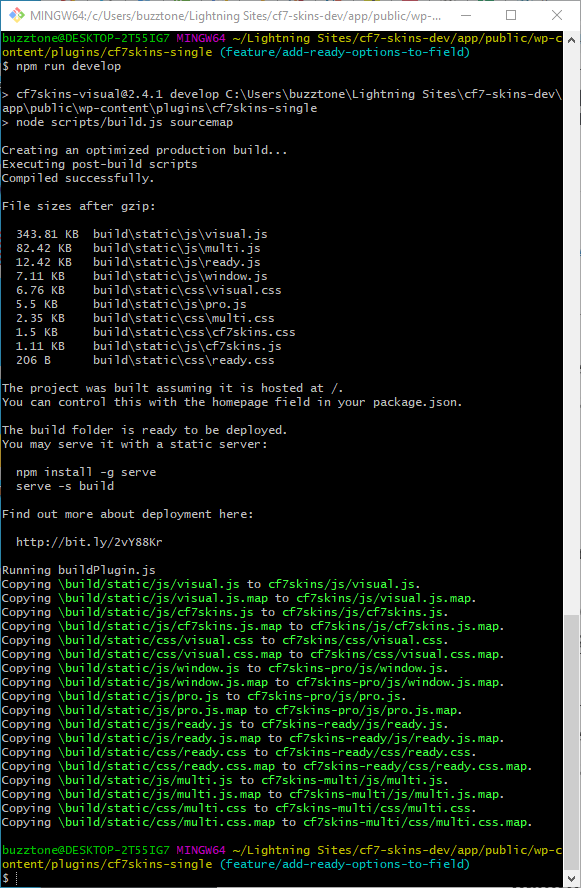
The Development version includes mapping which allows detailed examination of JavaScript variables.
Tip: See Branches for detailed instructions on:
- Live, Development & Visual versions
- Build (minified) & Development (un-minified) versions
- Operating separately both WordPress Admin and standalone JavaScript versions
Production builds #
The Build version includes minified code for all JavaScript & CSS files.
Run the following from the command line:
- npm run build – builds release ready versions of CF7 Skins plugins in WordPress wp-admin plugin interface (includes minified code for all JavaScript & CSS files)
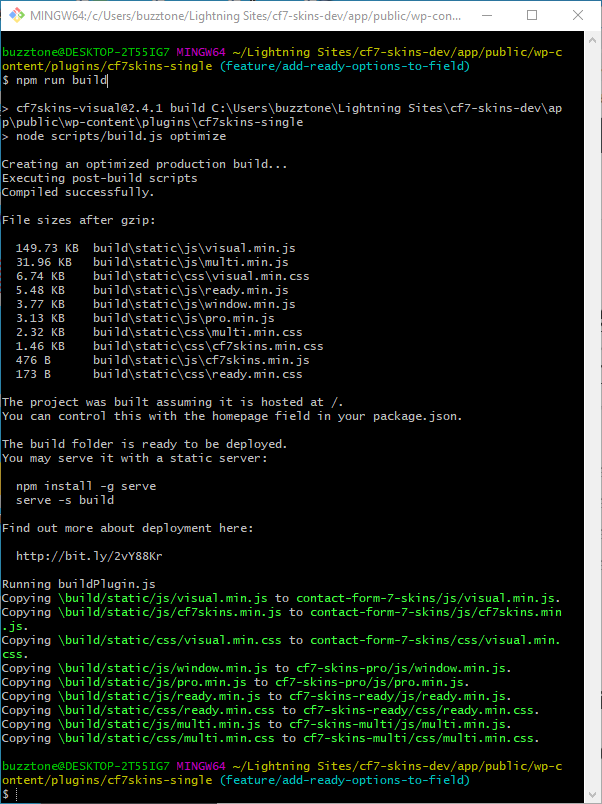
The Build version includes minified code which allows us to test the final code that will be added to the master branch.
Tip: See Operate CF7 Skins – Single Repo development plugin for detailed instructions on operating Build (minified) & Development (un-minified) plugin versions
Further Reading
NOTES
We usually test “npm start” (local) and “npm run build” (WP) before doing git commit. We need to make sure changes are applied and works in both environment.
Build files should also be added into the commit if possible.
Save all Images to Sync – use ..\Sync\..\Development\Development Guidelines\Development Team Tools\Getting Started\Development & Production Builds\