
Last Updated on December 8, 2020 by Neil Murray
This page explains about the CF7 Skins setting feature, hook and how to add setting options in CF7 Skins Add-ons.
CF7 Skins Settings
CF7 Skins provides a setting page that contain options to control the plugin features, including features comes from addons.
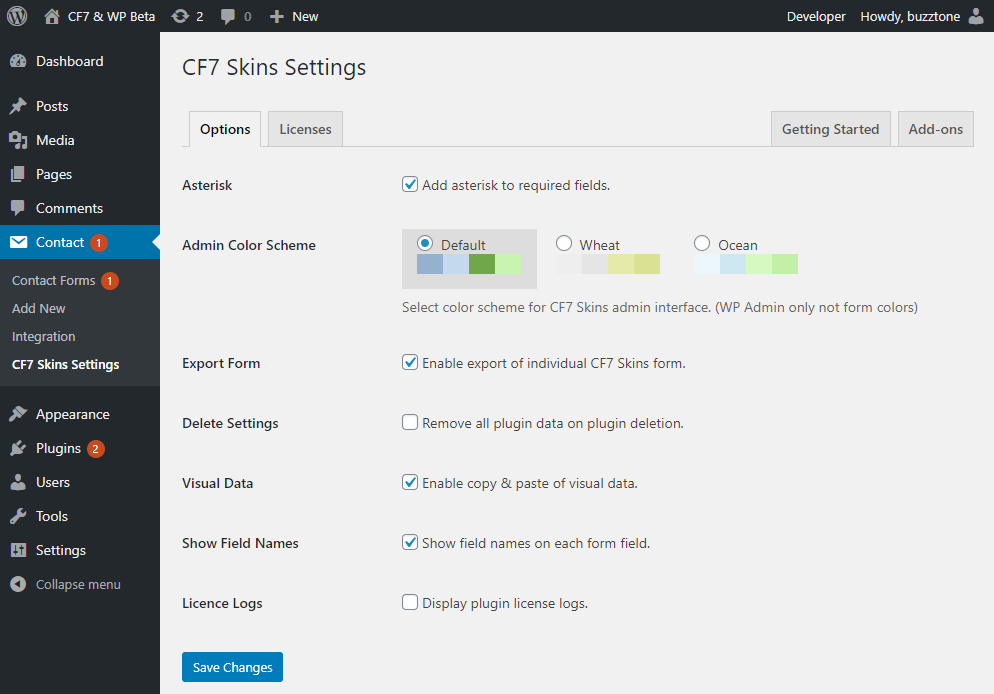
It has a tab and tab content which can be accessed from the add-ons. Add-ons can add their own options or delete previous registered options.
All options are managed within CF7 Skins (free version) – addons can get the value for each option using CF7SKINS_OPTIONS as the option key.
Filter Hooks
There are filter hooks that can be used to access and modify the CF7 Skins Settings options.
- cf7skins_setting_tabs
Add or modify setting tab. - cf7skins_setting_fields
Add or modify setting option. - cf7skins_setting_sanitize
Sanitize the option before saving into database. This is also a good place to modify the option to our needs.
Example Adding Option
This commit is a good example of adding an option on the CF7 Settings page from an add-on. It includes creating a new file for setting, registering, importing and applying the option.
A. Registering Option
To register an option, we need to provide an option with key and array of required properties such as:
- section, the tab section we want to place the option.
- label, the text label for option.
- type, the option type e.g. text, checkbox, textarea, .etc.
- default, the default option value.
- detail, description for the icon.
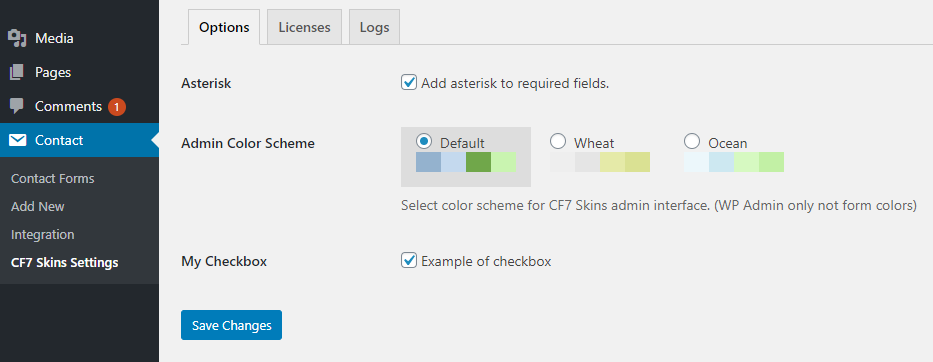
Let starts creating our checkbox option array, placed on the Advanced (Option) tab.
function my_settings_option( $option ) {

    $option['my_checkbox'] = array(
        'section' => 'advanced',
        'label' => __( 'My Checkbox', 'my-text-domain' ),
        'type' => 'checkbox',
        'default' => true,
        'detail' => __( 'Example of checkbox.', 'my-text-domain' ),
    );

    return $option;
}
We are ready to register our new option using the filter.
add_filter( 'cf7skins_setting_fields', 'my_settings_option' );
You can place the code above in a new file or simply put it at the add-on plugin index.php.
Further Reading
- item
Notes
Add notes here
Save all Images to Dropbox – use ..\Dropbox\Development\Development Guidelines\CF7 Skins Code\CF7 Skins Visual Code\CF7 Skins Add-on Settings\