
Last Updated on January 21, 2024 by Neil Murray
Tag
Drag & Drop Visual Email Interface for Contact Form 7
Problem
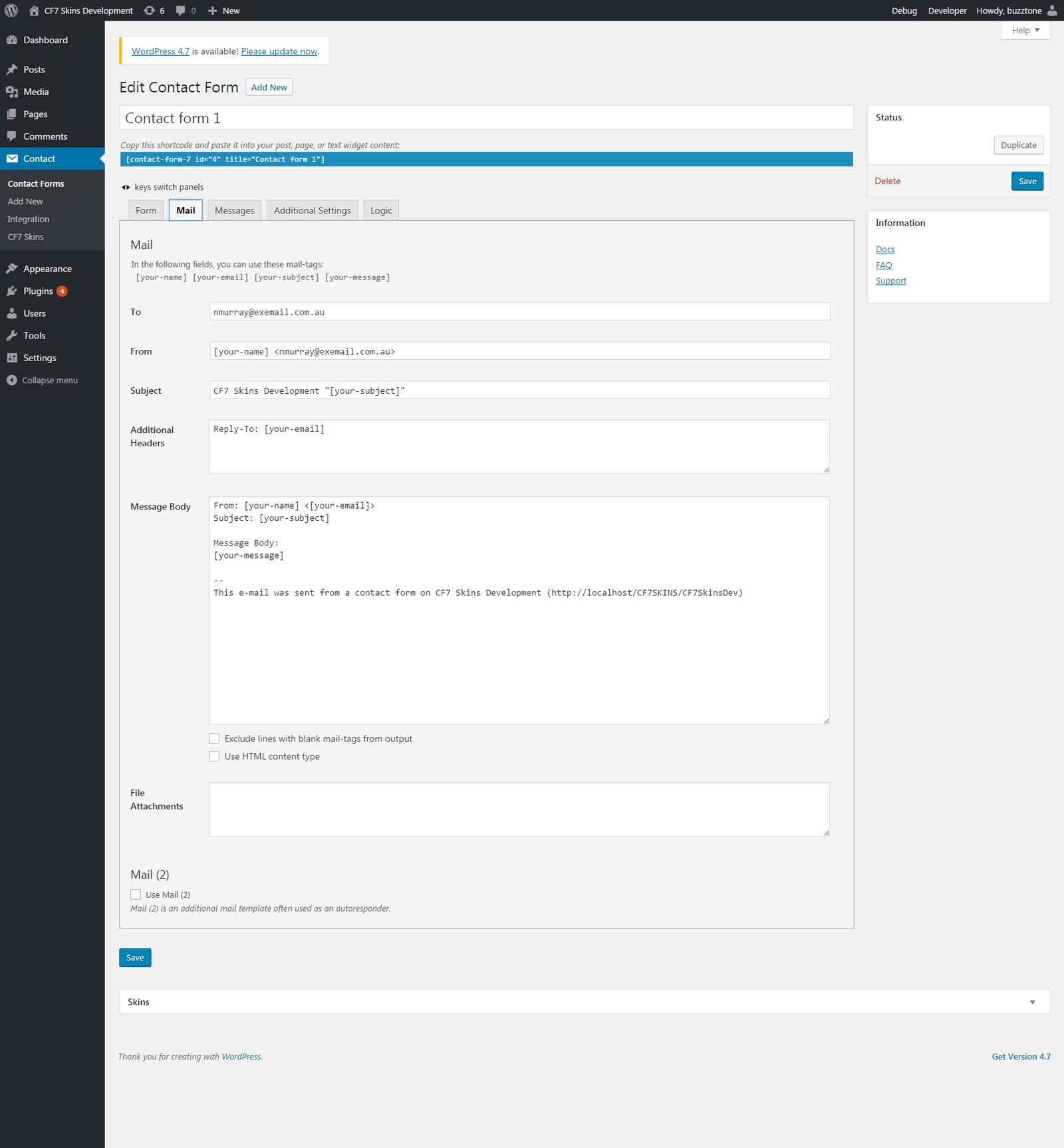
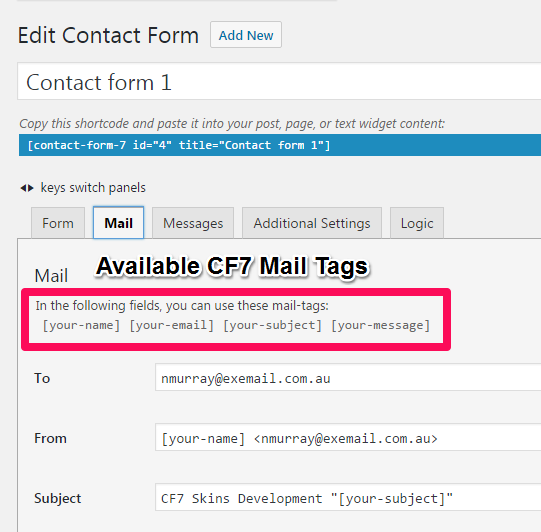
The current Contact Form 7 interface for Mail is confusing to many new CF7 users.
- Uses too many technical terms which many users don’t understand
- Doesn’t help guide users to avoid common email sending issues
- Creates email sending issues when used incorrectly
Solution
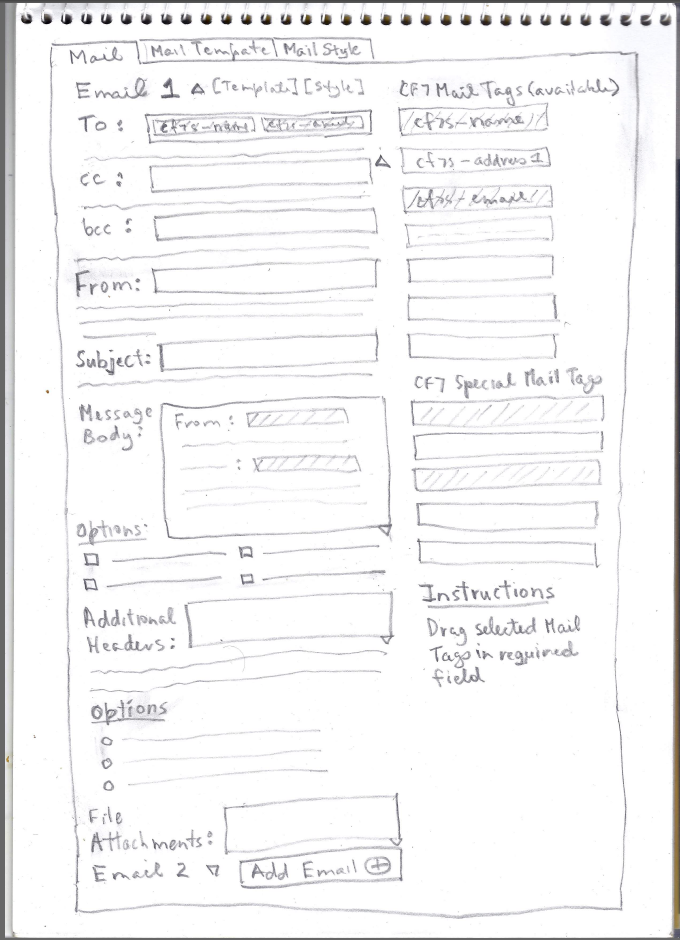
Create a visual interface for sending emails from Contact Form 7 forms
CF7 Skins Mail works right within the CF7 Skins plugin interface – it adds an extra tab where users can configure sending of emails from each CF7 form.
- Focuses on what user is looking to achieve
- Looks like most email applications:
- Gmail
- Outlook
- Zoho Mail
- https://www.lifewire.com/top-free-email-services-1171481
- includes range of Email Templates & Styles
Features
With CF7 SKins Mail users can:
- Build emails visually using a drag and drop interface
- Simply drag & drop available CF7 Mail Tags into email fields including:
- To
- From
- Subject
- Additional Headers
- Message Body
- File Attachments
- Create both Plain (Free version) + HTML emails (Pro version)
- Drag & drop all available CF7 Mail Tags
- Start with an Email Template (Pro version)
- Select from a range of matching Email Styles (Pro version)
- Copy Mail to Mail (2) (Pro version)
- More Mails – Mail (3) etc. (Pro version)
- Free version
- Drag & drop available CF7 Mail Tags
- Plain emails
- Pro version
- Drag & drop available CF7 Mail Tags
- HTML emails
- Start with Email Template
- Select from range of Email Styles
- Copy Mail to Mail (2)
- More Mails – Mail (3) etc.
- Email Logic
- Send different email based on form input
Method
Examine how Mail is implemented in other form plugins. From this examination, select and develop a method which is quick and easy for users to implement Mail in Contact Form 7 forms.
- Gravity Forms
- WS Form
- WP Forms
- Ninja Forms
- Formidable Forms
- Forminator
User Interface – UI
Contact Form 7
CF7 Skins Visual
HTML Email Templates
Plugins
- CF7 – HTML Email Template Extension
- Contact Form 7 Email Add on
- WP Email Template
- WP HTML Mail – Email Designer
- Email Templates
Email Frameworks
- Choosing a Responsive Email Framework: MJML vs. Foundation for Emails
- MJML – The Responsive Email Framework
- Foundation for Emails | A Responsive Email Framework from ZURB